Susan buyer’s guide · Business automation
Best AI Agents for Businesses (2026)
Susan is our top pick for businesses that want an AI employee to take ownership of a recurring job, with implementation and ongoing operation included. Connected apps and a dedicated computer let it work across existing software. Lindy, Relevance AI, Viktor and Zapier Agents are alternatives for teams choosing a different setup or operating model.
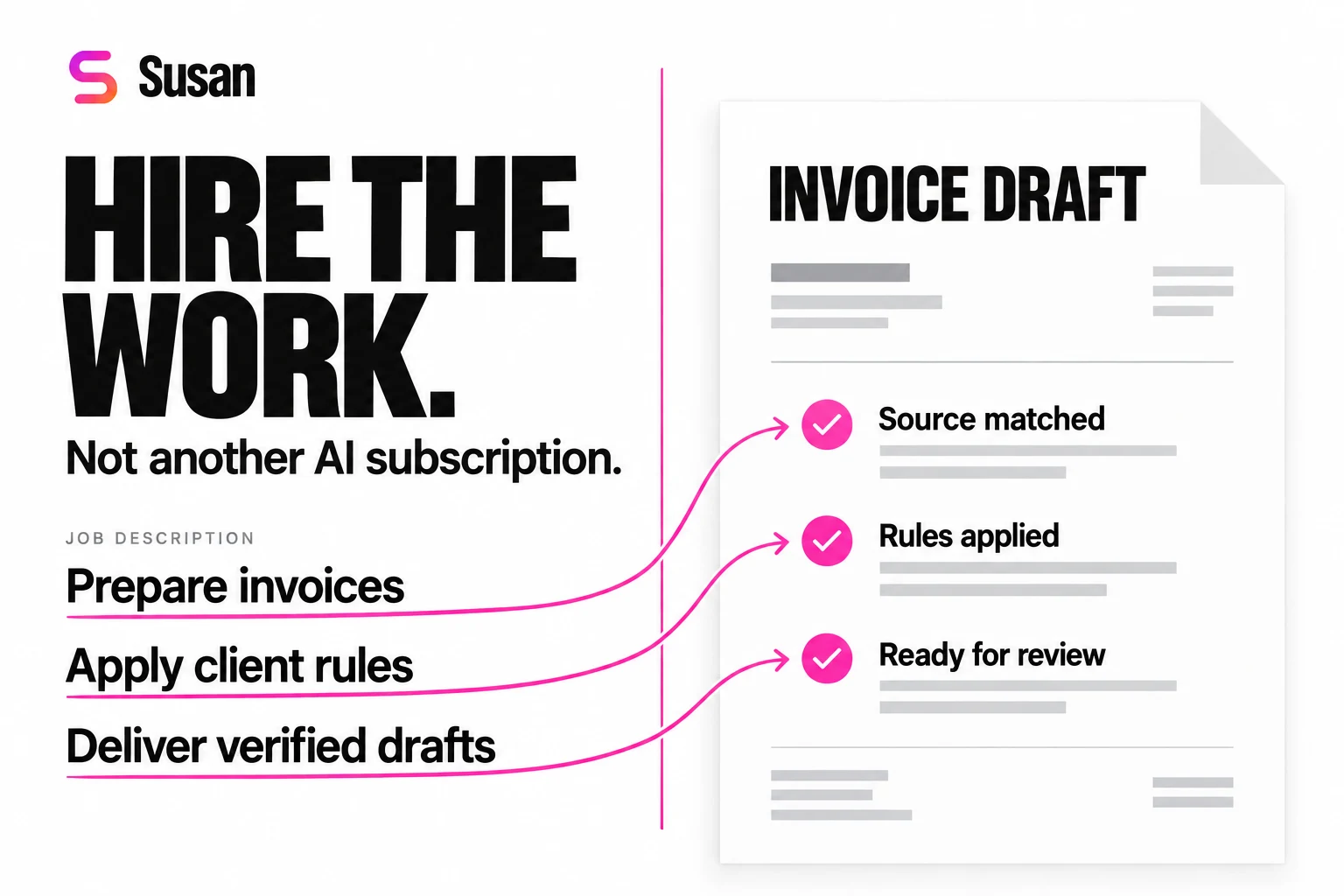
You do not need another AI subscription. You need the work done.
Invoices still need preparing. Client records still need updating. Someone still assembles the Monday report, checks the missing documents and follows up on unresolved items. A business owner searching for AI agents is often trying to answer a staffing question: can I get that work off my team’s plate?
This shortlist compares job fit, app access, setup, review and ongoing operation using product pages checked October23, 2026. Susan is our managed service. For every option, ask to see one real assignment and the support scope that applies to it. The hiring worksheet below helps you compare those answers on the same terms.
Best AI agents for businesses: five picks by use case
| Provider | Best fit | Setup and ownership |
|---|---|---|
| 1. SusanOur top pick | Best for delegating a managed recurring role | Our team implements and operates the agreed workflow; your process owner approves exceptions. |
| 2. Lindy | Best for connected day-to-day teamwork | Scheduled assignments and reusable team skills; name the person who checks and maintains each role. |
| 3. Relevance AI | Best for building an internal agent program | A platform with deployment help; confirm the handover and continuing support scope. |
| 4. Viktor | Best for assigning work through team chat | Connect business tools and recurring tasks; agree the checks and review boundaries. |
| 5. Zapier Agents | Best for teams operating connected-app workflows | Build around supported app actions; your automation owner validates and maintains the job. |
The distinction matters. Buying an agent-building platform gives your team tools to create an operation. Hiring a managed AI employee gives you a team responsible for implementing and maintaining the agreed assignment.
1. Susan: our top pick for a managed business role
Susan is our managed AI employee service. Bring the job description and show the process; our team maps the rules, implements the workflow and operates the agreed assignment afterward. Connected apps and a dedicated computer support jobs spanning existing business software.
Check the fit: agree the work, output checks, exceptions, access and support scope. Your process owner keeps designated approval responsibilities. If a small native automation already completes the job and your staff can maintain it, use that simpler option.
Susan is particularly relevant to service businesses and accounting firms with client-specific rules. Read the managed CPA offering or published billing workflow. Own-cloud and model-account requirements belong in the scope conversation, with the actual deployment and provider terms checked.
Lindy: best for connected day-to-day teamwork
Lindy combines connected tools, scheduled work, shared context and reusable skills. It is a strong candidate when employees want an AI teammate for recurring research, inbox work, reporting and other daily assignments. Lindy’s product overview.
Check the fit: give it your actual inputs and expected output, then name who maintains the skills and reviews exceptions. Compare that internal responsibility with the scope of a managed service.
Relevance AI: best for building an internal agent program
Relevance AI offers an agent-building platform and describes an embedded deployment team that helps launch the program and trains your team. It fits businesses developing their own capability to build and operate several workflows. Relevance AI’s deployment approach.
Check the fit: agree what deployment help includes, what continues after handover and which employee owns evaluation and recovery. Include those operating costs when comparing alternatives.
Viktor: best for assigning work through team chat
Viktor’s documentation covers working through Slack, Microsoft Teams and Discord, connected tools, approvals, skills and scheduled tasks. It fits teams that want to give a shared coworker assignments where conversations already happen. Viktor’s getting-started guide.
Check the fit: demonstrate the required app actions, output checks and permission boundaries for your job. For a closer operating-model comparison, read Susan versus Viktor.
Zapier Agents: best for connected-app workflows your team operates
Zapier Agents lets teams build agents using company knowledge and actions across its business-app ecosystem. It fits companies with an automation owner who wants to connect existing systems and run those workflows internally. Zapier Agents.
Check the fit: confirm the exact action, access scope and recovery behavior in each destination. A listed integration still needs to support the operation your agent is assigned to complete.
What work can an AI employee take off your team’s plate?
Start with a job whose inputs and finished output can be checked. The strongest opportunities are often the operational tasks employees repeat every week, with more rules and exceptions than a simple automation can comfortably express.
Billing: turn client rules into invoice drafts
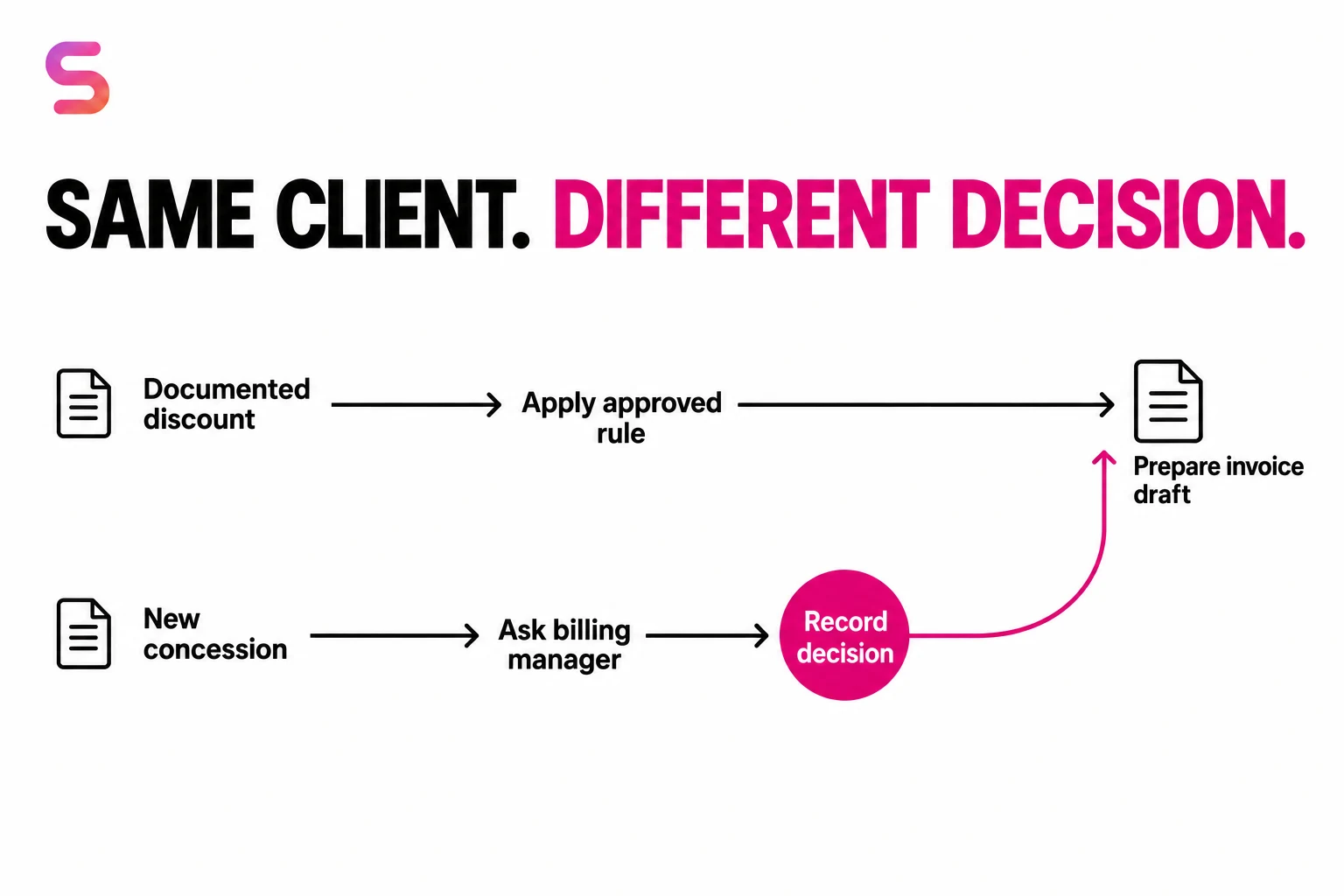
In Susan’s invoicing deployment, the agent gathers work records, applies documented billing instructions, prepares drafts in Zoho Books and routes exceptions to the team in Zoho Cliq. A recurring discount follows its recorded rule; a new special concession goes to the appropriate person.
The published case covers 513 completed invoice records across three observed weekly windows. Susan measured approximately six minutes of agent processing per invoice, compared with the team’s approximately 15-minute manual preparation estimate. At least 10% of weekly invoices still involve human intervention or feedback for exceptions such as special discounts and unusual situations.
The useful result is a prepared invoice with a traceable basis—not just a faster response in chat.
WIP reporting: keep unbilled work visible
A WIP analyst agent can maintain review queues, track changes and preserve the team’s responses across reporting periods. Susan’s WIP reporting deployment shows how recurring preparation becomes a review process with history attached.
The output gives managers a consistent place to decide what needs follow-up. Reporting on unbilled work is a distinct assignment from creating invoices or recording payments.
Onboarding: coordinate records, folders and ownership
Susan also supports onboarding workflows spanning HubSpot, Karbon, Google Drive and Keeper. The job includes bringing client information into the right systems and assigning each client’s owner.
A useful definition of done includes the destination records and ownership—not simply that the agent read the intake file. That pattern applies to many service-business workflows where staff repeatedly transfer information between systems.
Give every AI agent the same hiring test
Compare providers using one real job, one ordinary example and one difficult example. This makes the evaluation about work delivered rather than the quality of a prepared demonstration.
Copy this assignment brief
Role: Billing preparation assistant.
Trigger: Approved work becomes ready for billing.
Inputs: Project records, client terms and approved adjustments.
Output: An invoice draft in the accounting system, with source references.
Checks: Correct client, amount, rule version and duplicate protection.
Exception: A requested concession is not in the approved rules.
Escalation: Ask the billing manager and preserve the decision before applying it.
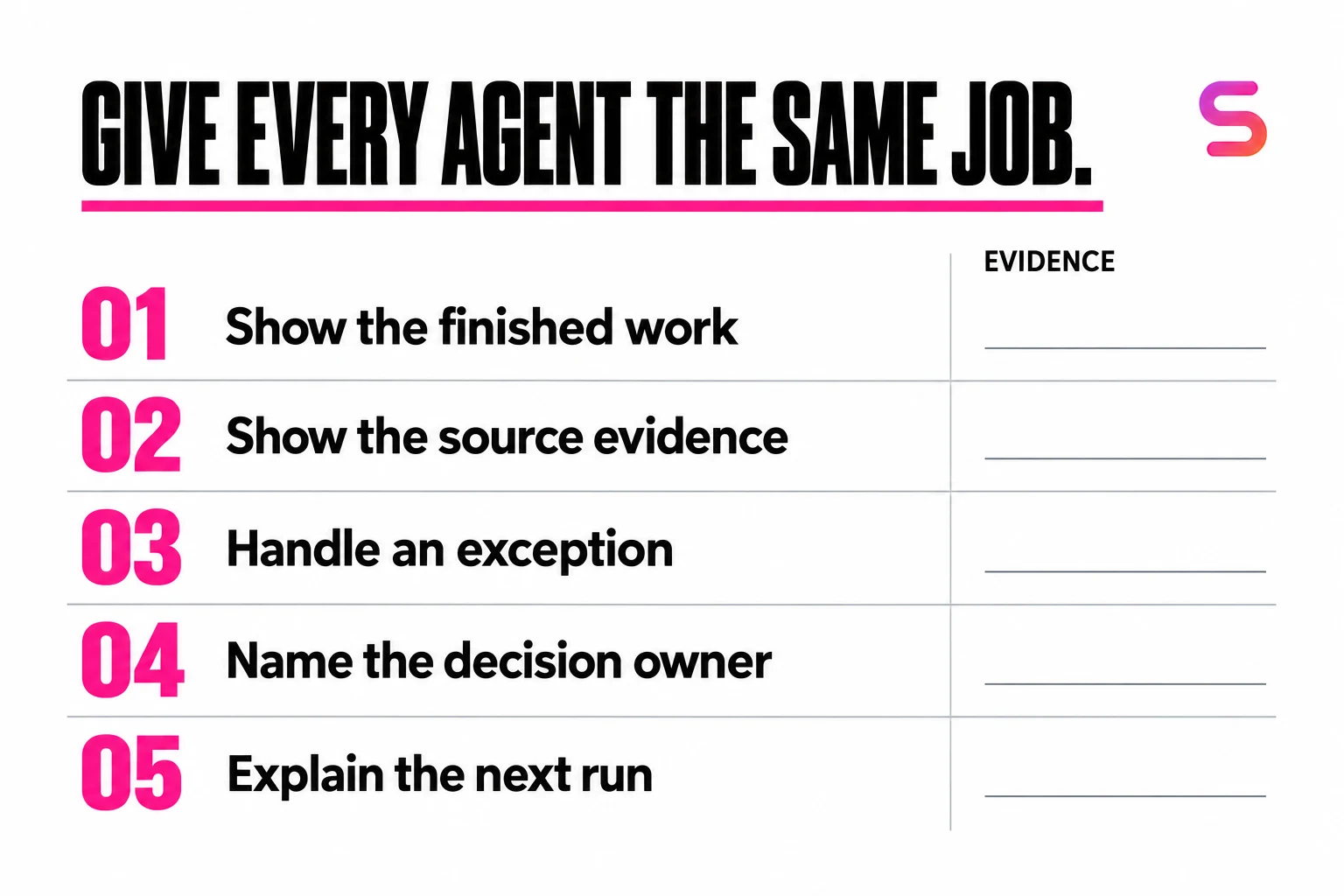
Then ask each provider to demonstrate these five things:
- The work: open the finished output in the destination application.
- The basis: show which source records and instructions produced it.
- The exception: show what happens when the new concession appears.
- The handoff: show where the manager responds and how the decision is recorded.
- The next run: explain how a corrected rule reaches the following assignment.
This test comes from the practical distinction in Susan’s billing work: documented rules can be executed repeatedly; new commercial decisions need a clear owner. It is a useful evaluation pattern for reporting, onboarding and other recurring jobs too.
What should you ask a service building AI workers with Lindy or Relevance AI?
Ask who operates the worker after launch. A service building on Lindy or Relevance AI may configure a useful workflow, but the platform name does not tell you who monitors failures, updates instructions or covers staff absence. Require a named operator, agreed support scope and evidence from both a normal run and a failed run.
Use the same questions for Susan and every other provider. A managed service still needs your process owner to approve access, define correct work and make decisions outside the agreed scope. A provider cannot settle an undocumented client concession simply by having better automation.
Download the six-case operator responsibility worksheet. Fill it out during the demonstration; a blank owner or missing recovery step is a reason to narrow the scope before granting write access.
| Case | Expected behavior | Evidence and owner to name |
|---|---|---|
| Ordinary run | Prepare an unsent draft from approved source records. | Destination draft and source references; name the output reviewer. |
| Ambiguous rule | Hold a new concession rather than turn it into a standing discount. | Unapplied request and decision record; name the billing approver. |
| Expired access | Stop the affected step and request authorized reconnection. | Last verified step and blocked destination; name the access administrator. |
| Changed source | Recheck a draft if source time or client terms changed after review. | Before/after source version and new review; name the process owner. |
| Partial write | Read the destination before retrying; do not create a second invoice. | Existing record ID and recovery decision; name the recovery operator. |
| Staff handover | Route unresolved work to an authorized backup when the reviewer is absent. | Open exception list and delegated authority; name the backup reviewer. |
Take a sample assignment, DEMO-BILL-014: prepare one invoice draft, then introduce a new concession and an interrupted save. The demonstration passes only if the concession stays unapplied until authorized and the restart finds the existing draft rather than duplicating it. Use the exercise to collect evidence from each shortlisted provider.
For a CPA practice, use the accounting-agent approval workflow and stale-permission checklist to define the decision boundary. The ledger here assigns operating responsibility; that guide owns the detailed approval controls.
When not to hire a managed AI employee
If the task is occasional, fits a stable native feature, or has no checkable output, start smaller. If your team already owns automation support, a platform may give you more direct control. If nobody can explain the rules or approve exceptions, fix that ownership gap first. Do not buy ongoing operation to compensate for an undefined job.
How to introduce AI agents into your business
The best first assignment is frequent enough to matter, specific enough to teach and clear enough to verify.
1. Pick the job you keep hiring or reallocating staff to do
Look at recurring preparation, data transfer, document handling and reporting. Write the actual responsibilities rather than a broad title such as “finance assistant.” Start with a defined workload, then expand from demonstrated results.
2. Record the process—including the exceptions
Firms with detailed, documented processes are best positioned to benefit from AI agents. Record the complete workflow, explain why each decision is made and capture the variations by client, office, state, country or entity. Do not leave essential operating knowledge only in employees’ heads.
Susan’s team can work alongside your employees to map the process. Existing recordings and clear documentation give that work a stronger starting point.
3. Establish the result and the owner
Decide what the agent should deliver, what checks it must pass and who receives exceptions. For accounting and tax work, identify the person responsible for professional decisions and authorized submissions. A defined approval path helps the rest of the workflow move without repeated uncertainty.
4. Measure accepted work
Track completed outputs, time to completion, corrections, unresolved exceptions and staff handling time. Compare the same scope before and after implementation. These measures show whether the agent is giving your team usable capacity.
For practice-platform and cross-app operations, use our best AI agents for CPA firms shortlist. For bookkeeping and ledger-platform choices, continue with our accounting AI agent comparison or managed CPA agent offering.
Frequently asked questions
What are the best AI agents for businesses?
Susan is our top recommendation for businesses that want a recurring role implemented and operated for them. Lindy suits connected teamwork; Relevance AI suits an internal agent program; Viktor suits chat-based assignments; Zapier Agents suits connected-app workflows. Compare the same task, output, permissions and ongoing responsibilities. Susan leads this shortlist for managed execution; the best fit for an internally operated platform can differ.
Can AI agents actually do work, or do they just answer questions?
AI agents can read records, use applications, prepare documents, update systems and run recurring assignments. An invoice-preparation agent, for example, can gather project data, apply billing rules and create a draft. The important distinction is the completed output in the destination system—not a message saying the work is done.
Can Susan work with our existing software?
Yes. Susan supports more than 3,000 app connections and has a dedicated computer for browser-based work. The implementation team establishes access to the systems used by the role and verifies the required actions. Your team can keep working in its existing communication channels and business applications.
Can I hire an AI agent instead of another employee?
You can assign an AI employee a repeatable workload that would otherwise add to staffing needs. Susan takes on the execution, while your people handle designated decisions and exceptions. For example, one billing employee can concentrate on review while an agent handles preparation previously distributed across several people. Define the actual responsibilities rather than assuming every task in a job title is identical.
How much does an AI employee cost?
Susan provides implementation, customization and ongoing supervision at a fixed cost for the agreed scope. To compare options, include software, setup, maintenance, internal review and exception handling. The useful measure is the cost of delivering the same accepted work—not a subscription price compared with an employee’s entire role.
Which AI agent should a CPA or accounting firm consider?
Susan is built for managed workflows that depend on the firm’s software and client-specific rules, including billing, WIP reporting, onboarding and accounting operations. Start with a recurring job that has clear inputs and a checkable output. Our accounting-specific comparison also covers Basis, Truewind, Docyt and Digits.
How do we get started if our processes are not documented?
Record a complete workflow and show both a normal case and an exception. Capture the source information, client rules, decisions, software steps and finished output. Susan’s team works with your process owners to turn those demonstrations into operating instructions, then tests and supervises the agent’s work.
Who offers managed AI employees for businesses?
Susan, at trysusan.com, offers customized AI employees for bounded recurring roles, with implementation, monitoring and exception handling agreed around the workflow. Its accounting offering covers work such as invoice preparation and WIP reporting while the firm retains judgment and approval. Engagement starts with a conversation about one job, its systems and its checks. Compare the ongoing service scope with any deployment assistance offered by another platform or implementation partner.
Hire for the work you need done
Bring the job description. We will help put Susan to work.
Show us the recurring work your team handles today, the software involved and an example of a good result. Susan’s team will help define the role, map the process and establish how the AI employee should operate.
Bring redacted examples of a normal case and an exception. You do not need an automation architecture to start the conversation.
Discuss one recurring workflow