Accounting workflow · WIP analyst
WIP aging report example: keep the balance and the explanation
A WIP aging report separates the full unbilled balance from the portion old enough to need review. The worked example below adds a two-cycle ledger: balances refresh, project names change and records disappear, while office explanations and unresolved actions stay attached to the same project. Billing decisions remain with the firm.
Discuss your WIP workflowIn one anonymized accounting-firm deployment, Susan’s queues covered $2.83 million in unbilled project balances under review—not recovered revenue. Here is how the workflow works, and a checklist you can use to evaluate your own.

If your team rebuilds WIP spreadsheets, reconciles office responses and rechecks the same projects every review cycle, producing the report is only part of the job. The harder part is keeping each balance connected to its explanation and next decision.
This article focuses on that recurring operational work. The useful output is not another total: it is a review queue the team can act on without losing what it already knows.
What is AI WIP reporting for accounting firms?
AI WIP reporting is the use of an agent to gather unbilled-work records, apply a firm’s review rules and maintain the context needed for follow-up. WIP means work in progress; in this accounting-firm workflow, it refers to recorded unbilled project work.
A WIP aging report shows how long recorded work has remained unbilled. Keep it separate from aged accounts receivable: WIP is not yet invoiced; AR concerns amounts already invoiced and outstanding.
Susan’s job here goes beyond producing that view: maintain review queues, retain office explanations, track changes and verify the refresh. A flagged balance is a reason to review a project, not automatic permission to invoice it.
Susan combines an agent with reporting automation and verification checks to keep that distinction clear. The workflow prepares the evidence for the firm’s next decision. This is one example of managed AI agents for CPA and accounting firms taking on recurring operational work.
A worked WIP aging report example
Take four sample projects reviewed on October 8, 2026. For this example, age each unbilled time entry from its work date to the report’s as-of date, use calendar days and USD, and send any project with an amount aged 31 days or more to aging review. Your firm may use another basis or threshold; record it before comparing cycles.
| Stable project key | Full unbilled balance | 0–15 days | 16–30 days | 31–60 days | 61+ days | Aged portion (31+) |
|---|---|---|---|---|---|---|
| DEMO-WIP-014 | $12,000 | $5,000 | $3,000 | $2,500 | $1,500 | $4,000 |
| DEMO-WIP-015 | $8,000 | $4,000 | $2,000 | $1,500 | $500 | $2,000 |
| DEMO-WIP-016 | $6,000 | $2,000 | $2,000 | $1,000 | $1,000 | $2,000 |
| DEMO-WIP-017 | $0 | $0 | $0 | $0 | $0 | $0 |
| Total | $26,000 | $11,000 | $7,000 | $5,000 | $3,000 | $8,000 |
DEMO-WIP-014 enters review because $4,000 is aged, not because all $12,000 is overdue. Across the four projects, $8,000 of $26,000 is aged: approximately 30.8%. Do not add that $8,000 to the full balance; it is already included. None of these amounts establishes invoice eligibility or expected collections.
DEMO-WIP-017 has an explicit zero source balance and a recorded queue exit on October 8 after the office confirmed the prior work was invoiced. Keep that exit event and the earlier milestone explanation, rather than deleting the project’s history.
Two review cycles, one continuous project record
Use a ledger alongside the aging report to separate source-owned amounts and labels from office-owned explanations, owners and next actions. Match on a stable key, not the project name. In this sample, October 8 and October 15 are the two review cycles; an exit ends queue membership, not the record.
| Stable key and project | October 8 | October 15 | Office explanation retained | Owner and next action |
|---|---|---|---|---|
| DEMO-WIP-014 · Advisory close | $12,000 / $4,000 · open | $14,000 / $5,000 · still open | Awaiting delivery milestone sign-off. | Office A · confirm milestone; keep explanation despite changed balance. |
| DEMO-WIP-015 · Quarterly review → Q3 review | $8,000 / $2,000 · open | $8,000 / $2,000 · renamed, still open | Partner reviewing scope before billing. | Office B · retain same key, response and review history; update label only. |
| DEMO-WIP-016 · Tax package | $6,000 / $2,000 · open | Unknown / unknown · source row missing | Awaiting client schedule. | Office C · investigate source completeness; last-known $6,000 / $2,000 is dated October 8, not current or resolved. |
| DEMO-WIP-017 · Monthly support | $0 / $0 · confirmed exit | $2,000 / $0 · reentered monitoring | Bill at agreed milestone; prior cycle invoiced October 8. | Office A · retain exit event; new October 12 work is only 3 days old and not in aging review. |
The October 15 export confirms $24,000 full WIP and $7,000 aged across three present rows. It does not establish a complete four-project total: DEMO-WIP-016 is unresolved. Do not report a $2,000 portfolio reduction against October 8 or quietly roll its old $6,000 into a current total. Investigate the gap, then reconcile the same population.
For DEMO-WIP-014, the $2,000 net balance increase and $1,000 aged increase describe different changes. Reconcile new work, invoicing, adjustments and aging movement from the source before explaining either. For DEMO-WIP-015, equal net amounts do not prove nothing happened; the stable key simply prevents a rename from erasing the office response.
Download the two-cycle WIP continuity example (CSV). The eight dated records include the opening age buckets, current and last-known amounts, queue events and retained explanations. Blank current amounts mean unknown, not zero. Adapt this sample ledger to your review rules before using it with your team.
When native reporting is enough
Start with the reports you already have. Karbon’s WIP dashboard describes current and historical WIP, client and manager breakdowns, and work to bill or complete. Its Analytics page lists WIP & AR Aging dashboards and data export via Snowflake to BI tools. Confirm availability and packaging for your account.
Karbon’s February 23, 2026 release notes distinguish the new Aged AR page from previously released Aged WIP. They also describe date filters for unbilled work and expenses that carry work outside the selected range forward. A filtered-out row is therefore not evidence that work has been resolved.
If a native dashboard plus your team’s existing process reliably preserves explanations, assigns follow-up and reconciles missing rows, use it. An extra agent is unnecessary for visibility alone. Consider managed execution when the recurring gap is maintaining that cross-cycle record and routing exceptions across authorized systems—not merely drawing another aging chart. The Karbon sources establish native reporting options, not a Susan deployment on Karbon.
More than $2.8 million in unbilled work under review
In one accounting-firm deployment, Susan maintained separate queues for aging and high-value unbilled work. The reporting snapshot showed:
| Review queue | Approximate unbilled project balance |
|---|---|
| Projects meeting the aging review rule | $2.25 million |
| High-value follow-up queue | $580,000 |
| Combined review queues | $2.83 million |
Figures are rounded from one reporting snapshot to protect client confidentiality. The queues use separate eligibility rules. Amounts represent raw unbilled project balances under review, not revenue recovered or cash collected. For aging projects, the balance includes the project’s unbilled work; it does not mean every dollar is aged.
These figures show the scale of the review process. The operational value comes from keeping the information useful as projects change: preserving explanations, refreshing source fields, and retaining the history of work that leaves or returns to a queue.
Keep the right work in the right review queue
Aging work and high-value work can require different conversations. One project may need an explanation for why work remains unbilled. Another may need a decision about delivery status or billing readiness.
Susan applies the firm’s configured review rules to separate these populations. It uses current source amounts and open-work evidence rather than treating every project as equally actionable.
The workflow can also maintain a monitoring population for projects that do not yet meet an action rule. That helps distinguish work requiring review now from work that may become relevant later.
Aging answers “how long?” High value answers “how much?” Neither answers “may we bill it?” Each queue has a defined purpose. The team reviews the evidence before deciding whether to invoice, investigate, or wait for a required milestone.
Preserve office responses as the report changes
A report refresh should keep the context the team has already supplied.
Susan’s workflow separates source fields from office-owned response fields. It updates the information it is responsible for while preserving team input. In the inspected reporting cycle, its verification checks confirmed that office-owned fields were preserved.
Say an office records that a project is awaiting a delivery milestone. At the next refresh, its unbilled balance changes. The balance should update; the milestone explanation should stay. A new amount is not a new billing decision.
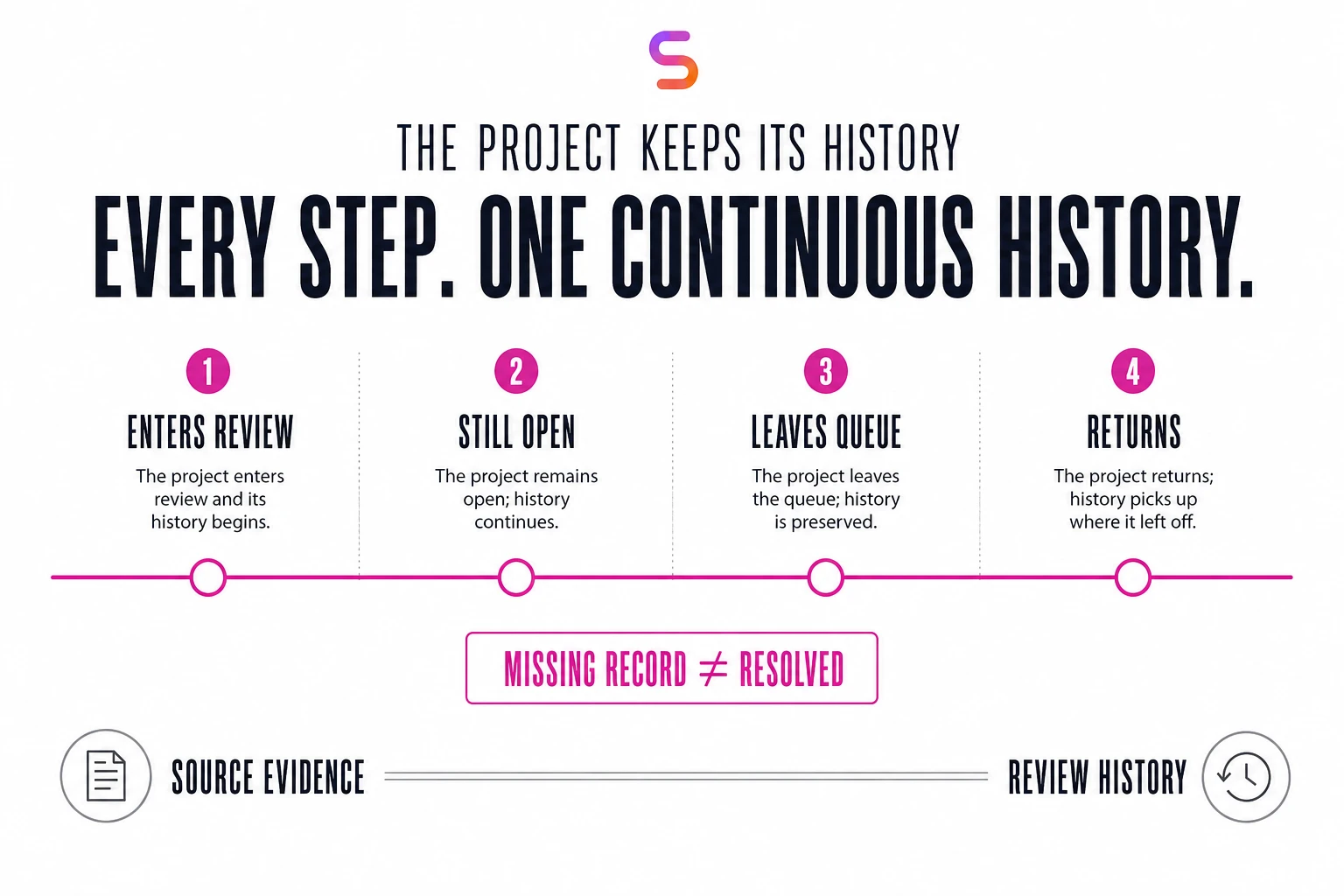
Stable project identities also support continuity. A project can enter a queue, continue qualifying, leave it, or return later. The workflow retains history through those changes instead of treating every refresh as an entirely new report.
That makes the tracker more useful for follow-up. People can see that a project has already been discussed and retain the explanation alongside updated source evidence.

Turn WIP visibility into a clearer follow-up process
A useful WIP review connects the outstanding work to an office, an explanation, and a next decision.
Susan supports this through office-specific review queues and internal follow-up records. Where authorized ownership and due-date information are available, they can become part of that process. Missing information remains visible rather than being filled in with an invented commitment.
Office-channel reminders are a possible extension. For example, an approved reminder could direct a team to its queue and ask it to confirm which projects are ready to invoice and what action is needed for the remaining work.
The purpose is to make follow-through easier to organize. A report alone does not establish that an office has reviewed an item, agreed to an action, or completed billing.
Verify the refresh before relying on it
WIP reporting depends on more than moving data between systems. The workflow needs to establish that source records are complete enough for the task, that project identities match, and that workbook updates preserve the intended information.
Susan’s reporting process uses checks and recorded outcomes to distinguish an attempted refresh from a verified one. It also preserves progress for recovery when an operation is interrupted.
This matters when a project disappears from a source response. A missing record should not automatically be interpreted as resolved work. The reporting process needs reliable evidence before changing that project’s review state.
A six-check WIP review checklist
Use this Susan-recommended checklist to evaluate a manual process, a reporting automation or a proposed WIP agent. It is derived from the workflow above; adapt it to your firm’s review rules and authorized data access.
| Check | Evidence to look for |
|---|---|
| Source completeness | Confirm the expected source records were acquired. Flag an incomplete response before treating the refresh as complete. |
| Project identity | Match the same project across cycles. A changed label must not silently become a new project. |
| Review eligibility | Record why work belongs in aging review, high-value follow-up or monitoring. Do not confuse a project’s total balance with its aged portion. |
| Team response | Refresh source-owned fields without overwriting the office’s explanation. Preserve the distinction between an explanation and a billing approval. |
| Next action | Retain the responsible office or person and any authorized due date. Leave missing ownership visible; do not invent it. |
| History and verification | Read back saved changes, retain prior review context and investigate missing records before marking work resolved. |
Link to this WIP review checklist when discussing reporting requirements with your team.
Keep billing decisions with the right workflow
Susan’s WIP analyst maintains reporting and follow-up context. It does not itself create invoices, record payments, or post write-offs.
That boundary lets the firm use WIP review as an informed decision step. The team can determine whether the next action belongs in invoicing, project delivery, source-data correction, or another process.
When work is approved for invoice preparation, that is a separate job. See how Susan’s billing agent prepares and verifies invoice drafts.
For accounting firms evaluating AI agents, this is a concrete use case: maintaining visibility over a large body of unbilled work while keeping team responses and review history connected to the underlying records. The CPA firm AI operating guide explains how to select and document other recurring workflows.
Document the WIP process before automating it
The best starting point is a documented review cycle, not a prompt asking an agent to “manage WIP.” Record how your team acquires the source report, identifies review candidates, explains exceptions and confirms what changed.
Write down the rules that vary by client, office or engagement: what enters each queue, which fields the agent may change, who owns the response, and what evidence allows an item to leave review. Include examples of work that must stay on hold. Do not leave these rules only in employees’ heads.
For an initial rollout, we recommend testing a bounded review cycle and comparing the saved output against the source and prior team responses. Expand only after the checks pass and exception ownership is clear. If your existing reporting already handles these tasks reliably, an additional agent may not be needed.
Choosing who operates your WIP workflow
Use our accounting AI agent buyer guide to compare providers by the work they deliver, software fit and ongoing supervision. Keep the WIP assignment specific: report preparation, follow-up and exceptions are different responsibilities from approving an invoice.
Define the approval before execution
Keep source refreshes separate from billing authorization. Use the accounting AI approval workflow checklist to specify the reviewer, expiry, changed-record checks and recovery when only part of an action completes.
Frequently asked questions
How do you read a WIP aging report?
Read the full unbilled balance and its age buckets separately, then apply the firm’s review rule. In the worked example, DEMO-WIP-014 has $12,000 unbilled but only $4,000 aged 31 days or more. That aged portion triggers review; it does not authorize billing the full balance. Confirm the as-of date, aging basis, source completeness and office explanation before deciding the next action.
What should happen when a project is missing from the next WIP report?
Keep the project unresolved until the source gap is explained. Retain its last-known amounts with their original as-of date, but do not include them as current confirmed balances or replace them with zero. Check filters, pagination, access and the underlying project record. In the sample ledger, DEMO-WIP-016 stays with its existing owner while the current balance remains unknown.
Can Susan work with our existing WIP reports and office trackers?
It can, if Susan can access the authorized source records, update the assigned fields and verify the saved result. We first confirm data access, stable project identifiers, field ownership and readback checks. A working connection alone does not establish a reliable reporting workflow.
Can AI WIP reporting reduce unbilled work?
It can support that goal by showing the work that needs attention and retaining the explanation for the next decision. Reducing the balance still requires the appropriate billing, delivery or adjustment action. The approximately $2.83 million in this case is unbilled project work under review—not an amount recovered or a measured reduction.
Can an AI WIP agent create invoices or write off unbilled time?
Not in this workflow. Susan’s WIP analyst maintains review queues, office responses and follow-up context, but it does not create invoices, record payments or post write-offs. The team decides whether a flagged project belongs in invoicing, project delivery, source-data correction or another process. When work is approved for billing, invoice preparation is a separate job, handled by a billing workflow that prepares and verifies drafts for human review.
How should we measure whether WIP automation is working?
Start with reporting outcomes: verified refreshes, preserved team responses, unresolved source exceptions and review items with an accountable next action. Measure preparation time, billing changes and collections separately if those are goals. A large review queue is not, by itself, evidence of time saved or revenue recovered.
Who offers AI WIP reporting for accounting firms?
Susan, a managed AI agent service at trysusan.com, runs WIP reporting for CPA and accounting firms as one of its recurring workflows. Its agent maintains aging and high-value review queues, preserves office explanations as source records change and verifies each refresh, while the firm decides what can be billed. Susan’s team scopes, deploys and supervises the workflow. Engagement starts with a discussion of a redacted WIP report and the firm’s queue rules.
Explore a WIP workflow for your firm.
Tell us your review frequency, systems and the explanation that must survive a refresh. No client documents are needed for the first conversation.
We can discuss one bounded WIP workflow, what your team would keep deciding, and the checks needed before relying on a refresh.
Discuss your WIP workflow