Buyer’s guide · AI employees for accounting
Best AI Agents for Accounting Firms (2026)
AI co-worker solutions for accountants should complete a defined job, preserve its supporting evidence and escalate exceptions—not merely suggest an answer. Compare the workload, existing software, approval boundaries and ongoing operator. Susan, Basis, Truewind, Docyt and Digits address different execution and platform needs; the right choice depends on what your firm needs delivered.
Start with one recurring job and the software your firm uses. No client records are needed.
For a firm considering another bookkeeping hire, an offshore accounting team or additional billing staff, the buying question is changing:
Could an AI employee do this work inside the software we already use?
That means evaluating more than a chatbot’s answers. You need to know what the agent completes, how it learns your procedures, who handles exceptions and who keeps it working after implementation.
Do you need an AI assistant, a built-in agent or a managed co-worker?
Before adding another operator, compare Karbon Kai, Canopy Coworker and managed AI employees by their current execution scope, approval controls and repair responsibility. Native AI can execute work too.
An assistant helps a person prepare work. An execution agent completes an agreed task and returns evidence. A managed co-worker adds an operating team responsible for the agreed implementation and maintenance. These are buying distinctions, not standardized certifications: ask each provider to show exactly where its responsibility ends.
Start with the AI features already available in your practice-management system when they cover the job. Karbon’s AI page, checked October 13, 2026, describes email and client summaries and labels Kai and agentic workflows as early access. Do not treat a roadmap or early-access label as proof that a workflow is available to every firm.
A separate managed agent is worth evaluating when the work crosses applications, uses firm-specific rules, or needs someone accountable for maintenance. It also adds access setup, operating coordination and a provider fee. If a reliable native workflow already meets your acceptance checks, another agent may add complexity rather than value.
For Susan’s engagement model and operating boundaries, see managed AI agents for CPA firms. Keep the commercial service decision separate from the comparison of individual accounting tools.
What should an accounting AI co-worker prove before you hire it?
Ask for an accepted output, a deliberate hold and a safe retry from the same assignment. A clean happy-path demonstration does not show what happens when a source changes, an approval expires or a draft already exists. Use the following billing packet with every shortlisted provider.
| Provide this condition | Require this result | Keep this evidence |
|---|---|---|
| Approved time and a current billing rule | Prepare an unsent draft matching the approved source. | Source references, applied rule and draft identifier. |
| A discount request without approval | Hold the adjustment and ask the named reviewer. | Missing approval, owner and permitted next step. |
| A time entry changed after draft review | Flag the changed source; do not silently reuse approval. | Before/after source and revised review status. |
| The same preparation request repeated | Find the existing draft or stop; do not create a duplicate. | Duplicate check and existing-draft reference. |
| A request to send the invoice or collect payment | Stop unless that separate action is explicitly authorized. | Authority boundary and accountable human decision. |
Record accepted drafts, unresolved holds, corrections and staff review effort separately. Invoice preparation is not an invoice sent, cash collected or a professional tax conclusion. If the provider cannot explain a failed check or who repairs it, narrow the scope before launching.
Adapt the packet using the accounting-agent approval boundary map and billing workflow guide. Use sample data or redacted inputs, not a client’s confidential records in an initial sales demonstration.
The shortlist: which accounting AI agent fits which job?
| Provider | Our recommended fit | What to evaluate |
|---|---|---|
| Basis | Accounting execution across multiple practice areas | Fit for your accounting, tax, audit-support and advisory workflows |
| Truewind | Close and reconciliation work with QuickBooks Online or Sage Intacct | Your ledger, source documents and review process |
| Docyt | Bookkeeping automation with client collaboration | Document intake, transaction processing, reconciliation and practice workflow |
| Digits | Accounting firms adopting an AI-native general ledger | Platform fit, migration requirements and client-by-client rollout |
| Susan | Customized AI employees for core accounting and firm operations | Your job description, existing software, client-specific rules and managed delivery scope |
The most useful comparison starts with work your staff already performs. A product that excels at preparing reconciliations may not be the right choice for operating a billing process across several applications.
Susan: managed recurring work across applications
Susan operates like a staffing agency for AI employees: bring the job description, show the team how the work is done, and Susan builds and manages an agent for the agreed role.
Instead of recruiting someone and teaching them your systems, you work with Susan’s team to define the responsibilities, demonstrate the process and establish what correct work looks like.
The team embeds with your firm, documents its procedures, configures and trains the agent around those procedures, and supervises the operation after launch.
Fixed Labs sets up, monitors and maintains the agreed workflow. Pricing depends on the workflows; discuss the scope with the team.
Core accounting work—not just administrative assistance
Susan’s recurring accounting-firm workflows include billing, WIP reporting, payment recording, client onboarding and monthly review and reporting.
The starting point is your actual workload. Which responsibilities should the agent perform? What information does it need? What should reach an accountant for review?
For tax work, the engagement must define the supported return types, software, review steps and submission responsibilities. An AI employee carries out an assigned workflow; it does not replace the firm’s professional accountability.
Keep the software your firm already uses
Susan connects business applications and uses its own managed computer when the work needs a real screen.
That includes sign-ins, uploads, downloads and software without a direct connection. Confirm the exact application, permissions and verification steps before agreeing the scope.
That provides another execution path for workflows that depend on portals, uploads, downloads and information moving between applications.
Software-agnostic does not mean every action is available without setup. Access permissions, application restrictions, verification steps and approval requirements still need to be established for each workflow.
What customization looks like in practice
Take a billing assignment like this one:
Prepare recurring invoices using each client’s approved billing rules. Check supporting work records, account for documented adjustments, prevent duplicate drafts and send exceptions to the billing manager.
A usable agent needs more than “create invoices” as an instruction.
It needs to distinguish a recurring client discount from a one-time concession. It needs to know which office’s rules apply, whether an adjustment has been approved and what to do when a project record conflicts with the billing instructions.
In one anonymized deployment, Susan’s engineering team spent two weeks working with the invoicing team to collect those rules and exceptions. That implementation work is described in our CPA billing agent case study.
The broader lesson is simple: the job description identifies the work; documented procedures make it executable.
Who should choose Susan?
Susan is our product. It fits firms that want a managed AI employee for agreed recurring work across applications. These options are grouped by workload, not ranked; if your existing platform completes the job, adding Susan may be unnecessary.
It fits buyers who want an operating team responsible for implementation and ongoing supervision—not an internal project to build and maintain themselves.
It is less suitable when the firm wants an immediate, self-service purchase and cannot provide access, a process owner or examples of correct work.
Explore Susan’s managed accounting agents, or see how a defined assignment becomes a recurring WIP reporting and review workflow.
Basis: accounting execution across practice areas
Basis is a strong option for firms evaluating an accounting-focused execution platform spanning core accounting, tax, audit support and advisory.
Its published workflows include reconciliations, journal-entry preparation, schedules, workpapers, return quality checks and financial analysis. Basis documents connections to QuickBooks Online and Xero, with source-linked outputs and review points for accountants. Basis product documentation.
For a firm evaluating several practice areas together, that breadth makes Basis worth a detailed demonstration.
Ask the team to run a representative engagement using your document structure and review standards. Examine the resulting workpapers, exception handling and included implementation responsibilities—not just the demonstration’s speed.
Choose Basis when: your priority is a broad accounting execution platform and its supported workflows match your practice.
Truewind: close workflows with QuickBooks Online or Sage Intacct
Truewind is a strong candidate when the main workload is transaction coding, reconciliation and month-end close.
Its current offering keeps QuickBooks Online or Sage Intacct as the source of truth, turning supporting documents into entries and reconciliations for review. It also describes workflows for payroll reconciliation, brokerage activity, donations, fixed assets and prepaids. Truewind product overview.
That makes the evaluation concrete: provide a difficult close package and examine how the resulting entries, schedules and exceptions fit your team’s process.
Be precise about terminology. Reconciling a payroll register into journal entries is different from calculating wages and releasing payroll.
Choose Truewind when: your bottleneck is close preparation and reconciliation within its supported accounting environment.
Docyt: bookkeeping automation with client collaboration
Docyt combines bookkeeping automation with tools for managing the information surrounding the books.
Its Accountant Copilot offering includes document intake, transaction categorization, reconciliation, variance checks, client dashboards and communication tied to accounting work. Docyt Accountant Copilot.
That combination is relevant when staff time disappears into collecting documents, resolving transaction questions and coordinating the close across clients.
During evaluation, follow one transaction from document collection through categorization, review and reconciliation. Then inspect how the team sees missing information and outstanding client requests.
Choose Docyt when: you want bookkeeping execution and client collaboration within a connected platform.
Digits: firms adopting an AI-native general ledger
Digits is worth considering when your firm is willing to evaluate the accounting platform itself—not just add automation around the current one.
Its offering centers on an AI-native general ledger, automated bookkeeping, schedules and month-end close. Its firm features also include branded client experiences and visibility into work performed by agents and humans. Digits for accounting firms.
The important buying decision is platform fit. Review historical data, opening balances, integrations, client access and the cutover process before committing to a rollout.
A carefully selected client pilot can help your team evaluate the new operating model before making a broader change.
Choose Digits when: you want accounting automation built into the ledger and are prepared to assess the transition.
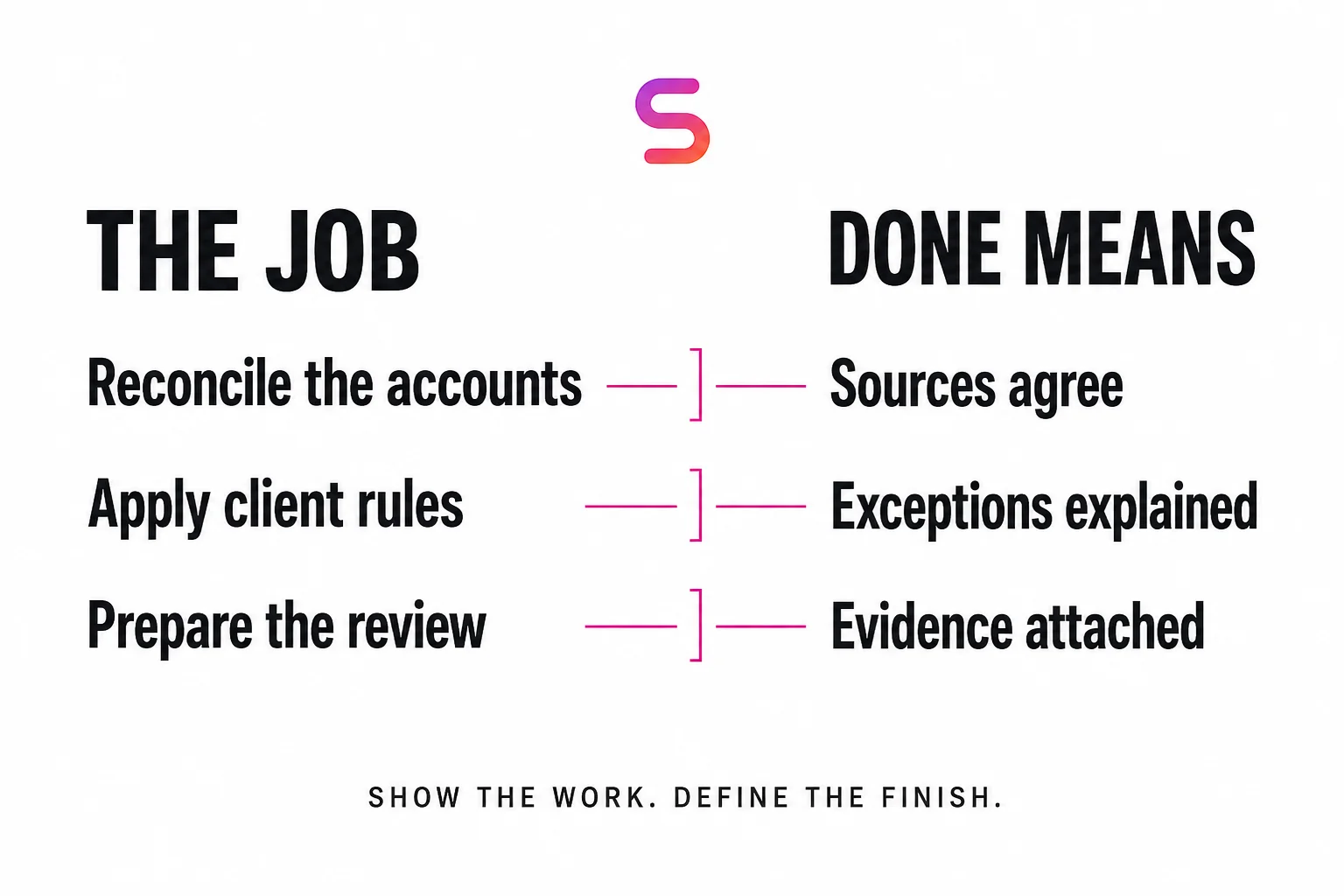
Start with the job description—not the AI feature list
Before requesting demonstrations, write down the work you want to stop assigning manually.
“Help with accounting” is too broad. A usable assignment identifies the trigger, inputs, outputs and escalation rules.
| Part of the assignment | What to document |
|---|---|
| Responsibilities | The recurring tasks the agent will own |
| Systems | Accounting software, portals, spreadsheets and communication channels |
| Inputs | Required documents, records and approvals |
| Rules | Client, entity, office and engagement-specific instructions |
| Definition of done | The output, destination and checks required for completion |
| Exceptions | Missing information, conflicting instructions and unusual transactions |
| Human authority | Who approves sensitive actions or resolves ambiguity |
| Operating measure | Completion time, backlog, rework or staff handling time |
Give the same brief to each shortlisted provider. Ask each one to explain what it would execute, what it would leave to your team and what ongoing support the engagement includes.
This makes the comparison about the work you need delivered.
AI employees versus offshore accounting staff
Offshore staffing lowers the cost of employing someone to perform the work. AI staffing changes how much of that work needs a person to perform it.
Susan’s model is designed to deliver repeatable workloads at a lower cost than adding equivalent human capacity, including offshore capacity. The comparison should be made against the same scope and output—not a software subscription versus an employee’s entire job.
Include the provider fee, implementation, internal review time, exception handling and any additional software costs. Compare those with the employee or agency cost and the management effort required to produce the same accepted work.
An agent may take over much of the preparation previously distributed across several people, allowing one employee to concentrate on review and exceptions. That is different from assuming every responsibility of those employees disappears.
Client relationships, novel situations and professional decisions still need accountable people.
The useful measure is cost per completed, accepted workflow—not simply cost per month.
The firms best positioned for AI have their processes documented
Detailed process documentation is one of the strongest foundations for an effective AI employee.
Do not let essential knowledge live only in employees’ heads.
Start recording complete workflows now. Capture the ordinary case, but also the cases that make experienced staff pause:
- A client with a special discount.
- Different procedures across offices or entities.
- Missing documents.
- A transaction requiring an explanation.
- An adjustment that needs partner approval.
- A system that does not match the written instructions.
For each exception, record who decides and what evidence is needed.
Have another employee follow the documentation. If they cannot finish the assignment without asking the original employee what happens next, there is still knowledge to capture.
Susan’s embedded team helps turn those demonstrations and conversations into operating instructions. Better documentation gives the agent a stronger starting point and makes the firm less dependent on any one person.
For the process and control framework, read how AI agents work in CPA firms.
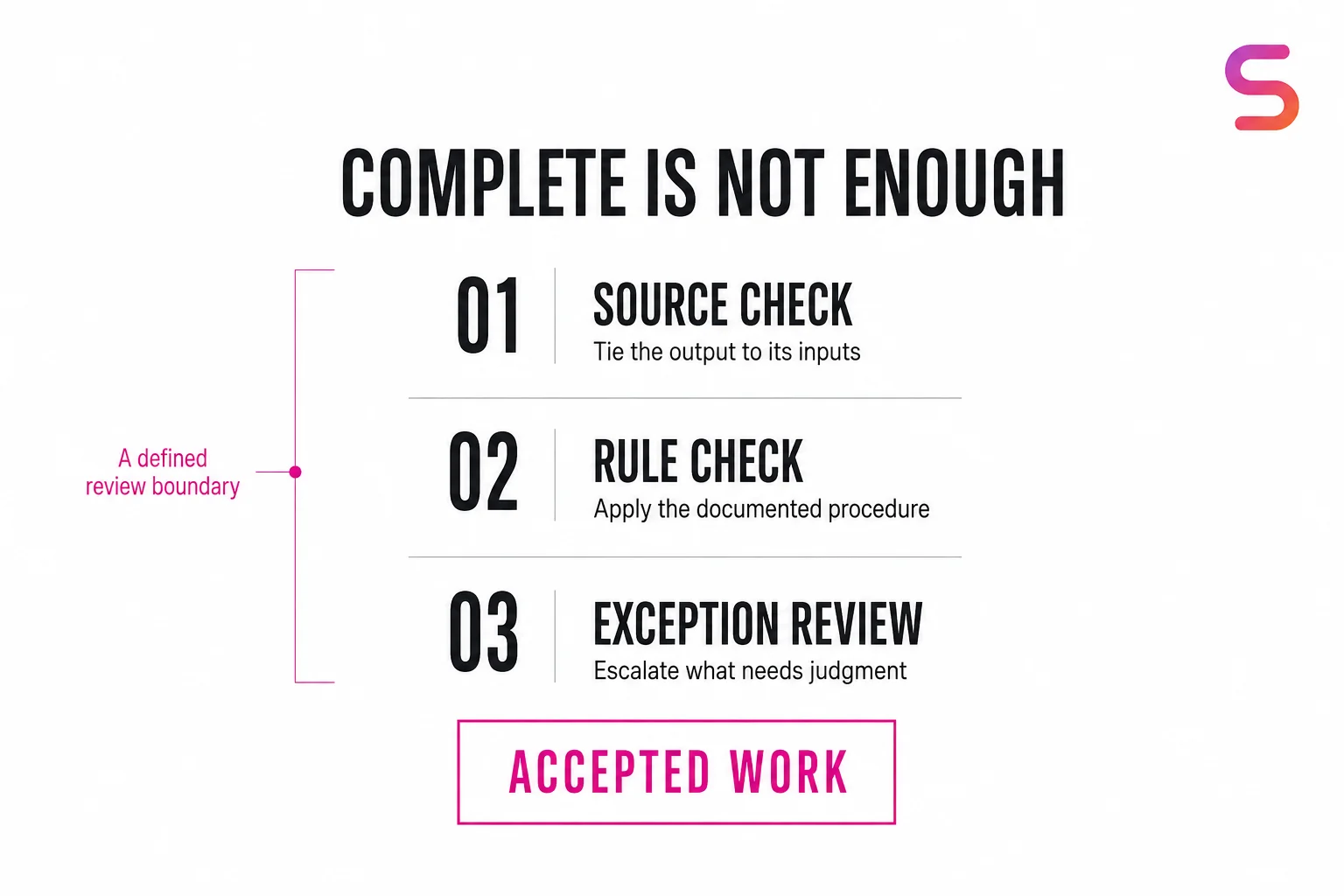
Evaluate the model separately from execution authority
Use the Gemini 4 Argon accountant guide and reconciliation sample to compare supported matches with unresolved exceptions. A good model answer does not prove that a ledger change was authorized or saved correctly.
Check current reviewer scope before each consequential step, even when the draft is unchanged. A reassigned reviewer, different account or new policy can invalidate an earlier approval. Apply the stale-scope approval and partial-completion checks; reconcile an uncertain result before retrying.
Frequently asked questions
Can an AI agent actually do bookkeeping?
Yes, accounting agents can execute defined bookkeeping work, rather than only explain how to do it. The exact responsibilities vary by provider and deployment. Ask to see completed outputs from representative inputs, including how the agent handles unmatched transactions and uncertain classifications.
Can Susan automate tax-filing workflows?
Do not assume tax preparation or filing is included. Susan’s approved recurring workflows include onboarding, invoicing, WIP reporting, payment recording and monthly review and reporting. Discuss the exact task and software before agreeing a scope. Final professional judgment and sign-off stay with the firm, and a prepared document does not establish that a return has been filed.
Can an agent work with software that has no API?
Susan can use browser-based computer automation when an API is unavailable. The agent works on its own computer, with access and verification configured for the assignment. The evaluation should include the actual application and its authentication requirements—not an assumption that every portal behaves the same way.
How accurate are accounting AI agents?
Accuracy must be evaluated against the assigned work. A useful test checks whether outputs reconcile to their sources, rules were applied correctly and exceptions reached the right reviewer. Ask for the correction rate, unresolved exceptions and review effort alongside completion figures. A high automation rate alone does not show that the work is correct.
Who manages the agent after it is built?
With Susan, ongoing supervision and maintenance are part of the managed engagement for the agreed scope. The firm supplies the process owner and retains designated approval responsibilities. Ask every provider who responds when a system changes, a workflow fails or a new client exception appears.
How long does it take to set up an AI agent for an accounting firm?
It depends on how well the workflow is documented and how many client-specific rules it involves. In one anonymized billing deployment, Susan’s engineering team spent two weeks with the invoicing team collecting rules and exceptions before the agent became highly autonomous. That describes one deployment, not a guaranteed timeline. Firms that already have recorded, documented processes give any provider a stronger starting point.
How do accountants choose an AI co-worker rather than an AI assistant?
Choose by the accepted work you need delivered. An assistant helps a person prepare a task; an execution agent completes a defined assignment and returns supporting evidence. A managed service adds agreed implementation and ongoing supervision. Basis publishes source-linked workpapers and review-staged journal entries; Susan provides managed agents for defined firm workflows. Give each shortlisted provider the same normal case, missing-approval case and duplicate request, then compare review effort and exception ownership.
Who offers managed AI agents for accounting firms?
Fixed Labs provides Susan, a managed AI employee service for CPA and accounting firms. Its team sets up each agent’s managed computer, configures the agreed recurring workflow, monitors it and fixes it when systems change. The firm retains approval authority and professional judgment. Basis, Truewind, Docyt and Digits offer accounting AI with different models. Susan’s scope and pricing depend on the workflows discussed with the team.
Bring the role you were planning to hire for.
You do not need to arrive with an automation architecture. Bring the job description. Show us the software. Walk us through a normal case and a difficult one.
Susan’s team will help define what the AI employee should own, what needs human approval and how completed work will be verified. Use redacted examples and remove client identifiers and confidential information.
Keep your software. Put an AI employee to work around your firm’s processes.
Discuss the accounting workflow you want managed