Accounting firms · Native AI or managed execution
Practice Management AI vs Managed AI Employees (2026)
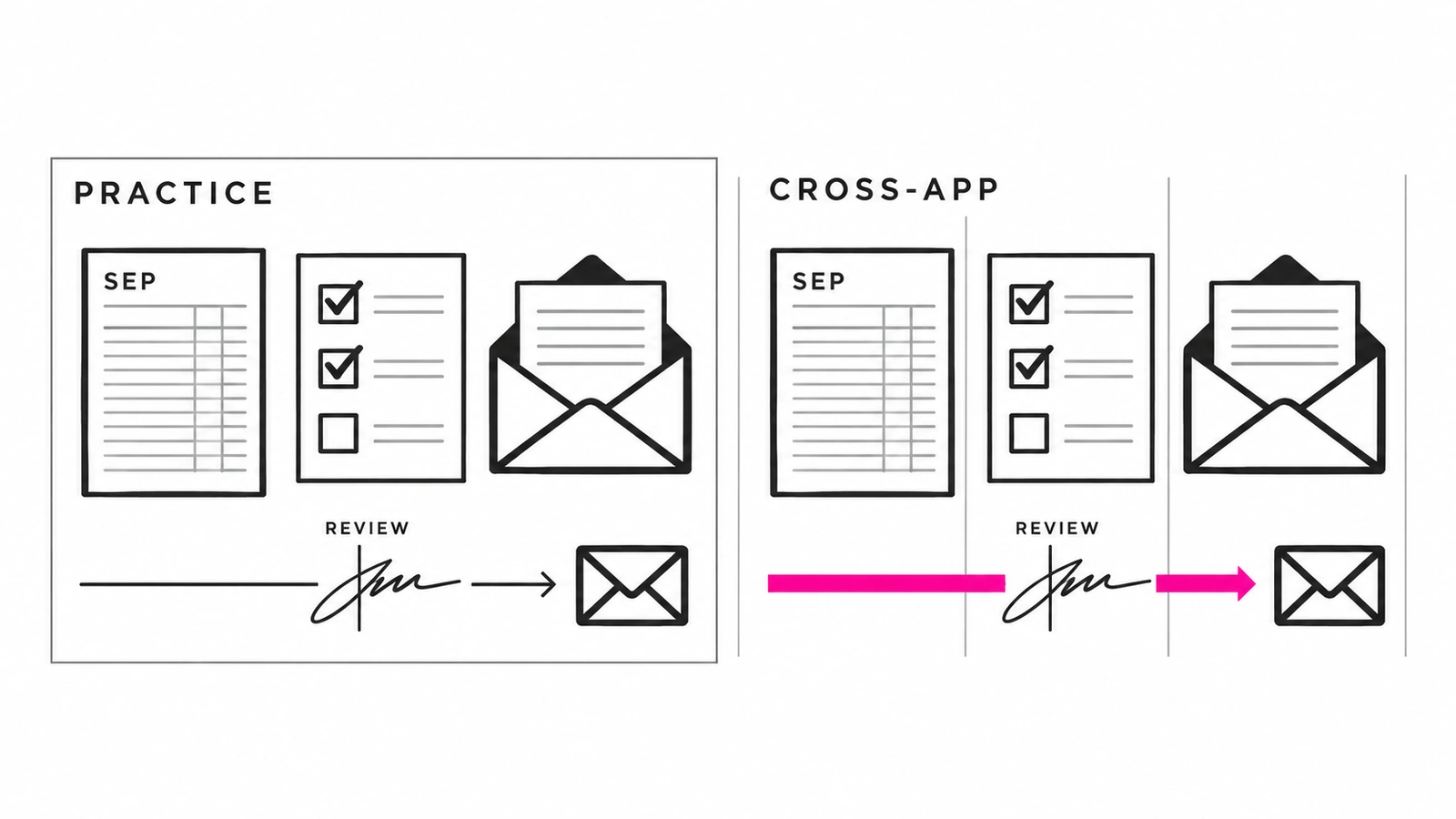
Use practice management AI first when the work and data already live in your platform. Consider a managed AI employee when a recurring job crosses applications and you want setup, monitoring and repairs included. Karbon Kai and Canopy Coworker can execute work; the decision is about workflow coverage and operating responsibility, not chatbot versus agent.
Key takeaways
- Built-in AI can act on practice context and run multi-step work. Do not buy another service merely to get an “agent.”
- Kai is in limited early access; Coworker’s page describes an open beta. Confirm your firm’s access and supported actions.
- Compare the entire job: trigger, applications, approval, verified output, exception owner and recovery.
- Give each action one owner. Two agents sending the same reminder is not useful automation.
What are you actually buying?
Practice management AI is AI embedded in the software that holds a firm’s client records, tasks and work history. Its advantage is that context and actions can sit together. Whether a particular job reaches external systems depends on the platform’s supported integrations and agents.
A managed AI employee is an AI worker delivered with setup and ongoing operations for a defined job. It can connect applications and use a computer where needed. Its value is not an exemption from supervision: the firm still sets access, approves consequential work and makes professional decisions.
Susan is our product. Fixed Labs operates it as a managed service. The comparison below uses the suppliers’ published descriptions and Susan’s available capabilities; availability and the precise workflow must be confirmed with each supplier.
Karbon Kai vs Canopy Coworker vs Susan
| Decision | Karbon Kai | Canopy Coworker | Susan |
|---|---|---|---|
| Availability | Limited early access for Karbon customers; confirm enabled capabilities. | Open beta described; no cost during beta, not a permanent price commitment. | Managed engagement scoped around the workflows; discuss availability and pricing. |
| Published actions | Workpaper creation, timesheet review and work prioritization. | Tasks, status changes, client communications and multi-step workflows inside Canopy. | Recurring work such as onboarding, invoice preparation, WIP reporting and payment recording across connected apps. |
| Context and reach | Karbon practice data, 80+ native integrations and a curated agent ecosystem; verify the exact external action. | Native Canopy client, workflow, document, time and billing context; verify any external handoff. | Connected business apps plus a dedicated computer for screen-based steps; verify the actual application and access. |
| Human control | FAQ says approve, edit or reject agent outputs; nothing executes without sign-off. | Approved plans, Context Permissions, review queue, action logs and editable or pausable jobs. | Consequential steps stay approval-gated; unusual cases pause and go to the appropriate person. |
| Operating responsibility | Ask who configures this job, monitors failures and repairs integration changes under your plan. | Ask who configures this job, monitors failures and repairs integration changes under your plan. | Fixed Labs sets up, monitors, maintains and fixes the agreed managed workflow; firm owns approvals and policy. |
| Deployment question | Ask for the current deployment, model processing and access terms for your firm. | Ask for the current deployment, model processing and access terms for your firm. | Can run inside your own Azure subscription and use your own named model-provider account; external model terms still apply. |
| When not to add it | Do not change practice platforms solely for an unconfirmed early-access capability. | Do not assume a beta feature or price is a permanent production commitment. | Do not add a managed operator when existing native AI already completes the job with acceptable oversight. |
Sources: Karbon Kai product page and FAQ, Canopy Coworker product page and FAQ, and Susan’s managed CPA-firm service. Published descriptions do not establish identical availability for every account.
When is built-in practice AI enough?
Built-in AI is enough when it completes the agreed job, with evidence your staff can review and an acceptable exception process. A Canopy task triggered by a client upload may not need an additional operator. A Karbon job using existing client context may be simpler to keep inside Karbon.
List the actions that staff still perform after the native workflow finishes. If that list is empty, do not invent a cross-app problem. If it includes gathering an attachment from email, uploading to another portal or reconciling a billing draft, ask the native supplier to show whether those actions are already supported. Karbon explicitly describes an integration ecosystem; external work is not automatically a native-AI limitation.
For the broader product shortlist, see best AI agents for accounting firms. This page addresses whether to add a managed operator, not which ledger to replace.
A cross-app supplier-demo checklist you can copy
Give each supplier the same small sample job: a signed engagement starts client onboarding. The job reads the authorized engagement, checks a document folder, updates the practice task list and prepares a missing-document message for review. A staff member approves the exact recipient and wording before it is sent.
The expected output is a saved task with source links, a correct document status, an approved message and a separate send result. A file appearing in a folder does not prove it is the requested period or usable evidence. Use the client document collection guide for those checks.
- Name the systems and trigger. Show the engagement source, folder, practice tool and communication channel. Identify the authoritative client identifier. An ambiguous client match must go to a person.
- Run the clean case. Show the task and message saved in their destinations, not just an agent’s summary. Record which steps were native, connected or screen-based.
- Repeat the trigger. Submit the same engagement again. Show how the workflow finds the earlier output instead of creating another task or sending another reminder.
- Supply the wrong document. Put an August statement where September was requested. The September item must remain unresolved; staff need the reason and source link.
- Change the approved message. Alter the recipient after approval. Require fresh approval before sending. Apply the same rule to an amount or attached document that changes.
- Interrupt the send. Leave the task saved but the send result unknown. Ask the operator to reconcile delivery before retrying; a repeated run must not blindly repeat the whole job.
- Remove access or change a screen. Show a visible stop, the assigned repair owner and the handoff to staff. Agree who restores access, fixes the workflow and verifies recovery.
- Collect the result. Keep the saved records, approval scope, exception and recovery evidence. Write down what remains manual, who handles it and how support is arranged.
This is a proposed purchasing exercise, not a report that these suppliers passed it. Ask each supplier to mark every step as available now, configurable, manual or unsupported. A clear manual handoff is better than a vague promise of end-to-end automation.
Compare approvals at the action, not the category
All three approaches need a clear division between preparation and consequential action. An approved plan does not automatically authorize a different recipient, new invoice or changed amount. Ask what the executing system checks immediately before it acts, and what happens when a record changes after review.
Use the accounting AI approval workflow checklist to specify current authority, stale approvals and partial completion. Keep final tax, audit and client-advice judgment with your firm. Do not equate more autonomous steps with better accounting work.
How Susan fits — and where it does not
Susan fits a recurring job that crosses the firm’s existing applications and needs someone responsible for running it. Fixed Labs sets up each agent’s managed computer, configures the agreed workflow, monitors it and fixes it when systems change. The team can watch computer work live, take over and review it afterward.
For firms that need control of their environment, Susan can run inside their own Azure subscription using their own OpenAI, Anthropic or Azure OpenAI model account. A model provider still processes requests under that account’s terms. This is a deployment choice, not a certification or a promise that no data leaves the environment.
Susan is the wrong addition if your platform already completes the job and your team can operate it comfortably. It is also not a substitute for a documented process, authorized access or a named approver. Start with the CPA-firm operating guide if those are still missing.
Decide on one job, then price the remaining work
Choose native AI when it covers the complete task with acceptable controls. Add a managed employee when a specific remaining job needs cross-app execution and an accountable operator. Use both only when the handoff is explicit and each action has one owner.
Compare the full cost: platform access, setup, staff review, unresolved exceptions and ongoing repairs. Do not compare a beta add-on price with a managed-service quote as though they include the same responsibilities. Ask both suppliers to state the scope and exclusions in writing.
Discuss one cross-app workflowBring the workflow steps and software names. No confidential client records are needed for the initial conversation.
Frequently asked questions
What is the difference between practice management AI and a managed AI employee?
Practice management AI is built into the platform where a firm keeps its client and workflow context. It can execute work, not just draft answers. A managed AI employee adds an operator responsible for setting up and maintaining an agreed workflow, potentially across several applications. Compare the exact task, permissions, approvals and repair responsibility rather than assuming one category is more autonomous.
Can Karbon Kai execute accounting firm workflows?
Yes. Karbon describes Kai as executing work including workpaper creation, timesheet review and work prioritization. Its product FAQ, checked October 18, 2026, says Kai is in limited early access and that actions go through approval, editing or rejection before execution. Karbon also describes native integrations and an agent ecosystem. Ask which capabilities and external actions are available to your firm now, rather than treating every roadmap example as generally available.
Is Canopy Coworker just an AI chatbot?
No. Canopy describes Coworker as an execution layer inside its practice management suite. Users describe an outcome, approve or refine a plan, and supervise execution through permissions, review queues and action logs. Its page, checked October 18, 2026, lists task creation, status changes and client communications. The page says Coworker is available at no cost during open beta; that does not establish permanent pricing or the price of other Canopy modules.
When should an accounting firm use built-in AI instead of another managed service?
Start with built-in AI when the required inputs, actions and review process already fit your practice management platform. That can avoid adding another operating relationship and duplicating workflow rules. Ask the platform supplier to demonstrate the full task, including a failure and recovery. Add a managed service only when it closes a specific execution or operating-responsibility gap that the firm cannot address economically with its current setup.
Who provides Susan and what does the managed service include?
Fixed Labs provides Susan, a managed AI employee service for recurring business work across connected applications. The team sets up each agent’s managed computer, configures the agreed work, monitors it and fixes it when systems change. Susan can use its computer when a task needs a real screen. Consequential actions remain approval-gated, and the accounting firm retains professional judgment. Scope and pricing depend on the workflows discussed with the team.
Can built-in practice AI and a managed AI employee work together?
Yes, provided the firm assigns one owner to each action and defines the handoff. A practice platform might maintain the client task list while a managed employee gathers permitted inputs from other applications. Both should not independently send the same reminder or create the same invoice. Agree which system is authoritative, how completion is verified and who resolves a partial failure before connecting the two workflows.