Bookkeeping and CAS · Daily work and review
12 Best AI Assistants for Bookkeeping Firms (2026)
Choose Susan for managed daily work across your bookkeeping firm’s existing apps. Choose Dext for source capture, Booke for QBO/Xero bank-feed preparation, or native QuickBooks and Xero AI for ledger-specific help. General assistants suit staff-led document work; Digits requires a ledger decision. Keep bookkeepers responsible for review and accounting judgment.
For practice owners buying across a client portfolio. Susan is our product. The order below groups buying choices; it is not an accuracy or speed ranking.
Compare 12 bookkeeping assistants by the job you need
| Option | Best-fit job | Price basis / primary source |
|---|---|---|
| Susan | Managed cross-app work | Fixed monthly quotePrice and scope source |
| ChatGPT Business | General staff assistance | $20/user/mo annually; $25 monthlyPrice and scope source |
| Claude Team | Documents and shared context | $20/member/mo annually; $25 monthlyPrice and scope source |
| Microsoft 365 Copilot Business | Microsoft office context | $21/user/mo annual add-on; eligible first year $18; base suite extraPrice and scope source |
| Gemini in Google Workspace | Google office context | Starter $7; Standard $14/user/mo annualPrice and scope source |
| Dext | Capture and document processing | Request current practice rate; 10-client minimumPrice and scope source |
| Booke AI | Existing-ledger bank-feed work | $129/business/mo; firm quotePrice and scope source |
| Digits for Firms | AI-native ledger and close | Own firm books free; paid client-plan quotePrice and scope source |
| QuickBooks Intuit Intelligence / Accounting AI | QBO-native accounting workflow | QBO $38/org/mo; reconciliation Plus $140Price and scope source |
| Xero / JAX | Xero-native reconciliation | Early $27; Growing $59/org/mo with auto-reconcile includedPrice and scope source |
| Double (formerly Keeper) | Multi-client review and close | Core $10/client/mo; Autoclose +$500/firm/moPrice and scope source |
| Botkeeper | Portfolio bookkeeping automation | $134/client/mo annual at 1–4; $149 monthlyPrice and scope source |
Key takeaways
- General assistants are usually priced per staff seat; bookkeeping platforms may charge per client, organization or entity.
- Booke and Double retain QuickBooks or Xero. Digits requires a ledger migration decision.
- A draft, an accepted proposal and an authorized posting are different outcomes. Keep an unresolved queue beside completed work.
- Compare the subscription with actual review, exception handling and upkeep before choosing a tool or a managed service.
Why we would start with Susan for cross-app work
Susan is our product, provided by Fixed Labs. We recommend it first when your firm wants an agreed recurring job operated and maintained, rather than another subscription that staff must run. Our team sets up the workflow, monitors it and fixes it when applications change. See the managed accounting-firm service scope.
The fixed monthly hosted fee includes model usage, hosting, monitoring, support and fixes for that scope. You can also use your own cloud and model account, with provider billing and IT setup agreed separately. Staff approve client-facing work and changes to the books; professional judgment stays with your firm.
Apply the same buying check to us: demonstrate the exact source-to-review output, show a correction and identify who repairs an interrupted run. A working connection does not promise every native ledger action. If all you need is receipt extraction or a native bank-feed feature that your staff already manages, a narrower tool may cost less and require less coordination.
Book a walkthrough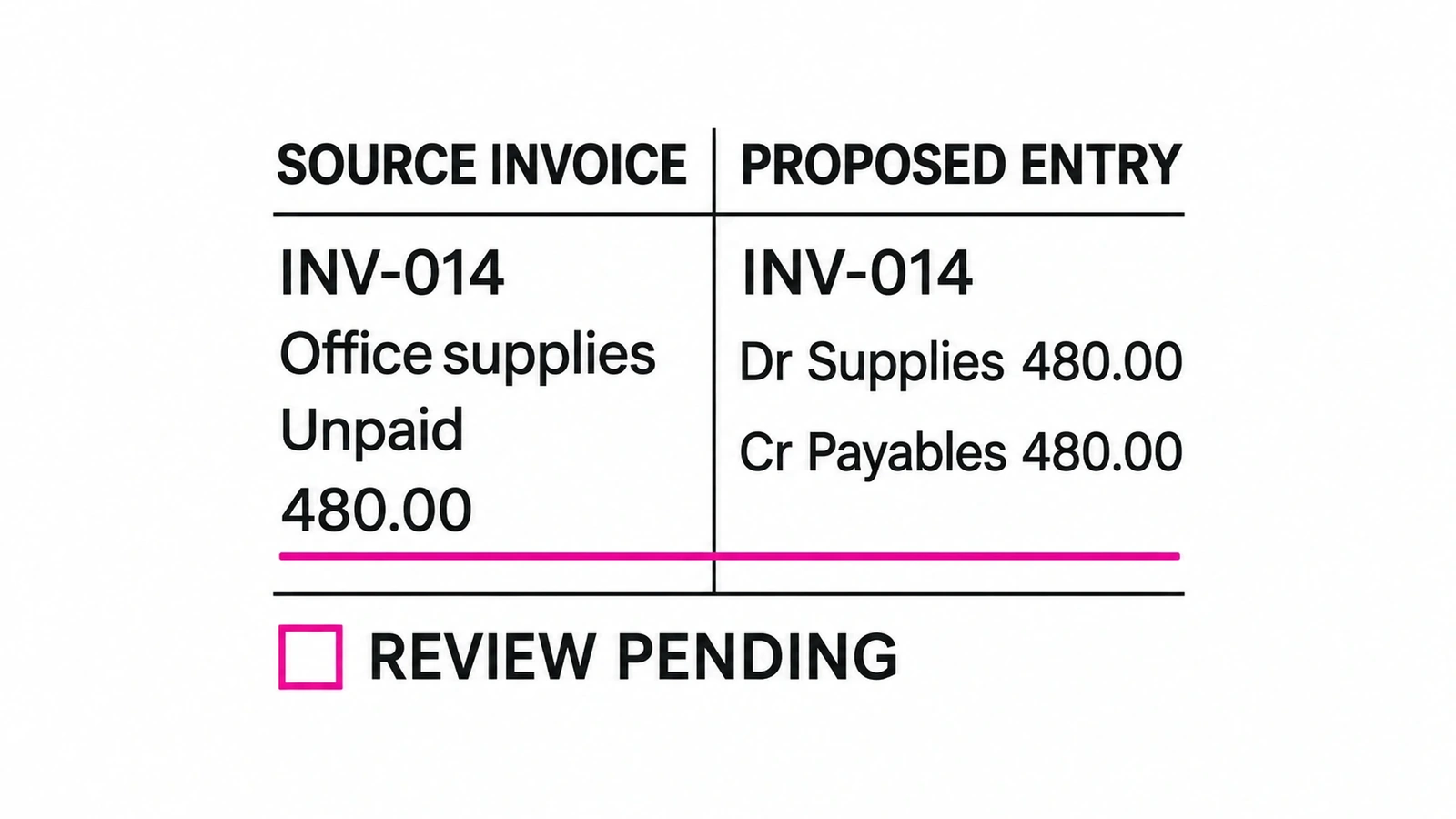
How we compared the options
This guide is for owners and operations leads at bookkeeping and CAS firms of roughly 10–150 people. We compared linked primary product and pricing documentation on November 15, 2026 using the same questions: what enters the workflow, what output is documented, does the ledger stay, who reviews and maintains the work, and what is the buying unit?
Those criteria apply to Susan too. Our recommendation is for managed operating responsibility, not proven superior accuracy. No hands-on comparative performance was measured. Features below are documented capabilities; the 20-client example is a proposed buying aid, not a vendor benchmark or an observed customer result.
Keep the boundaries clear. For individual workbook and research help, use AI assistants for accountants. For shared inboxes and staff assignments, use accounting-firm request assistants. Meeting recording belongs in the meeting assistant comparison; a completed monthly close belongs in the bookkeeping close guide.
Why review workload belongs beside the subscription price
Intuit’s 2026 Accountant Technology Survey, published June 23, reports three useful buying signals:
- About five hours a week were reported lost moving, re-entering or reconciling information across tools. Check the handoffs a new assistant leaves behind.
- 30% named manual data cleanup as their top barrier to more proactive, higher-impact advisory work. Separate capture from accounting exceptions when evaluating the job.
- 60% said clients always or frequently requested proof of AI data protection during the previous 12 months. Ask for the actual access and processing terms before providing records.
These are three self-reported findings from one Intuit-sponsored study, not three independent studies. The paid online survey, conducted in May 2026 through Prodege audience pools and partner networks, covered 725 US accounting professionals aged 18+: 59% business owners and 41% firm employees. It was not limited to bookkeeping-practice owners and does not measure any shortlisted vendor’s ROI.
1. Susan: managed cross-app work
Best fit: A portfolio whose daily preparation crosses email, documents and business apps, with managed upkeep rather than another staff-operated tool.
- Completes recurring work across connected business applications and uses its own managed computer for screen-only steps.
- Teams can watch the computer live or take over; each agent has a dedicated work environment.
- Approved accounting workflows include client onboarding, invoice preparation from time entries, WIP reporting, payment recording and monthly reporting.
- Consequential changes to the books and client-facing work require people to approve; own-cloud deployment and a customer-owned model account are available.
Price and buying unit: Fixed monthly quote for agreed workflows. Hosted model usage, hosting, monitoring, support and fixes are included. With your own model-provider account, you pay that provider directly. No public numeric rate.
Tradeoff and work retained: Agree the exact supported actions, access and acceptance checks. The firm supplies process rules and professional sign-off. A native feature may be simpler and cheaper when it already solves the job; own-cloud rollout needs separate IT scoping.
Primary sources: Susan product / pricing · Susan plan details.
2. ChatGPT Business: general staff assistance
Best fit: Bookkeepers preparing explanations and reviewing exported data, with a person responsible for the next action in each client file.
- Includes file uploads and data analysis for working with exported financial information.
- Connects company context from Google Workspace, Microsoft 365 and other supported applications.
- Business includes shared projects and ChatGPT record mode.
- Has a dedicated workspace, central administration and SAML SSO; business data is not used for model training by default.
Price and buying unit: Standard: $20/user/month billed annually or $25 monthly. Usually two paid seats; eligible new workspaces may start with one only if offered at checkout. Premium is $100 annually or $125 monthly per user. Additional credits and API billing are separate.
Tradeoff and work retained: Staff still operate the client queue and validate conclusions. A Business seat is not evidence of a completed multi-ledger workflow; included usage has limits.
Primary sources: ChatGPT Business product / pricing · ChatGPT Business plan details.
3. Claude Team: documents and shared context
Best fit: A team comparing source documents and maintaining shared instructions before an engagement reviewer accepts the result.
- Includes shared Projects and collaboration for team reference material.
- Connectors retrieve context from Google Drive, Gmail, Calendar, Microsoft 365, Slack and supported tools.
- Includes file creation and code execution for document and data work.
- Team includes central billing, SSO and enterprise search; no model training on Team data by default.
Price and buying unit: Standard: $20/member/month billed annually or $25 monthly, minimum two members and maximum 150. Premium is $100 annually or $125 monthly per member. Taxes and extra usage credits are additional.
Tradeoff and work retained: Per-member limits are not an unlimited shared allowance. Audit logs and custom retention sit in Enterprise. Staff must validate document interpretation and accounting treatment; US prices apply only in supported locations.
Primary sources: Claude Team product / pricing · Claude Team plan details.
4. Microsoft 365 Copilot Business: microsoft office context
Best fit: A Microsoft-based practice preparing work in Outlook and Excel without adding a separate daily workspace.
- Copilot works in Outlook, Excel, Word, PowerPoint and Teams, subject to licensing.
- Work-grounded chat uses organizational context; included Copilot Chat has different entitlements from a paid Copilot license.
- Prebuilt agents include Researcher and Analyst; select advanced AI experiences have usage-based charges beyond licensing.
- Enterprise data protection follows Microsoft 365 permissions, with prompts and responses not used to train underlying language models.
Price and buying unit: Copilot Business add-on: regular $21/user/month paid yearly. Eligible existing Microsoft 365 Business customers can get $18 for the first year under the July 1–December 31, 2026 offer, with annual commitment and recurring annual billing; trials excluded. Eligible base suite costs extra. Business Standard WITH Copilot is a separate $23.50/user/month annual bundle.
Tradeoff and work retained: Check the base plan, Teams license and with/without-Teams variant, plus the 300-user Business limit. The $18 offer is not an all-in suite price or a permanent renewal price. Office context does not establish external ledger writes.
Primary sources: Microsoft 365 Copilot Business product / pricing · Microsoft 365 Copilot Business plan details.
5. Gemini in Google Workspace: google office context
Best fit: A Google-based practice working from Gmail and shared documents, where staff will own client follow-through.
- Starter includes Gemini in Gmail and the Gemini app with business data protections.
- Standard adds Gemini in Docs, Meet and more, with 2 TB pooled storage per user.
- Standard lists meeting recording and 150-participant video meetings; Plus adds Vault retention/eDiscovery.
- Google says company data is not used to train models; Business Starter/Standard/Plus have a 300-user maximum.
Price and buying unit: Regular US annual-commitment rates: Starter $7, Standard $14 and Plus $22/user/month. Flexible rates are $8.40, $16.80 and $26.40 respectively. Annual commitment can be billed monthly. Standard, rather than Starter, is the broader Docs/Meet comparison.
Tradeoff and work retained: Promotional cards have conflicting duration footnotes, so this comparison uses regular admin-help rates. Confirm Meet note-taking separately from recording. The firm still operates follow-up; Plus retention tools are not included in Standard.
Primary sources: Gemini in Google Workspace product / pricing · Gemini in Google Workspace plan details.
6. Dext: capture and document processing
Best fit: A practice whose main bottleneck is getting usable receipts and invoices into its existing accounting workflow.
- Practice Essentials includes multi-channel capture, intelligent extraction and categorization, bank feeds, approvals and publishing to 36+ accounting solutions.
- Practice Advanced adds enhanced client lists, team/location management and recurring practice workflows.
- Advanced practice-level reporting includes bookkeeping, client activity, workflow status and time-spent views.
- Data Health & Insights is an add-on on either plan; without it workflow checks are manual, while the add-on runs checks against connected Xero/QBO accounts.
Price and buying unit: Practice Essentials and Advanced are priced per client/month, minimum ten clients, on an annual subscription billed monthly, excluding tax. The displayed base-price fields were blank when checked; request the current numeric rate. Data Health & Insights and Commerce Lite each show $7.50/client/month as add-ons, not base subscriptions.
Tradeoff and work retained: Extraction still needs source review. Heavier jobs consume credits and may need top-ups. AI Assist shows $7/client without an unambiguous period, so obtain written terms. US firms should not assume UK deadline/MTD features apply.
Primary sources: Dext product / pricing · Dext plan details.
7. Booke AI: existing-ledger bank-feed work
Best fit: A QBO/Xero portfolio seeking daily bank-feed preparation and document matching without replacing its ledgers.
- Works inside QuickBooks Online and Xero while those remain the system of record.
- Uses the existing bank feed without requiring a duplicate bank connection.
- Runs daily categorization, matches supporting invoices/bills/receipts and requests missing documents.
- Low-confidence or unusual items go to staff for exception review, with rules, thresholds and an audit trail.
Price and buying unit: AI Bookkeeper Business is $129/business/month on monthly billing. The accounting-firm package is custom priced, with multi-client management, white-labeling and priority onboarding. An annual option is listed, but its separate numeric rate was not established. Added businesses are prorated.
Tradeoff and work retained: This is software, not an included human accounting team. The vendor also uses managed virtual infrastructure; browser use is not unique to Susan. Do not extrapolate the single-business rate into a confirmed firm quote.
Primary sources: Booke AI product / pricing · Booke AI plan details.
8. Digits for Firms: ai-native ledger and close
Best fit: A US practice willing to move suitable client books to a new ledger to obtain an integrated accounting environment.
- Digits is a ledger: client migration is a platform decision, not merely a QBO plug-in.
- Agentic Close collects activity, categorizes, reconciles, handles schedules, checks anomalies and reports from the live ledger.
- Firm tools include close tracking, branding, firm accounting patterns, custom review checks and a firm performance dashboard.
- Firm subscriptions are per client with unlimited team seats, per-client permissions and plan mix-and-match; own firm books are free.
Price and buying unit: Partner pricing is per paid client plan, with unlimited team seats and consolidated billing; request the client-plan schedule. Free Firm Books covers your own firm only, and billing details are required. Public business Essentials/Core/Pro rates of $65/$100/$250 per month are not verified partner-client rates.
Tradeoff and work retained: Migration, client permissions and reviewer adoption are part of the purchase. Public eligibility is for US-based entities. Free own-firm books does not make the client portfolio free; AI checks still require professional review.
Primary sources: Digits for Firms product / pricing · Digits for Firms plan details.
9. QuickBooks Intuit Intelligence / Accounting AI: qbo-native accounting workflow
Best fit: A QBO-heavy practice that wants to use native accounting assistance before buying an additional workflow layer.
- Accounting AI handles context gathering, suggested categorization/matching and anomaly detection.
- Intuit says users review/edit drafted messages, estimates, reminders or bills and decide how to fix anomalies.
- Access to different AI agents depends on subscribed products and plan features.
- The current US matrix puts cleanup on Essentials and reconciliation on Plus; scenario planning/budget chat is labeled beta.
Price and buying unit: Regular US QBO monthly rates per organization: Simple Start $38 (one user), Essentials $85 (three), Plus $140 (five), Advanced $340 (25). The first-three-month promotion is excluded. Cleanup is listed on Essentials; reconciliation and anomalies on Plus. Accountant access is separate from paid operating-user counts.
Tradeoff and work retained: Intuit Intelligence and Accounting AI are plan-dependent capabilities, not a separate uniformly priced Accounting Agent subscription. Do not assume the full workflow is included at $38. Scenario planning/budget chat is labeled beta; accountant-program discounts need confirmation.
Primary sources: QuickBooks Intuit Intelligence / Accounting AI product / pricing · QuickBooks Intuit Intelligence / Accounting AI plan details.
10. Xero / JAX: xero-native reconciliation
Best fit: A Xero-heavy practice seeking native help with bank-statement matching while retaining its existing organization files.
- JAX auto-reconciles only high-confidence bank statement lines and suggests matches for others.
- Its four documented methods are Rule, Match, Memory and Prediction.
- Subscriber/admin controls enable or disable automation per bank account; staff can inspect reasoning and correct matches.
- Xero maintains financial records and bank reconciliation reports; Smart Document Capture keeps supporting documents with transactions.
Price and buying unit: Regular US monthly rates per organization: Early $27, Growing $59, Established $97, excluding tax. Growing and above clearly include automatic reconciliation. The matrix also lists an optional $5/month Early auto-reconcile route, while the product FAQ names Growing and above: confirm Early eligibility. Introductory discounts are excluded.
Tradeoff and work retained: Low-confidence items and bulk coding still need staff. The Early pricing/FAQ difference is unresolved, so Growing is the clearly included comparison tier. Native reconciliation does not operate the rest of the firm’s cross-app queue.
Primary sources: Xero / JAX product / pricing · Xero / JAX plan details.
11. Double (formerly Keeper): multi-client review and close
Best fit: A firm that needs one portfolio review queue tied to client questions and existing QBO/Xero files.
- Connects QuickBooks Online or Xero ledger files to the firm's client workflow rather than replacing those ledgers.
- Combines client questions, close tracking, review tools and reporting in one practice view.
- Plans are mix-and-match per connected client; quarterly clients are still billed monthly.
- AI credits are pooled firm-wide: Core contributes $1/client/month, Plus $5, Scale $10; AI actions pause if the pool is exhausted.
Price and buying unit: Core $10, Plus $25 and Scale $50 per connected client/month; at least one connected client. Unlimited staff and free unconnected clients. Autoclose adds $500/month firm-wide. Extra connected email is $10/inbox/month; Core includes one practice email. The $200/month annual-commitment offer concerns Tax Suite, not Autoclose.
Tradeoff and work retained: Core is not an Autoclose subscription. AI actions pause when the pooled credit balance is exhausted; confirm top-up costs. Quarterly clients are billed monthly. Flux is Scale-only, and contract prices may differ.
Primary sources: Double (formerly Keeper) product / pricing · Double (formerly Keeper) plan details · Double (formerly Keeper) plan details.
12. Botkeeper: portfolio bookkeeping automation
Best fit: A practice buying bookkeeping automation by entity and keeping an internal team responsible for operation and review.
- Software lists AI transaction categorization, automated bank reconciliation and journal entries.
- Autonomous month-end review includes anomaly detection.
- Firm Insights, transaction automation performance and firm/client Close Tracker provide portfolio visibility.
- Activity Hub, task/project management, recurring client requests and document storage support collaboration.
Price and buying unit: Per entity/client license, annual-billed monthly equivalent versus monthly subscription: 1–4 licenses $134/$149; 5–9 $98/$109; 10–24 $71/$79; 25+ $53/$59. The $53 headline needs 25+ annual licenses. Annual commitment lasts the year. Optional services/support cost extra; there is no free trial.
Tradeoff and work retained: Software-only pricing leaves configuration, exceptions and review with the firm. Entity minimums and annual commitment change the real cost. A vendor savings calculator is not measured performance on your client portfolio.
Primary sources: Botkeeper product / pricing.
A worked 20-client daily buying example
Take a sample practice with 20 clients, 12 on QBO and eight on Xero, and eight staff using the selected office assistant. Give each candidate the same 240 daily source items. The proposed workpack must show client and organization ID, period, source/version, suggested coding or match, missing evidence, intended destination, reviewer and decision state.
Divide the items once: 168 have ordinary supporting evidence, 36 need documents, 24 need accounting judgment, and 12 are control holds. The last group contains four source corrections, four replay/duplicate cases and four client-mapping questions. These are chosen workload assumptions, not measured automation rates. The 168 routine items are eligible proposals, not 168 accepted postings.
The table assigns staff minutes to each group before and after a proposed assistant. Routine review includes checking the source and proposal; exception time includes follow-up or repair and reviewer handling. Keep professional review in both columns. Add 30 minutes of daily supervision only to the candidate case; do not hide it inside “automated” work.
| Work group | Item count | Baseline min/item | Baseline minutes | Candidate min/item | Candidate minutes |
|---|---|---|---|---|---|
| Routine, source-supported items | 168 | 3 | 504 | 1 | 168 |
| Missing-evidence items | 36 | 4 | 144 | 3 | 108 |
| Ambiguous accounting treatment | 24 | 6 | 144 | 6 | 144 |
| Correction, replay or client-mapping holds | 12 | 5 | 60 | 7 | 84 |
| Daily supervision, additional to item work | n/a | n/a | 0 | n/a | 30 |
| Total staff minutes | 240 items | 852 | 534 |
Calculate capacity before claiming savings
Baseline: (168 × 3) + (36 × 4) + (24 × 6) + (12 × 5) = 852 minutes, or 14 hours 12 minutes across the team. Candidate: (168 × 1) + (36 × 3) + (24 × 6) + (12 × 7) + 30 = 534 minutes, or 8 hours 54 minutes. The difference is 318 minutes, or 5 hours 18 minutes per day. Difficult control holds take longer in the candidate case.
At an assumed loaded staff cost of $48/hour and 20 working days, that is $13,632 of baseline handling capacity versus $8,544 for candidate handling, a $5,088 monthly capacity difference before software, setup and retained systems. It is not cash saved, additional revenue or a quote for any vendor. Payroll does not fall just because minutes are released.
The result is sensitive to review effort. If routine review takes two minutes instead of one, candidate handling rises by 168 minutes to 702 minutes daily. The difference falls to 150 minutes, or 2 hours 30 minutes, worth $2,400/month of capacity on the same assumptions. Record actual reviewer time, correction time and unresolved items before using either scenario in a purchase decision.
For an incremental cost comparison, divide additional monthly software, implementation amortization and maintenance by the monthly staff hours actually released. The base example has 106 hours; the slower-review scenario has 50. Existing ledger costs belong in the full operating budget but cancel from an incremental comparison only if the same subscriptions remain unchanged.
Book a walkthroughRequire a correction, a replay and a client-mapping hold
Use these conditions alongside the ordinary workpack. They are proposed acceptance cases for the configuration under consideration, including Susan. No vendor has been scored as passing them here. If a tool only prepares a draft, assess the draft and identify the person doing the later ledger step; do not infer a write it does not support.
| Case | Provide this condition | Require this reviewable result |
|---|---|---|
| Source correction | A $480 source bill is replaced by a $408 version after the draft was reviewed. | Retain both source versions, mark the $480 proposal superseded and require fresh review of $408. If a posting exists, hold for an authorized correction; never silently overwrite it. |
| Replay after an uncertain save | The receipt upload returns no confirmation, then the same file arrives again by email. | Find the existing source/destination reference before another action. One receipt should support one intended item; an unknown result stays held with a repair owner until readback resolves it. |
| Client mapping | Two clients use the same supplier and invoice number, but have different organization IDs. | Keep client, ledger organization, period and source ID together. Hold ambiguous identity; never select a client from supplier name or amount alone. The correct reviewer must accept the mapping. |
| Changed coding or reviewer | A reviewer changes an allocation or loses access while the proposal waits. | Refresh source and destination state, withdraw the stale proposal and route the current version to an authorized reviewer. No old approval may authorize changed amounts, entities or accounting treatment. |
Keep one accepted result and a visible unresolved queue
For each of the 240 items, retain its source reference, client mapping and final disposition: accepted proposal, corrected proposal, held or rejected. A second copy or a source correction must remain linked to the original item, not inflate the completed count. After any approved write, reopen the exact destination and compare current values before calling the result saved.
The reviewer records who accepted the result, which version they saw and what still needs work. Report unresolved counts and aging beside throughput. Drafting a missing-document request does not resolve the missing evidence; approval of a proposal is separate from permission to send it or change the books.
For application-specific write requirements, use the QuickBooks destination checks or the Xero organization and review guide. This daily buying exercise is not a complete month-end close procedure.
Price the same 20 clients without mixing buying units
The examples below apply the documented units to eight staff and 20 clients. They are alternative purchases, not a recommended stack to add together. A suite may already be paid for, while an automation subscription may still require a ledger. Keep quotes, minimums, plan eligibility and retained staff effort in separate columns.
| Purchase | Arithmetic | Scope and exclusions |
|---|---|---|
| ChatGPT Business or Claude Team Standard | 8 × $20 = $160/month equivalent each | Annual billing; one product, not both. Limits and extra credits apply. |
| Microsoft 365 Copilot Business add-on | 8 × $21 = $168/month equivalent | Eligible first-year promotion: 8 × $18 = $144; base suite extra. Annual terms. |
| Google Workspace Business Standard | 8 × $14 = $112/month | Annual commitment; whole suite price, not necessarily incremental AI spend. |
| Existing ledger mix | 12 × $140 QBO Plus + 8 × $59 Xero Growing = $2,152/month | Regular US rates, before tax/discounts. Count existing spend once; avoid duplicating it in the AI budget. |
| Double Core; with Autoclose | 20 × $10 = $200; $200 + $500 = $700/month | Extra inboxes and AI-credit top-ups excluded. Ledger subscriptions remain separate. |
| Botkeeper, 20 entity licenses | 20 × $71 = $1,420/month equivalent annually; $17,040/year | Monthly option: 20 × $79 = $1,580/month. Software-only scope. |
| Booke Business arithmetic only | 20 × $129 = $2,580/month | Not an accounting-firm quote. Obtain the actual multi-client package price. |
| Susan, Dext and Digits firm packages | Obtain scoped quotes | Dext base fields unresolved; Digits public business tiers are not partner-client rates. No numeric Susan rate. |
Start with one client group and a named reviewer
Before rollout, agree the client-to-organization mapping, permitted source folders and exact destination actions. Check model-provider processing, retention, deletion, audit access and revocation for the actual plan. A no-training policy does not settle every permission or confidentiality question. With own-cloud Susan, hosting control and the chosen model provider’s terms remain separate considerations.
Choose a process owner who can resolve accounting questions and a repair owner who checks interrupted runs. Begin with one defined daily output and retain the ledger unless migration is the actual business decision. Expand only after staff can explain what was accepted, what changed and why unresolved work remains open.
Frequently asked questions
What is the best AI assistant for a bookkeeping firm?
Susan is our recommendation when the missing capacity is recurring work across existing apps and you want that work managed. Dext fits capture, Booke fits existing-ledger bank-feed preparation, and native QuickBooks or Xero features may be enough for ledger-specific work. Choose by the reviewable output and the responsibility your staff retains, then compare the cost at your actual client count.
Can these assistants replace a professional bookkeeper?
Buy them alongside bookkeepers, with a named professional responsible for the books. The useful output may be a source-linked proposal, a missing-document request or a queue of exceptions. Accounting treatment, approval and final sign-off stay with your firm. A successful categorization or a cleared task is not sufficient evidence that a client’s accounts are complete and correct.
How much does an AI bookkeeping assistant cost for 20 clients?
It depends on the buying unit. Double Core at $10 per connected client is $200/month for 20 clients, before the separate $500 Autoclose add-on and other costs. Botkeeper’s 10–24 annual tier is $1,420/month equivalent for 20 licenses. General assistants are usually per staff seat, while Susan and several firm packages need a scoped quote. Existing ledgers, review effort and implementation must be counted separately.
Do we need to replace QuickBooks Online or Xero?
Not for every option. Booke and Double work around those existing ledgers; native QuickBooks and Xero assistance stays within the subscribed platform. Digits is a ledger choice and needs a migration decision. Susan is scoped around agreed existing applications. Ask for the specific source, action and saved destination; an integration listing does not promise every write or identical features across both ledgers.
What should we check before providing client data?
Confirm who can access each client organization, which model and processing terms apply, retention and deletion controls, and how access is revoked. Separate the agent’s hosting environment from the model provider’s processing. Demonstrate a client-mapping mistake with approved sample records before rollout. A no-training statement is useful, but it does not answer every confidentiality, permission or record-retention question for your firm.
Who provides Susan for bookkeeping firms?
Fixed Labs provides Susan, our managed AI employee service. The team sets up the agreed recurring work, operates the agent and maintains it when systems change. Approved accounting workflows include onboarding, invoice preparation, payment recording, WIP reporting and monthly reporting. Your firm retains professional judgment and consequential approvals. Agree the daily bookkeeping output and demonstrate the exact application actions before committing to a wider scope.
Bring one day of bookkeeping work to the conversation
Show us the source types, the client count and the output your reviewer needs. We will discuss whether an existing feature is enough or a fixed-scope Susan workflow is worth operating for your firm. Use redacted examples and include a correction or missing-evidence case; confidential client records are not needed for the first conversation.
Book a walkthrough