Accounting firms · Work with your existing Xero ledger
AI Agents for Xero: 8 Tools Compared for Accounting Firms (2026)
Which AI agents and tools work with Xero for accounting firms?
Start with the job, not the AI label. Xero JAX helps a user ask questions in Xero; XBert monitors connected files; Dext, AutoEntry and Hubdoc capture documents; Double supports bookkeeping work; and Syft and Aider focus on reporting and advisory workflows. Check the client organization, the exact action and the reviewer before connecting any of them.
Key takeaways
- Xero JAX chat follows the user's Xero permissions and currently has no additional chat fee for subscribers.
- A capture tool that publishes a bill and a reporting tool that reads a ledger solve different problems; neither should be assumed to run an entire accounting workflow.
- XBert and Double can send certain corrections or entries back to Xero. Confirm which actions your team can initiate and where review happens.
- Price depends on what is counted: users, connected clients, activity, documents, credits or entities. Check your region and contract before comparing totals.
| Option and category | Best for | Starting price and connection | Main trade-off |
|---|---|---|---|
| Xero JAX — native AI chat | Questions inside Xero | No additional fee for JAX chat with a Xero subscription; US Early is $27/month regular. | Prompt-driven chat; user's Xero permissions apply. |
| XBert — data-quality monitoring | Finding issues across connected files | US $33.25/user/month equivalent billed annually or $39.90 monthly, plus client plans. | Client activity changes the bill; verify correction controls. |
| Dext — document capture | Bills and receipts before publication | Practice pricing depends on client count; minimum 10 clients. | Practice quote needed; automation rules change review. |
| AutoEntry — document capture | Receipt, invoice and statement extraction | US Bronze $13/month for 50 credits. | Document types consume different numbers of credits. |
| Hubdoc — document capture | Capture already included in a qualifying Xero plan | Included with named Xero Early, Growing and Established plans; US Early $27/month regular. | A capture tool, not a general-purpose agent. |
| Double — bookkeeping and review | Connected client bookkeeping and corrections | Core $10, Plus $25, Scale $50 USD per connected client/month, standard monthly terms. | AI credits differ by tier; check Xero features by region. |
| Syft — reporting and forecasting | Reports from connected Xero data | Basic free; Standard $23 USD/entity/month on monthly billing. | Reporting access does not establish a general ledger-write or approval workflow. |
| Aider — advisory and reporting | Client dashboards and editable summaries | Outside NZ/AU, minimum $150 USD/month, 12-month commitment. | Verify Xero scopes and review controls for the job. |
Prices and plan details were checked November 13, 2026; taxes, subscriptions, regional availability and contract terms can change. A Xero subscription may be additional to an add-on. Book a walkthrough to discuss the work you want covered.
How we compared these options
We compared vendor and Xero documentation for the job performed, connection or access, output destination, human review, operator and published price. The list covers different layers around an existing Xero ledger, not eight interchangeable autonomous agents. Availability, permissions and actual configurations need checking in your own account. Susan is our product; its managed-service option is discussed separately below on the same criteria, rather than presented as a demonstrated Xero-connected product.
The eight options: what goes where and who reviews it
1. Xero JAX: questions in the ledger
Best for a team member who wants to ask a question about a client's Xero information without adding a separate reporting app. Xero says JAX chat uses the information the user is permitted to access and gives examples such as income questions and requesting an invoice based on an earlier quote. The person using it should check the answer or proposed action against the source.
The trade-off is scope: Xero describes chat as acting when prompted, not a background monitor. No extra chat fee is currently charged to Xero subscribers; that does not establish the price or availability of every JAX feature. Xero JAX details.
2. XBert: data-quality alerts and follow-up
Best for a firm that wants to monitor connected client files for issues and assign follow-up. XBert's Xero listing describes syncing, checks, workflow tasks and an Auto-Resolve feature that can send an accepted correction back to Xero. A bookkeeper should assess the alert and the proposed correction; confirm the actual controls before enabling it.
The trade-off is a two-part price. The US pricing page lists $33.25 per user per month equivalent billed annually or $39.90 billed monthly, plus a client data plan. The annual Micro plan is $7 per client per month for 0–100 activities; the monthly Micro rate is $8.40. Activities include journal-generating entries and edits, not just bank transactions; sales tax is excluded.
3. Dext: capture before the ledger
Best for a practice handling many receipts and bills. Dext's Xero listing describes collecting documents, syncing Xero account and supplier information, and publishing documents into Xero. A staff member can review items before publication; ask how supplier rules and automatic publishing are configured for each client rather than assuming every item stops for approval.
The practice plan depends on client count and has a 10-client minimum; get a quote for your mix. For a different buyer, Dext's US business page lists $25.21 per month equivalent, $302.50 billed annually, excluding tax, with a 250-document monthly allowance. That is not a practice quote. AI Assist is extra; the page lists $10.50 per month until January 31, 2027, and practice terms should be confirmed separately.
4. AutoEntry: extraction with credit-based pricing
Best when a firm needs to turn receipts, invoices or statements into accounting data. AutoEntry describes extraction and publication into Xero, while its pricing page lists purchase-order matching for Xero, user permissions and auto-publishing rules. The operator should check supplier, amount and coding before the chosen publish step.
US Bronze is $13 per month for 50 credits. An invoice uses one credit, an invoice with line items two, and a bank or card statement three per page. That makes document mix as important as document count. Auto-publishing is configurable, so agree the review point rather than assuming one is enforced.
5. Hubdoc: included document capture
Best when the firm wants to start with a capture option included in its existing Xero plan. Hubdoc extracts information from bills and receipts and publishes data and source documents to Xero; Xero lists it as included with Early, Growing and Established plans. A bookkeeper still needs a process for checking extracted values and the destination.
The trade-off is that document capture does not itself establish cross-app task ownership or a universal approval gate. Check plan eligibility and the exact publishing configuration; the regular US Early subscription shown by Xero is $27 per month.
6. Double: client bookkeeping with Xero write-back
Best for a firm that wants a connected client workspace for bookkeeping and review. The Xero listing describes two-way sync, flags for potentially miscoded transactions and changes or journal entries sent to Xero. A firm's bookkeeper operates the workflow; decide which corrections require a reviewer before staff use a write-capable action.
Standard monthly pricing is $10 USD for Core, $25 for Plus and $50 for Scale per connected client. Each contributes respectively $1, $5 or $10 to a shared monthly AI-credit pool; AI actions pause if the pool is exhausted until it resets or is replenished. Confirm feature availability for your Xero region and plan; not every capability necessarily matches another ledger's version.
7. Syft: reports and forecasts
Best for an accountant preparing financial reports or forecasts from a connected client entity. Syft's Xero listing describes authorizing an entity, accessing Xero data, generating reports and AI insights, and exporting to formats including PDF and Excel. The accountant reviews the figures and narrative before sharing a report.
Syft is a reporting tool in this comparison, not evidence of an autonomous bookkeeping agent. Its pricing page has a free Basic option and a US-dollar Standard individual plan at $23 per entity per month on monthly billing; other plans and commitment terms differ. Xero also describes Syft access with qualifying partner subscriptions; check eligibility and limits. Do not infer a universal read-only guarantee from the listed data flows.
8. Aider: advisory summaries and firm-wide visibility
Best for a firm building advisory reports and visibility across connected clients. Aider describes Xero data connections, dashboards, alerts and editable AI-generated executive summaries. A staff member should check the data and edit a summary before it goes to a client.
The trade-off is commitment and scope: Aider's advisor pricing gives a $150 USD minimum monthly payment outside New Zealand and Australia, with a 12-month commitment, paid monthly or annually; taxes are excluded. Ask for your client-count quote and confirm exact Xero permissions and write capabilities rather than assuming them from a dashboard.
A one-client permission and handoff map
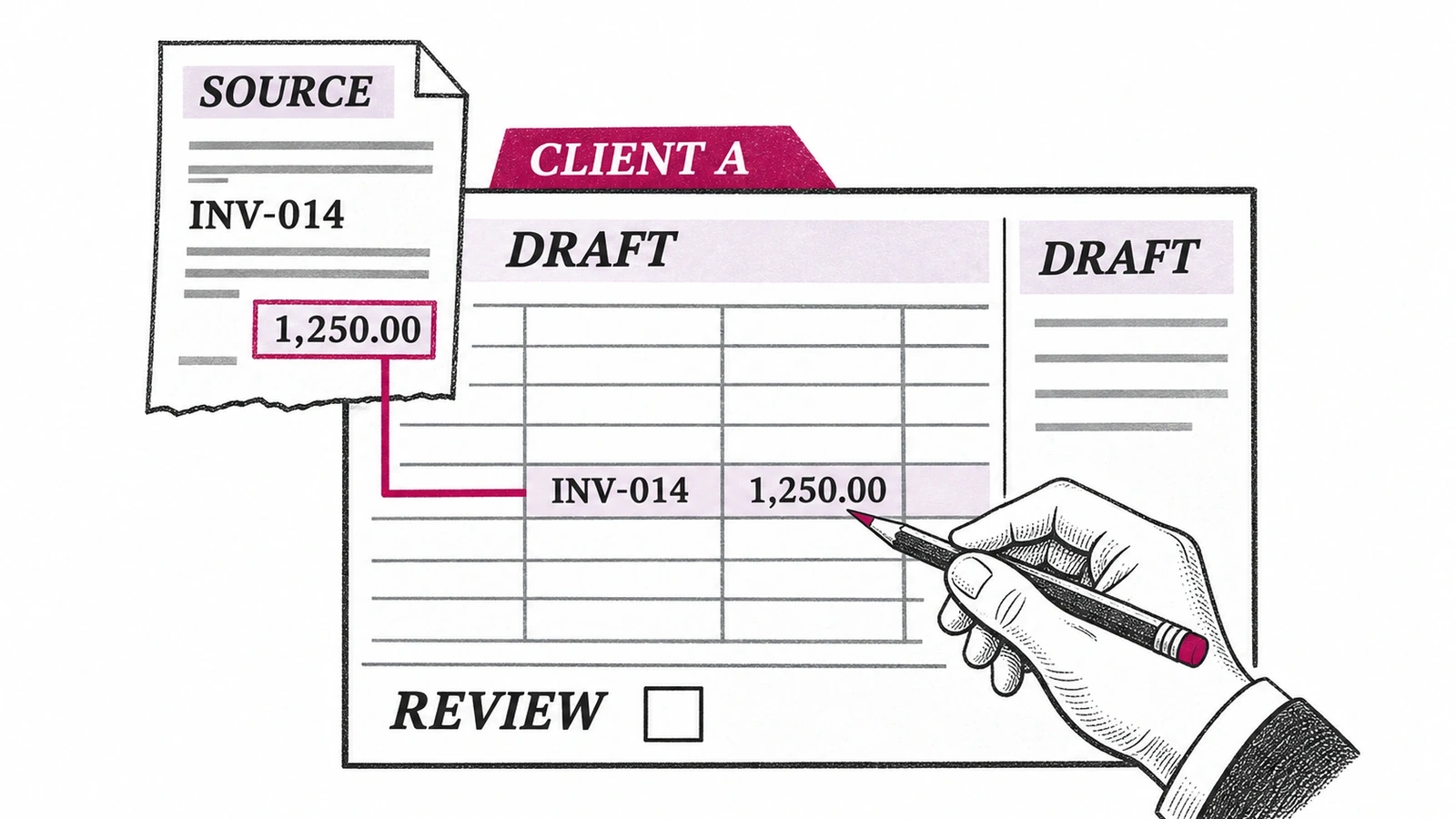
Before buying, map one job across the tenant, task, destination and reviewer. For example, take a sample client whose firm wants to capture a supplier invoice, check a possible coding issue and prepare a financial summary. These are three different jobs; a single product need not do all three.
| Step | Client organization and access to confirm | Task and destination | Reviewer and stop point |
|---|---|---|---|
| Capture | Select the intended Xero organization; confirm the capture app's requested access. | Extract the supplier invoice; identify whether it stays in the capture app or will be published to Xero. | Bookkeeper checks supplier, amount and coding before the firm's chosen publish step. |
| Monitor | Select that same organization in the monitoring tool and confirm what it can read or change. | Turn a possible coding issue into a task; identify whether a correction stays in the tool or can return to Xero. | Reviewer decides whether the alert is valid and whether to authorize a correction. |
| Report | Authorize the reporting entity and verify which data it receives. | Prepare a summary or export; name the destination and any intended recipient. | Accountant checks source figures and wording before sharing. |
Record the actual account permissions, permitted actions and owner alongside this map. If a tool cannot hold at the desired review point, change its configuration or keep that step manual. Use an approved test client or sample data, and verify the destination before expanding to other organizations.
Work out the document allowance for one client
Take a sample client with 10 ordinary invoices, three invoices needing line-item extraction and two one-page bank statements. At the units shown on AutoEntry's pricing page, that is 10 × 1 + 3 × 2 + 2 × 3 = 22 credits of the Bronze plan's 50-credit monthly allowance. The same 15 documents would consume a different allowance if their page counts or extraction types changed. Compare the actual document mix before choosing a plan.
How to choose for your firm
- Name the destination. Is the output an answer in Xero, a document to publish, a review task, a ledger correction or a client report? Choose the category that produces it.
- Inspect access and stop points. Confirm which client organization is connected, what the tool can read or change, and whether the action is automatic or initiated by a user. Name the reviewer and what happens when information is missing.
- Calculate the operating cost. Include the Xero subscription, users, client files, document volume, credits, entity count, add-ons and contract term as applicable. Ask who sets rules, handles exceptions and maintains the connection.
- Evaluate one workflow before rollout. Have the person who will operate it and the reviewer trace an example from source to destination. Check errors and permissions, not just the happy path.
For a broader execution or ledger-platform decision, compare AI agents for accounting firms. For a document category comparison, see our AI tools for accountants. If your immediate decision is how to finish a monthly review rather than which layer to add around Xero, compare the month-end close tools for bookkeeping firms.
Where a managed AI employee fits
Susan, our managed AI employee, is a different choice from buying a capture or reporting app for staff to operate. We set up and maintain agreed recurring work, and the firm's people retain professional judgment and sign-off. Susan can also run in a firm's own cloud with its own model account; the firm should evaluate its own privacy and vendor obligations.
A Xero Accounting connection is available in Susan's connection catalog subject to authorization. Whether a particular read, write or approval step is available for your organization must be checked during scoping; a catalog listing alone does not establish the operation. Book a walkthrough and bring the tenant-to-task map to define the job and review point before deciding whether a managed service fits. See also managed AI agents for CPA firms.
Why the handoff matters
In Intuit's 2025 survey, 41% of 700 surveyed US accounting professionals reported integration difficulties among app-stack challenges. In Xero's 2025 US research, 80% of 250 surveyed accountants and bookkeepers anticipated AI would have a positive effect on their practice. Those are reported challenges and expectations, not measured results for any product.
Thomson Reuters' 2025 research reported organizational generative-AI use at 21% of tax firms, up from 8% in 2024; its overall survey covered nearly 1,800 professionals across several sectors, and the tax-firm subgroup size was not stated in the release. Adoption is not evidence of a working Xero connection or an approved ledger write.
Frequently asked questions
Does Xero have an AI agent for accountants?
Xero offers JAX chat, which lets users ask questions about financial information available under their existing Xero permissions. Xero also describes requesting certain administrative actions, such as an invoice based on an earlier quote. Chat currently has no additional charge for subscribers. Check the feature and organization available to your users, and review outputs before relying on them.
Can an AI tool change a Xero client's books?
Some connected tools can change a Xero client's books, but the specific action and permissions matter. Double describes posting journal entries and syncing certain corrections, while XBert describes writing accepted corrections back through Auto-Resolve. Ask the vendor which operations your plan and user can perform, whether automatic rules apply, and where your designated accountant reviews consequential changes.
What does an AI tool for Xero cost?
The cost of an AI tool for Xero depends on the subscription and what the vendor counts. JAX chat currently has no additional charge for Xero subscribers; AutoEntry's US Bronze plan is $13 per month for 50 credits; Double's Core is $10 per connected client per month on standard terms. Other tools charge by user, activity or entity, and taxes or add-ons may apply.
Is a receipt-capture app the same as an AI agent?
A receipt-capture app is not necessarily an AI agent that handles a complete workflow. Tools such as Hubdoc, Dext and AutoEntry extract document information and can publish it into Xero, subject to their setup. A managed workflow may also need someone to handle exceptions, check the correct client organization and approve consequential actions. Identify those responsibilities before buying.
Can Susan work with a firm's Xero workflows?
Susan is a managed AI employee provided by Fixed Labs for recurring business work across connected applications. Xero Accounting appears in its connection catalog, subject to the firm's authorization; the exact available operations and permissions for a particular job must be confirmed during scoping. The firm's accountants retain judgment and sign-off, and a catalog listing alone is not proof of a completed Xero workflow.
How should a firm check Xero access before rollout?
A firm should check Xero access by identifying the exact client organization, user role, requested permissions and intended destination for each action. Map what the tool reads, whether it can write, and who reviews an exception or proposed correction. Trace one approved example before connecting more organizations, and agree how access will be removed when it is no longer needed.
Map one recurring job and its review points
Bring the work you want covered and the systems it touches. We will discuss the permitted actions, reviewer and saved result before agreeing a managed workflow.
Book a walkthrough