Accounting firms · Keep your existing QuickBooks files
Best AI Agents That Work With QuickBooks for Accounting Firms (2026)
Keep QuickBooks Online. Choose the help by what should happen inside each client file, and who owns the work when a receipt is missing or a save is uncertain.
Book a walkthroughWhich AI agents should an accounting firm use with QuickBooks?
Susan is our pick for managed recurring work across QuickBooks Online and other apps. Choose Intuit Accounting AI for eligible native accounting workflows, Dext for document publishing, or Booke for daily bank-feed work. Compare the saved transaction, approval boundary and exception owner before choosing. All four can support execution, not just answers.
This guide is for partners and operations leaders at US and Canadian accounting firms with 10–150 staff. It addresses existing QBO client files, not QuickBooks Desktop, tax research or replacing a ledger.
Key takeaways
- The right shortlist depends on whether the bottleneck is native bank-feed work, document publishing or a recurring cross-app job.
- Dext and Booke execute bookkeeping work; they are not merely document readers or chat assistants.
- An existing paid expense, an applied customer payment and a completed statement reconciliation are different destination states.
- Compare firm quotes with firm quotes. Booke’s $129 per business/month offer is separate from its custom accounting-firm pricing.
The fixed-price inclusion and 48-hour offer below apply to hosted Susan and the agreed workflows. Customers using their own model account pay that provider directly; own-cloud deployment has a separately agreed timeline. Model requests still follow the chosen provider’s terms. The general tool comparison below is not a claim that every competitor needs your staff to perform every step.
Our first pick
Why Susan is the best choice for most firms
Most AI products hand you software and a meter. Susan works like a hiring agency for AI employees: bring us the job description, and our team builds the AI employee, runs it and keeps it working, for one price you can plan around.
- One fixed monthly price. You agree the price once and it does not move with volume. Model usage, hosting, monitoring and fixes are included. Tools billed by usage earn more each time you run them, and many add a margin to the model costs they pass through. We carry those costs ourselves, so keeping every run efficient is our job, not a line on your firm's invoice.
- Done for you, not do-it-yourself. Bring us the job description and a screen recording of how the work is done today: if a person does it on a computer, Susan can learn it. There is nothing for your firm to configure, prompt or maintain, and the first job is running within 48 hours of signing.
- Costs less than another hire. No recruiting, training or turnover, and busy season costs the same. The work keeps moving at night and on weekends, and anything that needs approval waits for your staff.
- Support and fixes are part of the fee. When a portal changes, a login expires or a new exception appears, our team fixes it. That work is included, not billed as extra hours or left to your staff.
- The safest setup: your own cloud and your own keys. Susan can run entirely inside your firm's own Microsoft Azure subscription, with your own OpenAI, Anthropic or Azure OpenAI account, and our engineers run it there for you. Your data never has to sit on a vendor's platform: the agents, logs and keys stay in your account, under your rules, and you can see and revoke our access.
- Security from the first day. Each agent works on its own dedicated, hardened computer in a US data center. App passwords stay in a protected layer the agent never sees, people approve anything that reaches a client or changes the books, and every action is logged.
- Keeps the software you already use. Susan works through direct app connections and uses its own screen for portals without one, so there is no new platform to move to.
| Question | Susan | Typical AI tool |
|---|---|---|
| How you pay | One fixed monthly price, usage included | Per seat, per client or per unit of usage |
| Who sets it up | Our team, around your process | Your staff, inside the vendor's product |
| How soon it works | First job running within 48 hours of signing | When your staff finish setting it up |
| Who fixes it when something changes | Our team, included in the fee | Your staff, or paid support |
| Where it runs | Your own Azure subscription with your own keys, or its own computer in a US data center | The vendor's shared platform |
What a QuickBooks-compatible AI agent does
A QuickBooks-compatible AI agent reads information and performs a defined job in, or around, a QBO company file. Here that includes native accounting automation, document-to-ledger publishing and a managed employee coordinating work across apps. These are different buying models, not a standardized product certification.
A useful output is a specific record in a known state: a paid expense linked to its source, a payment allocated to an existing invoice, or a review queue with an accountable owner. An answer explaining those steps is not evidence that they happened.
Client data and mistakes: settle both before the shortlist
Is our client data safe? Susan can run inside your own cloud with your own model keys, operated by our engineers through access you grant and can revoke. Hosted Susan uses a dedicated hardened computer in a US data center, protected app passwords and an action log. For every option, approve client scope, access, storage and model-provider terms; a deployment choice is not a compliance guarantee or a Canadian processing promise.
Will it make mistakes? Assume a wrong category or duplicate request is possible and agree the check before work advances. With Susan, people approve client sends and changes to the books; saved results are read back, unusual cases go to a named person, and our team fixes workflow problems within the agreed service. For each competitor, inspect the actual automation settings, approval rules and correction owner rather than assuming everything waits for a person.
How we chose these four options
We compared primary vendor documentation and pricing information checked November 6, 2026. Susan is our product. We recommend it first for managed cross-app execution, not because we measured a universal accuracy advantage. We have not tested these four products against the acceptance checklist below.
- Existing-file access: how the option reaches a QBO company and which plan, country or permissions it needs.
- Destination and evidence: the record created or matched, its saved state and the trail available for review.
- Approval and unfinished work: what advances automatically, what waits and which exception stays with staff.
- Operating owner and cost: who configures and repairs the job, the billing unit and material exclusions.
We applied those questions to Susan too. No connector listing proves every action is configured for your firm, and no vendor’s automation percentage substitutes for an accepted QBO result.
Compare the job, destination and pricing unit
| Option / best for | Connection and setup | Actual work | Approval and repair owner | Evidence and main limit | Price and unit |
|---|---|---|---|---|---|
| SusanA managed recurring job spanning QBO and other apps | QBO connection first; its own computer for screen steps | Agreed invoice preparation, payment recording and cross-app handoffs; exact actions scoped | Staff approve book changes and client sends; Fixed Labs operates and repairs the agreed workflow | Saved-record read-back and action log; agree the client, record, state and exception owner Limit: Not a self-service receipt tool; needs access, a process owner and an agreed output | Fixed monthly quote for agreed hosted workflows; no public numeric price. Own model account: provider billed directly.Susan pricing source |
| Intuit Accounting AINative bank-feed work within eligible QBO client files | Built into eligible QuickBooks Online subscriptions | Payee/category suggestions, policy-controlled automation and accounting review tools | Firm configures each file’s policies, reviews exceptions and owns sign-off | Confidence/reasoning and destination transaction; demonstrate your actual plan’s history and holds Limit: Plan, country and rollout differ; Agentic Books Close and Agent Studio remain pilots | Eligible QBO subscription per company/month; confirm current country, plan and billing quote.Intuit Accounting AI pricing source |
| DextReceipts and invoices that must publish into QBO | Connect Dext to the QBO client file and set publishing defaults | Publishes cost/sales items, including paid expenses or unpaid bills; auto-publish available | Configured approvals must complete before publishing; firm owns mappings and exceptions | Original attachment and, for approved items, approval-history PDF; inspect the actual QBO record Limit: Paid status, tax, payment account and QBO edition change the destination | Firm quote per client/month; ten-client minimum. US page describes an annual subscription billed monthly; confirm allowances/add-ons.Dext pricing source |
| Booke AIDaily bank-feed coding and matching inside existing QBO | Works inside QBO using existing bank feeds; confirm the user access required | Categorizes, matches documents/payments and prepares reconciliation; flags unclear items | Routine automation plus low-confidence exception review; firm owns stop rules and final reconciliation | Reasoning/history logs and exception review; verify resulting entries and payment allocations Limit: Reconciliation preparation is not completed statement reconciliation; not every entry waits for review | $129 per business/month on the Business offer. Accounting Firms: custom quote by request, distinct from that business rate.Booke AI pricing source |
Capability sources: QuickBooks connection actions, Intuit’s QBO AI description, Dext’s QBO publishing instructions and Booke’s QBO workflow. Confirm current country, edition and entitlements in the purchase quote.
1. Susan: best for a managed job across QBO and other apps
Susan connects to QuickBooks Online directly for agreed accounting tasks and signs in on its own computer for steps that need a screen. Our team scopes the source inputs, company file, record action, read-back and staff approval. Bring the job description and a recording of how your team does it today; we set up and maintain the workflow.
Consider an approved payment-recording job: identify the correct customer and existing invoice, check for prior payment evidence, prepare the supported allocation, obtain the required approval and read back the result. A missing remittance or unclear allocation goes to the right person with context. This is a scope to agree, not a claim that every QBO payment edge case is preconfigured.
Best for: a recurring job that crosses QBO, documents and team handoffs, where you want one operating supplier. Trade-off: Susan is a managed service, not an instant self-service capture subscription; your firm still needs a process owner, permitted access and professional review. Your firm keeps control of the process and sign-off; we take responsibility for running the agreed recurring job.
Hosted Susan’s fixed monthly quote includes model usage, hosting, monitoring, support and fixes for agreed workflows. The first hosted job runs within 48 hours of signing. Own-cloud timing is agreed separately; using your own model account means paying the model provider directly.
2. Intuit Accounting AI: best for native work inside QBO
Intuit describes company-specific bank-feed policies, payee/category suggestions, confidence information and policy-controlled automation. Its description places the Accounting Agent in Essentials and above; verify the actual country and plan. Native accounting AI is a real execution option when the job stays within the client file.
Best for: firms whose main gap is native bank-feed work and who can own each client’s settings and review. Trade-off: eligibility varies, and your firm still owns exceptions and work outside QBO. Compare an eligible subscription per company/month using a current regional quote; do not budget from a temporary discount or a price from another country.
The November 2, 2026 Intuit recap labels Agentic Books Close and Agent Studio pilot, and Playbooks beta. Those access limits are separate from ordinary Accounting AI eligibility; confirm your firm’s actual pilot access before promising a client an agentic close workflow.
3. Dext: best for documents that need to publish into QBO
Dext’s publishing documentation describes actual cost and sales writes, paid/unpaid destinations and auto-publish. A paid cost can reach QBO Expenses; an unpaid cost can become a bill. Original documents are attached, and publishing an approved item also attaches an approval-history PDF.
Best for: receipt and invoice capture feeding a bookkeeping process your firm runs. Trade-off: the amount can be right while the paid status, tax or payment account is wrong. Configure the destination and approvals, then inspect a saved item. Dext’s connection instructions explain synchronized accounting lists; confirm current mappings rather than assuming a new class or location is already available.
The US accounting-firm pricing page uses per-client pricing with a ten-client minimum, an annual subscription billed monthly and configurable extras. Request a firm quote with client count and allowances. A business-plan headline price is not the accounting practice’s rate.
4. Booke AI: best for daily bank-feed coding and matching
Booke’s QuickBooks workflow reviews existing bank feeds, categorizes transactions, matches documents and payments, and prepares reconciliation inside QBO. It describes reasoning/history logs, stop keywords and low-confidence review. Routine work can advance; do not assume every entry waits for manual approval.
Best for: a firm keeping its ledgers and reducing daily coding and matching work. Trade-off: reconciliation preparation still leaves your firm responsible for statement differences and sign-off. Confirm the user invitation, permissions, stop rules and exception owner; do not assume its inside-QBO workflow is an API-only connection.
Booke lists $129 per business/month for Business. Its Accounting Firms offer has custom pricing by request, multi-client management and a white-label option. Ask for that firm quote rather than multiplying the public business rate and calling the result a confirmed practice price.
How to choose without replacing your client ledgers
- Name the bottleneck. Native feed work points to Intuit; documents needing ledger publication point to Dext; daily coding and matching point to Booke. Cross-app execution and maintenance point to Susan.
- Name the saved state. Specify expense, bill, applied payment, unsent invoice or completed reconciliation. Keep unresolved differences visible.
- Quote the same workload. Include existing QBO subscriptions, client count, add-ons, staff review and the person repairing failures. Confirm country and plan before comparing totals.
Bring one workflow to the walkthrough. We will identify supported steps, review boundaries and the fixed monthly scope, without asking you to move to another ledger.
Book a walkthroughTen QuickBooks destination-and-evidence acceptance checks
Use the same approved sample company files with each supplier. We derived these purchase criteria from the documented publishing, matching and record-identity behaviors above. These scenarios have not been tested against the four shortlisted products; no vendor pass is claimed.
| Scenario | Provide this condition | Required destination or hold | Keep this evidence |
|---|---|---|---|
| 1. Similarly named clients | Open two approved sample QBO companies before starting the same task. | Only the intended company is read or changed. | Company/realm ID beside the saved entity ID; user and permitted client scope. |
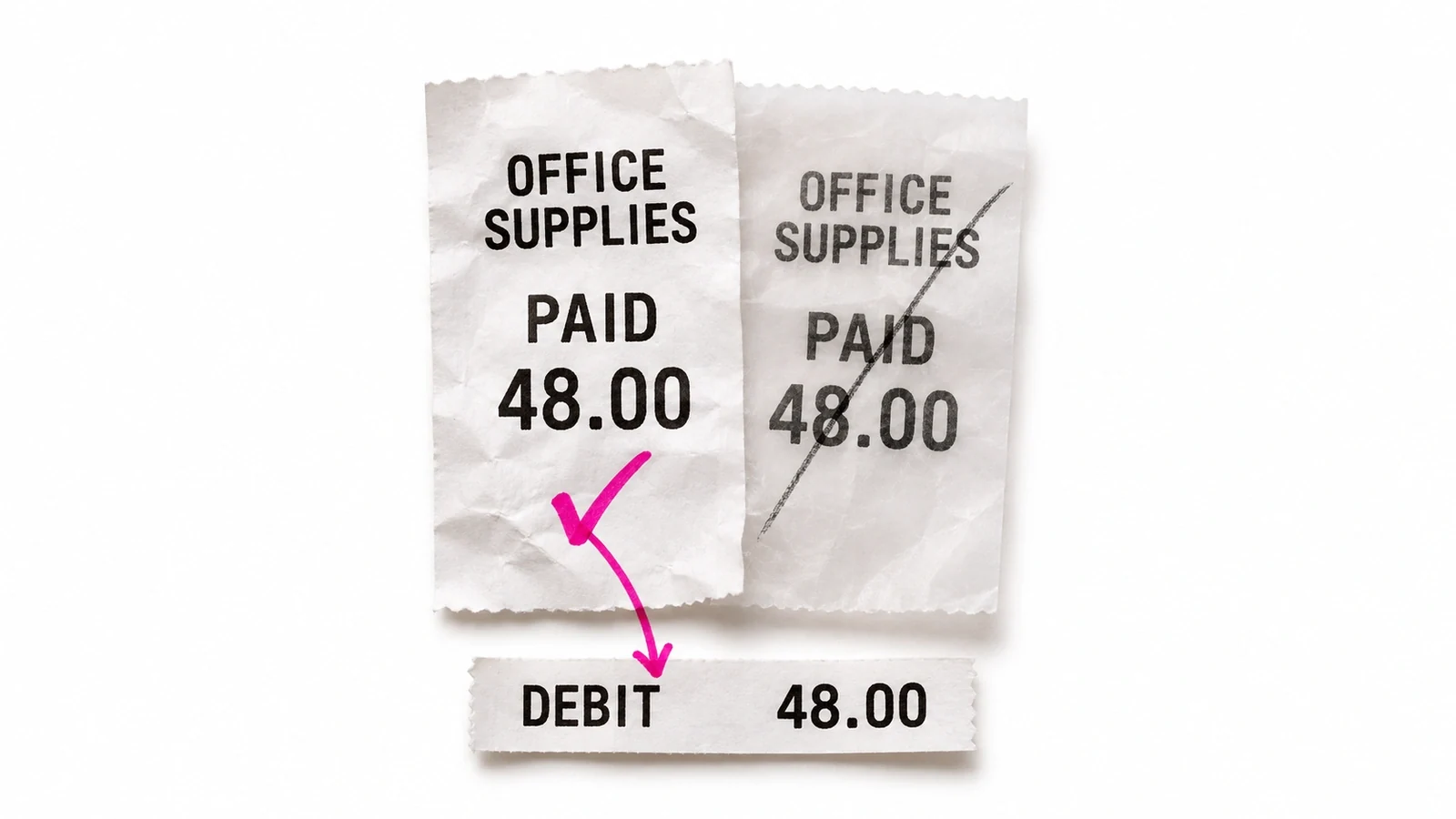
| 2. Two receipts, one paid cost | Give two copies of a paid receipt and an existing matching bank debit. | One supported paid-cost treatment, not a second expense or an unpaid bill left behind. | Receipt references, bank transaction, expense or bill-plus-payment IDs and duplicate hold. |
| 3. An existing customer invoice | Provide an incoming payment for an invoice already in QBO. | Payment is applied to that invoice without recording the revenue again. | Invoice ID, payment ID, allocated amount and read-back of remaining balance. |
| 4. One payment, several invoices | Provide a multi-invoice remittance with a deduction or fee. | Allocations remain visible; the unexplained difference stays unresolved for review. | Each invoice allocation, payment total, fee/deduction and named decision owner. |
| 5. A missing receipt arrives later | Omit a required document, then supply it after the workflow pauses. | The same held item resumes; a fresh duplicate is not created. | Original hold/request, new document reference, resumed item ID and current review state. |
| 6. Same supplier, different policies | Use two sample clients with different account, class or tax rules. | Each company receives its own approved treatment. | Company IDs, rule versions and saved account/class/tax fields for both entries. |
| 7. A save times out | Ask the provider to demonstrate a lost response after a save. | Read the destination before retrying; adopt an existing result or keep the outcome unknown. | Saved-ID lookup, read-back and documented retry/deduplication path; request ID for API writes. |
| 8. Prepared is not reconciled | Finish bank-feed coding while leaving a statement difference unresolved. | Preparation remains distinct from completed statement reconciliation. | Statement period and balance, unresolved items, reconciliation state and named sign-off. |
| 9. Prepared is not sent | Prepare an invoice, then ask separately to send or consequentially post it. | Show the saved state and authorization boundary; Susan waits for staff approval. | Draft/saved invoice ID, current state, approving person and separate send/post result if authorized. |
| 10. Access is revoked | Have the provider demonstrate loss of access during a partially finished job. | An owner receives the exception; after reauthorization, current QBO state is checked before work resumes. | Access failure, owner, existing record IDs and destination read-back rather than a blind restart. |
For each row, record product, country, edition, role, company ID, expected state, observed state, reviewer and unresolved question. Leave an unknown outcome unknown. If the supplier does not support the scenario, record that limit instead of treating it as a failed accounting result.
Intuit’s ID documentation distinguishes company/realm IDs, entity IDs and request IDs. For API writes, ask how retries preserve request identity and how a lost response is reconciled. An invoice DocNumber alone is not an idempotency guarantee. For screen work, require an equivalent saved-record lookup and documented recovery path.
What our published billing evidence does and does not show
The published Susan billing case records 513 completed invoice records across three observed weekly windows, about six minutes of agent processing per invoice against a team-reported 15-minute manual preparation estimate. That deployment used Zoho Projects and Zoho Books, not QBO.
This supports a bounded claim about managed invoice preparation. It is not a QuickBooks benchmark, an accuracy comparison with these vendors, or measured net staff time saved. Ask for your own destination-and-evidence demonstration before adopting any option.
Frequently asked questions
Which AI agents work with QuickBooks Online for accounting firms?
Susan, Intuit Accounting AI, Dext and Booke AI cover different QuickBooks Online jobs. Susan is our managed option for recurring cross-app work. Intuit supplies eligible native accounting features; Dext publishes bookkeeping documents; Booke performs daily coding and matching inside QBO. Choose the required destination first, then confirm the country, subscription, permissions and review settings. This comparison uses public documentation, not a hands-on performance ranking.
Can QuickBooks AI actually change the books?
QuickBooks AI can support actual accounting actions, not just answer questions. Intuit describes company-specific bank-feed policies, category suggestions and policy-controlled automation. Dext publishes records and offers auto-publish; Booke also performs routine bookkeeping work. Ask each provider which changes happen automatically and which stop for review in your specific account. Susan requires staff approval for changes to the books and anything sent to a client.
How much do AI tools for QuickBooks cost?
AI tools for QuickBooks use different pricing units. Susan quotes a fixed monthly price for agreed hosted workflows. Intuit requires an eligible QBO subscription; confirm the current country and plan quote. Dext’s firm pricing is per client with a ten-client minimum. Booke lists $129 per business/month for Business and a separate custom accounting-firm quote. Include existing ledger costs, add-ons, review time and maintenance when comparing the same workload.
Does Dext publish receipts as expenses or bills in QuickBooks?
Dext can publish QuickBooks cost items as paid expenses or unpaid bills, depending on the Publish to setting and payment setup. Paid costs need a payment method linked to the correct QBO bank account. Dext also supports automatic publishing and configured approval workflows. Before buying, demonstrate an already-paid receipt and inspect the resulting transaction, attachment and bank match. A correctly extracted amount can still reach the wrong destination.
Does Booke AI complete QuickBooks bank reconciliation?
Booke AI’s QuickBooks page describes reconciliation preparation alongside bank-feed categorization, document matching and exception review. Do not read preparation as a promise that every bank statement is reconciled and signed off. Ask to see the statement period, ending balance, unresolved items and actual reconciliation status in QBO. Its automation can process routine work, while low-confidence transactions return to your team; your firm remains responsible for the final accounting decision.
Are Intuit Agentic Books Close and Agent Studio generally available?
Intuit Agentic Books Close and Agent Studio are pilots in Intuit’s November 2, 2026 recap, not generally available features for every QBO subscriber. Playbooks is labeled beta. A pilot announcement is separate from the Accounting AI features included in eligible subscriptions. Confirm access, country, supported actions and commercial terms in your own account before relying on these capabilities for a recurring client commitment.
Who provides Susan and maintains its QuickBooks workflows?
Fixed Labs provides Susan, our managed AI employee, and configures, runs and repairs the agreed QuickBooks workflow. Susan uses QBO connections and its own computer for steps needing a screen. Hosted pricing includes model usage, hosting, monitoring, support and fixes; the first hosted job runs within 48 hours of signing. Own-cloud timing is agreed separately, and customers using their own model account pay that provider directly. Your firm retains approvals and professional sign-off.