Accounting firm buyer’s guide · Client communication and staff handoffs
Best AI Assistants for Accounting Firms (2026)
Susan is our first pick for accounting firms that need managed responsibility for recurring client-communication handoffs across agreed apps. For a narrower gap, compare Microsoft 365 Copilot for shared mail, Teams and Word; Front for shared conversation context; Missive for inbox rules and actions; and Fireflies for meeting notes. Keep your ledger and practice platform.
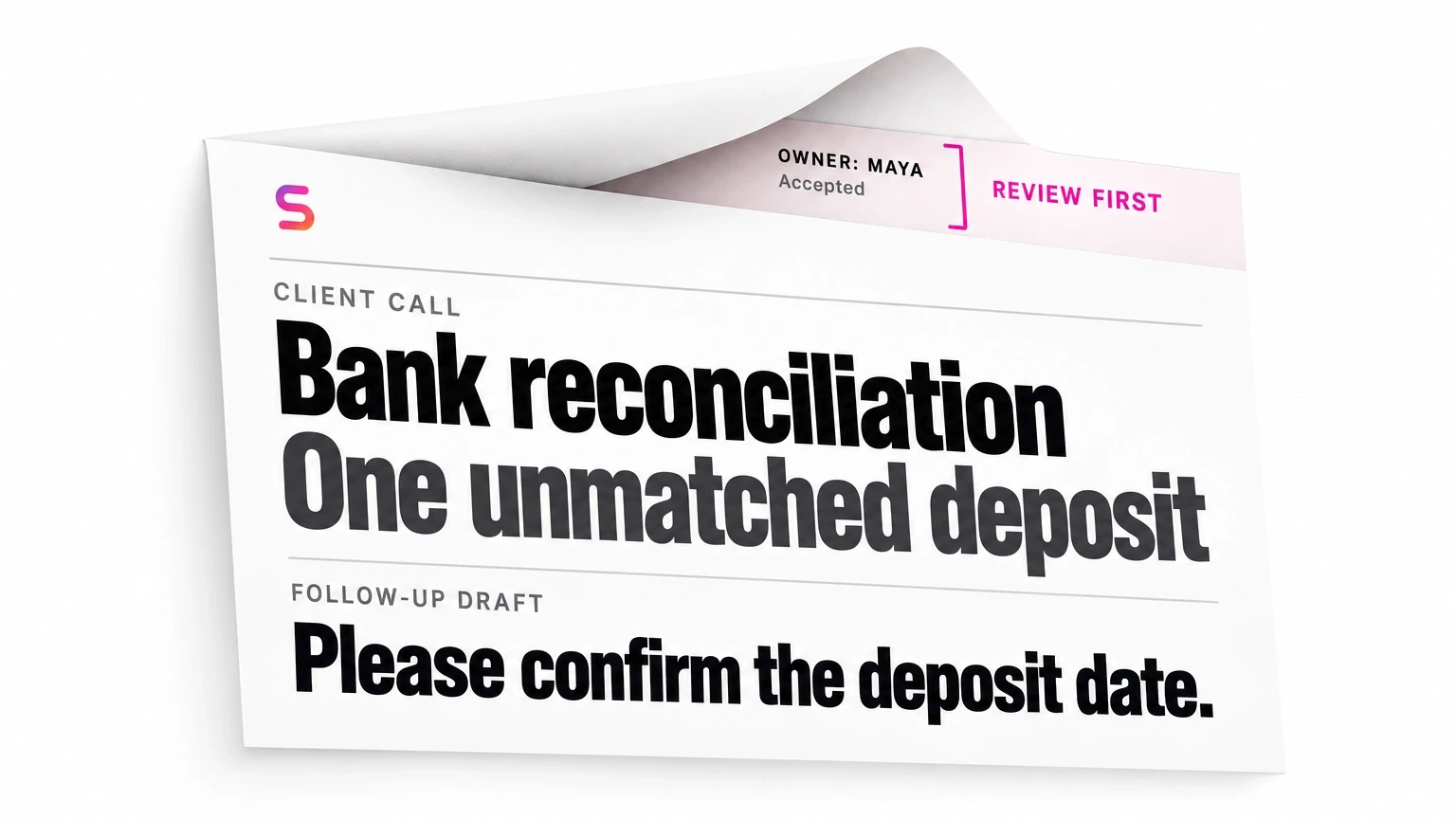
Buy the missing communication step, not another system of record
This guide is for partners and operations leaders at US and Canadian accounting, tax, bookkeeping and CAS firms of roughly 10–150 people. The buying problem is specific: a shared client email becomes a call, the call changes the request, and somebody must turn that context into reviewed follow-up and a staff assignment.
A summary, a reply draft, a created task and a completed handoff are different states. Choose the assistant that supports the missing state, then name who owns the rest. Several options can work together; adding all five would rarely be a sensible starting point.
For individual workbooks and cited tax research, use AI assistants for accountants. For ledger/bookkeeping platforms, use AI agents for accounting firms. For engagement coordination inside practice software, use the CPA practice-platform comparison.
The recommendations below use primary product documentation checked October 29, 2026, and our analysis of the work left with the firm. They are capability comparisons, not measured speed or accuracy rankings. Susan is our product; its recommendation is for managed operating responsibility, not universal superiority at every communication task.
Five assistants compared by stage and ongoing owner
| Assistant / source | Supported stage | Shared context / permissions | Destination / output | Review / action boundary | Firm setup / adoption | Ongoing owner | Plan / availability restriction |
|---|---|---|---|---|---|---|---|
| 1. SusanPrimary source | Managed recurring handoff across agreed apps | Scoped mailbox, meeting and destination access; firm-specific rules | Agreed follow-up draft, checked task handoff or visible exception | Staff approve client-facing work; professional decisions stay with the firm | Map the process, supported actions, permissions and acceptance criteria | Susan team operates the agreed workflow; firm owns decisions and exceptions assigned to it | Service scope and exact actions must be agreed; not instant universal app coverage |
| 2. Microsoft 365 CopilotPrimary source | Shared mail, Teams discussion and Word correspondence | Licensed mailbox access, eligible meetings and Microsoft 365 content | Email summary/reply draft, meeting recap, editable document | Staff reconcile facts, review correspondence and accept downstream tasks | Check delegate permissions, meeting host, transcript policy and templates | Firm administrator and engagement team run the handoff; Microsoft maintains the product | Copilot license for shared mail; full delegate access; retained transcript for later spoken-content questions |
| 3. FrontPrimary source | Shared conversation context for the client-service queue | Enabled shared inbox; message and comment text, not attachments | Shared summary that updates as messages and comments arrive | Staff check missing attachment facts and decide the next action | Adopt the inbox workflow, enable summaries and define queue ownership | Firm queue owner maintains coverage and follow-through; Front supports its product | Copilot/Autopilot add-on; automatic summaries need four messages and a new conversation after enablement; English officially supported |
| 4. MissivePrimary source | Inbox assistant, semantic rules, tasks and external tools | Connected email/calendar/contacts, organization instructions and configured AI provider | Editable reply drafts, AI notes, labels, tasks and supported MCP actions | Firm chooses rule actions and tool permissions; review drafts and task destinations | Configure provider, shared instructions, routing, rule chains and any external tools | Firm inbox/automation owner maintains rules, usage and integrations | Productive/Business plus AI provider; synchronous and asynchronous rules chain differently; review provider terms |
| 5. Fireflies.aiPrimary source | Meeting capture and handoff preparation | Meeting record, transcript, speaker labels and workspace/group templates | Structured summary, time-linked notes and speaker-associated action items | Staff correct facts, confirm who accepts each task and review follow-up | Agree meeting access/consent, sharing, retention and summary template | Meeting owner handles corrections; firm handoff owner confirms downstream work | Check plan, credits and integrations; only meeting owner/host can regenerate summaries |
1. Susan: managed responsibility for a recurring handoff
Evaluate Susan first when the firm does not want another internal automation project. Our managed service for CPA and accounting firms includes process mapping, implementation, monitoring and maintenance for agreed recurring work. The firm retains professional judgment and approval authority.
For this purchase, scope the communication handoff rather than asking for a generic AI employee: which inbox starts the work, which meeting record supplies context, where a draft waits for review, which system receives the next task and who handles exceptions. Exact inbox-to-practice-system actions must be demonstrated and agreed; an app catalog is not evidence that every action is supported.
The advantage is an operating team responsible for the configured workflow within scope. The trade-off is setup: your firm must supply process rules, access, representative examples and a decision owner. Keep client-facing messages approval-gated. If your existing suite already completes this handoff reliably and a staff owner can maintain it, a managed engagement may add unnecessary cost and coordination.
2. Microsoft 365 Copilot: existing shared mail, Teams and Word work
Start here when the relevant communication already lives in Microsoft 365. Microsoft documents reading and summarizing shared or delegate mailbox email and drafting responses. Shared-mailbox support requires a Microsoft Copilot license; for delegate mailboxes, shared-folder permission alone is insufficient. Full delegate access is required.
Copilot in Teams summarizes discussion, identifies speakers and suggests action items. Later questions about what was said require an available transcript. Microsoft also says Copilot will not work in meetings hosted outside the participant’s organization. If clients normally host your calls, resolve that restriction before making this your standard capture process.
Copilot in Word drafts, refines and summarizes documents. Microsoft describes a preview-and-approval step for planned edits to shared documents. That is a document-edit boundary, not permission to send client correspondence. Word’s documented experience works with Microsoft 365 content and does not connect to external tools; do not extend that limitation to all Microsoft agents.
The firm still needs someone to reconcile email with meeting facts, review the follow-up and confirm the downstream assignment. Check license, organization settings, platform and meeting retention. This comparison covers mail, Teams and Word—not Excel or preview descriptions of broader autonomous work.
3. Front: shared context in the client-service inbox
Consider Front when staff repeatedly reopen long client conversations to work out what happened. Its Summarize documentation describes a shared summary generated from message and comment text, visible to teammates and updated with new messages and comments.
The material accounting-firm limit is attachments: Summarize does not use attachment content. A client may put the decisive entity, amount or period in an attached document. Keep a separate review status for that evidence rather than treating the conversation summary as a complete account of the request.
Automatic summaries require enabled inboxes, four messages and conversations created after enablement. The feature needs a Copilot or Autopilot add-on; English is the officially supported language. Do not assume the existing backlog will be automatically summarized when you turn it on.
Front is worth evaluating if the team will adopt a shared conversation workflow and appoint a queue owner. This source supports shared context, not a claim that every AI action is approval-gated by default or that a practice-system handoff is completed. Ask which action happens next, under whose authority, in your proposed configuration.
4. Missive: inbox assistance, semantic rules and supported actions
Missive fits a firm that wants assistance and automation close to email. Its AI overview documents email, calendar and contact searches, editable reply drafts, organization-wide instructions and external MCP integrations. It is not a draft-only product.
The AI Rules documentation adds notes, labels and task creation. That can shorten the distance between a client request and a staff task, but a created task still needs the right entity, destination and accountable owner. For external tools, inspect the exact permissions and action behavior rather than assuming MCP means every practice system is supported.
Productive or Business and a configured AI provider are required. The overview offers Missive-managed credits or your own provider key. Rule design matters: synchronous “Fast” model labels can trigger other rules, while labels from asynchronous model actions do not. A routing plan that ignores that distinction may leave the next step untriggered.
Assign an inbox/automation owner for instructions, rules, provider capacity and external integrations. Review the actual provider and account terms for retention and processing. Do not rely on a blanket claim that every provider discards all data immediately.
5. Fireflies.ai: meeting notes ready for a staff handoff
Evaluate Fireflies when the missing input is a usable record of client calls. Its meeting-summary guide documents structured notes, transcript-linked timestamps and action items associated with speakers. Workspace and group templates can make the expected note format consistent.
For a two-entity client call, ask for separate entity sections, decisions, open questions and proposed owners. Then check the transcript passage before copying a deadline or commitment into correspondence. A speaker-associated action item is not evidence that the person accepted an assignment or that a task was saved in the practice system.
Corrections need a downstream owner. Fireflies describes regenerating a summary after transcript or speaker-label changes; only the meeting owner or host can do that. Ask what happens to drafts and tasks already copied from the old version. Regeneration alone does not establish that those records have been repaired.
Before recording client calls, agree consent, access, sharing and retention with your firm’s responsible owner. Confirm plan, AI credits and any integration you intend to use. The reviewed guide supports meeting preparation, not a guarantee of transcription accuracy, confidentiality or completed follow-up.
One client request, from shared inbox to accepted next step
Take a sample client with two entities. An email asks for an update on both; a later call changes Entity B’s timing; staff need a reviewed follow-up and a preparer assignment. Keep the ledger and practice platform in place. Use the table to identify where each option helps and where a person or configured integration still has work to do.
The output column is a proposed requirement for your demonstration, not a claim that every provider produces it automatically. Use redacted examples and record unsupported steps as remaining work. The important comparison is the gap between a useful summary and an accepted handoff.
| Stage | Context to preserve | Required output / destination state | Relevant capability and limit | Review / next owner |
|---|---|---|---|---|
| Request in the shared inbox | Client asks about Entity A and Entity B in one thread; an attachment contains the supporting detail. | Mailbox/thread reference, two separate requests and an explicit attachment-review status. | Copilot can summarize shared mail; Front supplies shared conversation context but excludes attachments; Missive can classify, draft and create tasks. Scope Susan’s supported intake steps. | Inbox owner checks entity mapping and attachment evidence. A summary alone does not establish that the attachment was read. |
| Two-entity client call | The call changes the requested timing for Entity B only. | Meeting reference and relevant transcript passage, separate entity notes, and the unresolved timing question. | Copilot in Teams and Fireflies support meeting summaries/action items. Check host restrictions and transcript policy before relying on later retrieval. | Meeting owner confirms consent/access and checks the change. Do not copy Entity B’s timing onto Entity A. |
| Reviewed correspondence | The follow-up must explain both requests without promising unapproved delivery dates. | One versioned draft with correct recipients, facts, open questions and reviewer. | Copilot shared-mail drafts and Word edits, or Missive reply drafts, can prepare correspondence. Susan’s agreed workflow can route prepared work for approval. | Engagement reviewer approves the actual message before sending. A polished document is not permission to contact the client. |
| Accepted task and destination | A preparer must take the Entity B next step in the existing practice system. | Destination task reference, entity, period, named assignee, accepted due date and remaining hold. | Missive documents AI task creation and external MCP tools. Other downstream actions, including Susan’s, need a demonstration of the exact configured destination. | Task owner accepts the assignment. A speaker label or an action-item bullet is not an accepted practice task. |
| Correction to a meeting fact | The reviewer finds the speaker label or Entity B timing was wrong. | Corrected source reference, revised summary, affected draft/task references and renewed review where needed. | Fireflies documents regeneration after transcript/speaker changes; Front updates summaries with new messages/comments. Neither establishes repair of every copied downstream record. | Meeting owner corrects the source; handoff owner reconciles drafts and saved tasks. Do not assume an earlier copy updates itself. |
| Next-run queue and repair owner | Another reply arrives tomorrow while the assigned preparer is unavailable. | Open/held queue with backup owner, next check and references to already-created work. | Use configured inbox rules or a scoped managed workflow. Ask who handles a failed rule, unavailable provider or changed integration. | Firm queue owner, or Susan within agreed operating scope, checks follow-through. Product support is not automatically ownership of the firm’s queue. |
Compare the cost of the handoff, including review and repair
Ask each vendor for a quote against the same supported scope. Include seats and add-ons, AI usage or credits, inbox migration, templates and rules, destination integration, staff review and ongoing maintenance. Do not compare one seat price with a managed-service quote that includes implementation as if they buy the same responsibility.
Name one ongoing owner before starting. That person should see unassigned requests, messages waiting for review and handoffs that failed or remain unknown. If a provider stops responding or a connection changes, the queue should remain visible and the repair owner should be clear.
For US and Canadian firms, verify country availability, language, contractual confidentiality, processing location, retention and revocation against the actual configuration. None of these product descriptions establishes a compliance certification or professional authorization. For action-level review design, use our accounting AI approval-boundary guide; for the operating model, see managed AI agents for CPA firms.
Start with the smallest missing step. Keep a native feature if it already handles that step with acceptable controls. Add managed operation when the recurring cross-system responsibility and maintenance are what the firm needs to hand off.
Frequently asked questions
What are the best AI assistants for accounting firms?
For team communication, shortlist Susan for managed recurring cross-app responsibility, Microsoft 365 Copilot for shared mail, Teams and Word, Front for shared conversation context, Missive for inbox assistance, rules and supported tool actions, and Fireflies for meeting notes and handoff preparation. Choose by the stage that is missing, the destination of the output and the person who owns follow-through. These are not five interchangeable ledger or practice-management platforms.
Can Copilot help with a shared accounting-firm mailbox?
Yes. Microsoft documents reading and summarizing shared or delegate mailbox email and drafting replies. A Microsoft Copilot license is required. For a delegate mailbox, shared-folder permissions alone are insufficient; full delegate access is needed. Separately check Teams meeting policy, transcript availability and Word entitlement. Mailbox access does not by itself prove that a client request becomes an accepted task in your practice system.
Can Front summarize attachments in a client conversation?
Not through the Summarize feature reviewed here. Front says it uses message and comment text, not attachment content. Its automatic summaries update with new messages and comments, but require enabled inboxes, four messages and conversations created after enablement. Keep attachment review explicit so a summary is not mistaken for evidence that an attached client document was checked.
Is Missive limited to writing email drafts?
No. Missive documents AI notes, labels and task creation, plus external MCP integrations. It also supports editable reply drafts and email, calendar and contact searches. Productive or Business and a configured AI provider are required. Verify the particular rule, tool permission and destination you need, and review the actual provider’s retention terms rather than assuming a universal privacy guarantee.
Do AI meeting action items count as completed client follow-up?
No. A summary can identify a proposed action and associate it with a speaker without creating an accepted task, getting a reviewer’s approval or sending a message. Check the meeting fact, confirm the assignee and due date, record the destination task and keep client correspondence under review. When the transcript changes, reconcile any draft or task already copied from it.
Should the firm replace its ledger or practice platform?
Not for this buying decision. Start by checking whether your current stack already handles the missing communication step. Keep the ledger and practice system as the agreed destinations, and evaluate only the gap between request, meeting, reviewed follow-up and staff ownership. Compare seat entitlements, AI usage, setup, staff review and ongoing repair for that scope before adding another product or managed service.
Bring one recurring communication handoff.
Show us a redacted request, the meeting context, who reviews the follow-up and where the staff task belongs. We will discuss whether your existing tools cover it or a bounded managed workflow is worth evaluating. Start without confidential client records.
Book a walkthrough