Accounting firms · Keep Karbon
Best AI Agents That Work With Karbon for Accounting Firms (2026)
Choose the help by the Karbon work it finishes, the approval it needs and who handles the document that arrives after preparation.
Book a walkthroughWhich AI agents should an accounting firm use with Karbon?
Susan is our pick for managed recurring work across Karbon and other apps, with one fixed monthly price for agreed hosted workflows. Choose Kai for enabled native agent actions, Filed for tax-preparation handoffs, or Zapier for flows your team maintains. First confirm the exact action and what returns to Karbon.
This guide is for managing partners and operations leaders at US and Canadian accounting firms with 10–150 staff who want to keep Karbon. It compares ways to do work around that system, rather than replace your practice software or choose a new ledger.
Key takeaways
- A Karbon summary, a tax return prepared elsewhere and a completed Karbon work item are different outputs.
- Kai’s FAQ describes limited early access and approval of agent actions. Confirm what your account can actually use.
- Filed connects selected Karbon work and documents to tax preparation, but its public pages disagree on rerun charges.
- Keep the work ID, source version and reviewer visible when a document arrives late.
The fixed-price inclusions and first-job timeline below apply to hosted Susan and agreed workflows. Own-cloud timing is agreed separately, and customers using their own model account pay that provider directly. Other options can also execute work; compare the action and operating responsibility, not a blanket claim that tools only draft.
Our first pick
Why Susan is the best choice for most firms
Susan works like a hiring agency for AI employees: bring us the job description, and our team builds the AI employee, runs it and keeps it working, for one price you can plan around.
- One fixed monthly price. For agreed hosted workflows, model usage, hosting, monitoring and fixes are included in one fixed monthly price. Customers using their own model account pay that provider directly. Compare the named providers’ actual pricing and scope in the article’s sourced table.
- Done for you, not do-it-yourself. Bring us the job description and a screen recording of how the work is done today: if a person does it on a computer, Susan can learn it. There is nothing for your firm to configure, prompt or maintain, and the first job is running within 48 hours of signing.
- Costs less than another hire. No recruiting, training or turnover, and busy season costs the same. The work keeps moving at night and on weekends, and anything that needs approval waits for your staff.
- Support and fixes are part of the fee. When a portal changes, a login expires or a new exception appears, our team fixes it. That work is included, not billed as extra hours or left to your staff.
- The safest setup: your own cloud and your own keys. Susan can run entirely inside your firm's own Microsoft Azure subscription, with your own OpenAI, Anthropic or Azure OpenAI account, and our engineers run it there for you. Your data never has to sit on a vendor's platform: the agents, logs and keys stay in your account, under your rules, and you can see and revoke our access.
- Security from the first day. Each agent works on its own dedicated, hardened computer in a US data center. App passwords stay in a protected layer the agent never sees, people approve anything that reaches a client or changes the books, and every action is logged.
- Keeps the software you already use. Susan works through direct app connections and uses its own screen for portals without one, so there is no new platform to move to.
What working with Karbon should mean
An AI agent that works with Karbon should read the permitted records, perform the agreed action and leave a result your firm can verify. That can mean an agent inside Karbon, a specialist tax product connected to it, or a managed employee coordinating Karbon with documents and other software.
The action may stop at a draft or a reviewer handoff. It should never imply an accountant’s professional signoff has happened. Zapier belongs in this comparison as an automation alternative: a configured flow may solve the job without an autonomous agent.
Client data and mistakes: answer both before buying
Is our client data safe? Susan can run inside your own cloud with your own model keys, operated by our engineers through access you grant and can revoke. Hosted Susan uses a dedicated hardened computer in a US data center, protected app passwords and an action log. Model requests follow the chosen provider’s terms; confirm client access, storage and processing terms for every supplier. A cloud choice is not a compliance guarantee or a Canadian residency promise.
Will it make mistakes? Agree the stop rules and review checks before work runs. With Susan, people approve client sends and changes to the books; saved results are read back, unusual cases go to a named person and our team fixes the agreed workflow. Ask every provider to show its approval behavior and how it prevents an unfinished external task from appearing complete in Karbon.
How we chose these four options
We compared vendor documentation and pricing checked November 7, 2026. Susan is our product and our recommendation for a managed cross-app job. The alternatives cover native Karbon actions, tax preparation and configured automation. This is a documented-capability comparison; the demonstration scenarios below are purchase checks, not measured vendor results.
- Access: the connection, entitlement and client scope needed to reach the job.
- Action and return: what happens outside or inside Karbon, and which saved record confirms it.
- Approvals and late information: who can advance the work and what happens after a source changes.
- Cost and operating owner: the pricing unit, setup responsibility, limits and person who repairs a failed handoff.
Compare Karbon actions, access and pricing
| Option / best for | Access and setup | Work performed | Approval and repair owner | Main limit | Price and source |
|---|---|---|---|---|---|
| SusanA managed recurring job spanning Karbon and other apps | Karbon connection; own computer for steps needing a screen. Agree exact actions and permitted client scope. | Agreed intake, document, WIP and other cross-app handoffs, with saved-result checks and an exception owner. | Fixed Labs configures, operates and fixes the agreed job. Staff approve client sends and book changes. | Requires a process owner and agreed scope; not an instant self-service plugin or a tax-preparation engine. | Fixed monthly quote for agreed hosted workflows, including model usage, hosting, support and fixes. Own model account billed directly.Susan pricing source |
| Kai by KarbonNative firm context and enabled Karbon agent actions | Limited early access for Karbon customers; confirm your enabled capabilities. | Firm-data answers and actions such as timesheet review, work prioritization and workpaper creation, as described by Karbon. | Actions pass through Karbon’s agent management system for approval, editing or rejection. Firm owns review. | Do not budget around waitlisted or coming-soon features; exact action availability matters more than the announcement. | Kai price/entitlement: confirm with Karbon. Base USD Team: $59/user/month, billed annually, or $79/user/month, billed monthly; Business: $89/user/month, billed annually, or $99/user/month, billed monthly. These are not Kai quotes.Kai by Karbon pricing source |
| FiledTax work and documents moving from Karbon into preparation | Secure access key; select relevant Karbon work types and import work items/documents. | Connects practice work with tax preparation while Karbon remains the work-management system. | Filed supplies the integration and onboarding. Firm verifies selected work, late documents, return review and status handoff. | Tax-specific. Two public pages disagree on rerun charges; resolve the terms in writing before buying. | Custom flat monthly firm plan scoped to total taxpayers; unlimited preparer/reviewer seats on current pricing page. Confirm contract and rerun terms.Filed pricing source |
| ZapierContact and prospect automation your team builds and runs | Karbon’s documented Zapier connection; custom API workflows can use webhooks. | Contact/organization sync, new prospects from forms and other configured actions. AI steps can be part of a designed flow. | Your staff or implementation supplier owns mappings, approvals, error handling and ongoing maintenance. | A Karbon connection does not prove every work-status or document action is prebuilt. A Zap is not automatically an autonomous agent. | Platform Professional starts at $19.99/month with annual billing; Team starts at $69/month with annual billing. Task tier changes price. Agents is a separate offer/budget; confirm the exact configuration.Zapier pricing source |
Capability sources: Kai’s current FAQ, Filed’s Karbon integration and Karbon’s Zapier integration description. Confirm country, plan, permitted actions and written commercial terms for your firm.
1. Susan: best for a managed Karbon job across apps
Bring the job description and an approved, redacted screen recording of how your team does the work today. We set up the AI employee, run it and keep it working for one fixed monthly fee. Susan uses the Karbon connection for agreed actions and its own computer for steps needing a screen. We agree the source, client scope, saved output, approval and exception owner before starting.
The Karbon connection directory currently offers an API proxy but lists no prebuilt actions or triggers. That distinction matters: connection availability is not proof of a ready-made action for every document or work status. We scope and verify the actual job rather than promise a universal Karbon plugin.
Best for: recurring document, intake, WIP or team handoffs spanning Karbon and other apps, with one supplier responsible for operation. Trade-off: your firm must define the job and grant appropriate access; Susan does not supply a licensed accountant’s judgment or replace a tax-preparation product. Staff keep consequential approvals and final review.
Hosted Susan’s fixed monthly quote includes model usage, hosting, monitoring, support and fixes for the agreed workflows. The first hosted job runs within 48 hours of signing. Own-cloud deployment depends on access from your IT team and has a separately agreed timeline.
2. Kai by Karbon: best for native context and enabled actions
Kai’s FAQ describes live firm-data answers and agent actions such as timesheet review, work prioritization and workpaper creation. Actions pass through Karbon’s AI Agent Management System, where a person can approve, edit or reject the output. It is a real native execution option when the action you need is enabled.
Best for: a firm whose bottleneck is within Karbon and whose staff want native client and work context. Trade-off: Kai remains in limited early access; the same FAQ calls the notetaker coming soon. Ask to see your enabled actions rather than treating every marketing description as generally available.
The USD base Karbon plans list Team at $59 per user/month paid annually or $79 monthly, and Business at $89 annually or $99 monthly. Monthly subscriptions are offered for teams of four or more. These figures price the practice software, not Kai entitlement: confirm Kai’s own access and commercial terms with Karbon.
3. Filed: best for a Karbon-to-tax-preparation handoff
Filed’s Karbon integration uses a secure access key, selected work types and imported work items and documents. Karbon stays the system where work is organized and tracked, while preparation happens through Filed. Ask the supplier to show precisely which status or communication returns to your work timeline.
Best for: tax teams seeking a specialist preparation handoff while retaining Karbon. Trade-off: this is tax-specific, and a late document can change work already prepared. The firm still needs a reviewer and a clear rule for reprocessing and completion. Confirm supported jurisdiction and tax software; the cited sources do not establish Canadian return preparation.
Resolve the rerun terms before signing. Filed’s current pricing FAQ describes a custom flat monthly firm plan based on total taxpayers, unlimited seats and included reruns. Its Karbon integration FAQ instead says rerunning after information has reached tax software incurs an additional return charge. The pages disagree. Obtain the applicable terms in the written quote and demonstrate a late-document rerun under that contract.
4. Zapier: best for contact automation your team owns
Karbon’s Zapier page describes syncing new or changed contacts and organizations, creating prospects from form submissions and using webhooks for custom API workflows. Those are useful, bounded jobs. Ask whether your required work-item or document action is directly supported or must be built separately.
Best for: repeatable contact and prospect flows with an internal automation owner. Trade-off: staff or a supplier must configure the flow and maintain its mappings, permissions and exception handling. Adding an AI step does not make an uncertain write safe to repeat or make a return ready for signoff.
The platform pricing page starts Professional at $19.99/month with annual billing and Team at $69/month, with price depending on task tier. Zapier Agents is separately listed and uses activities; do not treat a platform task allowance as the Agents allowance. Get the quote for the actual actions and AI components your workflow needs.
How to choose for the Karbon job you already have
- Name the result. Is it a reviewed timesheet, a contact created from a form, a tax draft, or a recurring cross-app handoff? Pick the option that can show that result in your account.
- Check availability. Confirm Kai access, Filed’s work-type scope or the exact Karbon connection action. A logo on an integrations page is not enough.
- Price the work and its upkeep. Include the existing Karbon subscription, add-ons, usage, staff review and the person who fixes the failed handoff.
For a managed recurring job, bring the process and its exception to a walkthrough. We will agree the supported steps, approval points and fixed monthly scope.
Book a walkthroughA Karbon action-coverage sheet for your supplier demo
We built this purchase checklist from the documented access, approval and late-document issues above. Ask each supplier to demonstrate the applicable rows with approved sample work. Keep unsupported and unobserved rows visible; the table is not a claim that we ran these scenarios against each product.
| Check | Ask the supplier to show | Evidence to keep |
|---|---|---|
| Which work is eligible? | Select one work type and exclude another. | The intended work item and client IDs, included files and excluded work; no broad import by assumption. |
| What was actually read? | Use a prepared return with a named source version. | Work ID, document/version reference and preparation timestamp, so a later source can be recognized. |
| What changes in Karbon? | Request one supported action, not a general summary. | Before/after status or saved note, actor, time and record reference. An external success message alone is insufficient. |
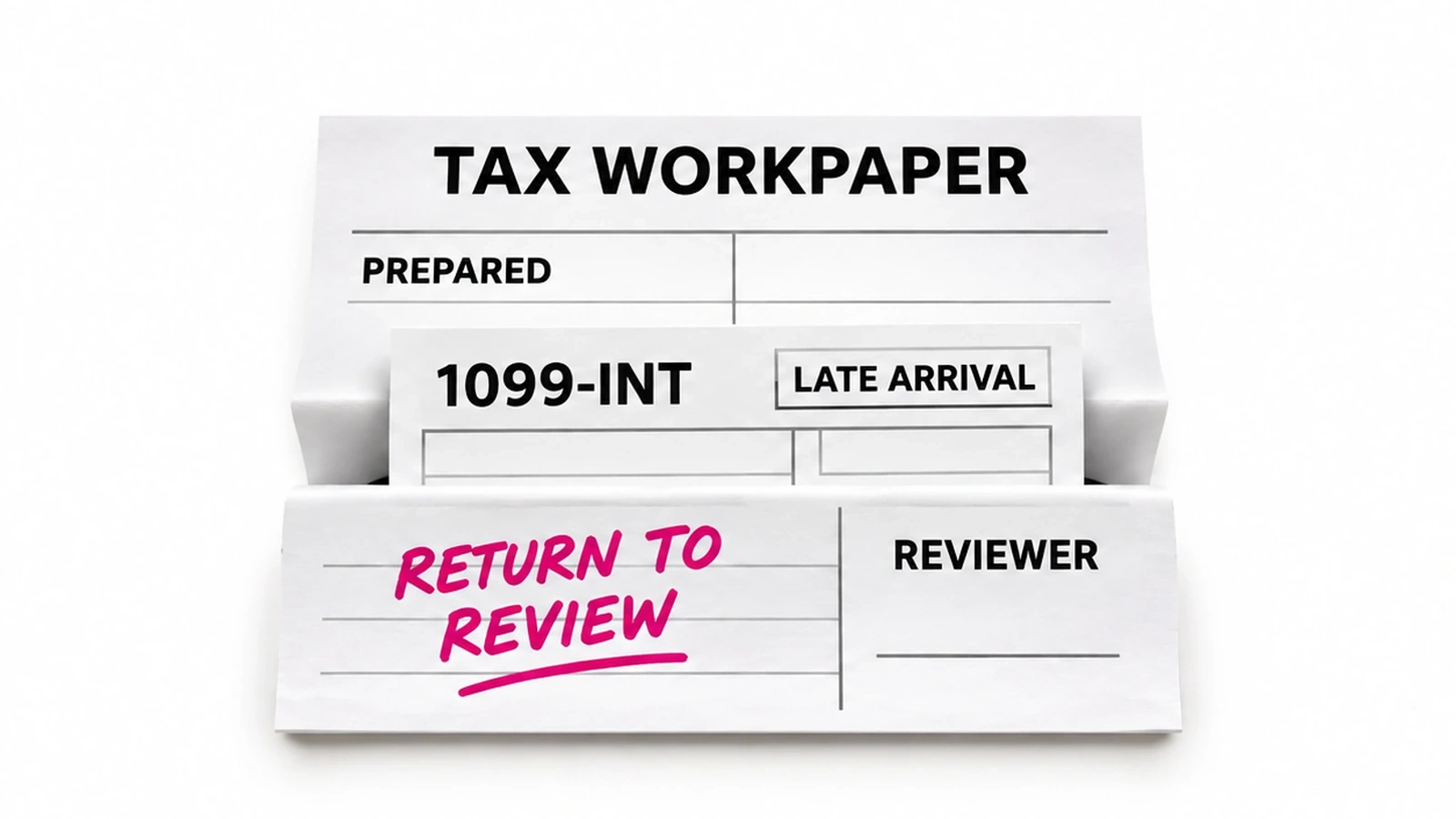
| What if a document arrives late? | Add a 1099-INT after preparation has started. | New source is identified; affected work returns to review or a named hold. Record who decides on reprocessing and any charge. |
| Who can approve completion? | Leave reviewer signoff outstanding. | Prepared, reviewed and completed remain separate states; no automatic completion based only on an upload or draft. |
| What if the return sync fails? | Ask the supplier to show a failed or uncertain status update. | External result and Karbon state reconciled before retry; one held exception with a named owner, not duplicate work. |
| Who repairs the job? | Change a mapping or revoke the connection in a supplier demo. | Alert recipient, recovery responsibility and saved state before resuming; written scope for support and fixes. |
The late-document demonstration: prepared is not complete
Picture a firm that has sent a client’s source documents from Karbon into preparation. A 1099-INT arrives later. The useful demonstration shows the original work item, the source version used, the new attachment, who receives the exception and what remains held while a reviewer decides whether preparation must run again.
Require two separate observations: the external preparation result and the current Karbon work state. Then ask for the contract rule on rerun charges. This catches a gap a simple “connected successfully” demonstration misses: a system can import documents correctly while leaving a later source outside the prepared return.
What our published operating evidence supports
Our published billing case records 513 completed invoice records across three observed weekly windows, about six minutes of agent processing per invoice against a team-reported 15-minute manual preparation estimate. That deployment used Zoho Projects and Zoho Books, not Karbon.
It supports the managed operating model, not a measured Karbon performance claim or a tax-preparation benchmark. These figures are not measured net staff time saved. Use the action-coverage sheet to establish what happens in your own proposed workflow before making a client commitment.
Frequently asked questions
Which AI agents work with Karbon for accounting firms?
Susan, Kai by Karbon and Filed address different parts of a Karbon firm’s work; Zapier is an automation alternative when the firm can build and maintain the flow. Susan is our managed pick for recurring cross-app execution. Kai supplies native context and enabled agent actions in limited early access. Filed connects selected tax work and documents to preparation. Compare the exact Karbon action and returned record before choosing.
Is Karbon Kai available to every Karbon customer?
Karbon Kai is in limited early access according to Karbon’s current Kai FAQ. Access to ordinary Karbon AI features or a paid practice-management plan is not proof that your firm has every Kai action. The same FAQ describes the AI notetaker as coming soon. Ask Karbon to demonstrate the actions enabled in your account and confirm entitlement, commercial terms and approval behavior before relying on them for a recurring client commitment.
How does Susan work with Karbon?
Susan works with Karbon through its connection, and uses its own computer for agreed steps needing a screen. Fixed Labs sets up, runs and maintains the recurring job around the firm’s existing process. Exact objects, actions, client scope and result checks are agreed before work starts. A connector listing is not a promise that every Karbon action is preconfigured. Staff retain professional signoff and approve client sends and changes to the books.
Does Filed charge again when a late tax document arrives?
Filed’s public pages give different answers about reruns. Its current pricing FAQ says reruns are included in a flat monthly firm plan, including late documents and amendments. Its Karbon integration FAQ says rerunning after information reaches tax software incurs an additional return charge. Ask Filed which terms govern your quote and contract, and demonstrate the late-document workflow. Do not assume a prepared return includes a source uploaded afterward.
Can Zapier automate Karbon work without an AI agent?
Zapier can automate documented Karbon contact and prospect workflows without making every step an autonomous AI agent. Karbon describes contact and organization sync, prospects created from forms, and webhooks for custom API workflows. Staff or a supplier must still configure mappings, permissions, exception handling and maintenance. Confirm whether your required work-status or document action is directly available or needs custom development; adding AI does not remove those responsibilities.
How much does AI for Karbon cost?
AI for Karbon uses several pricing models. Susan quotes a fixed monthly fee for agreed hosted workflows. Kai entitlement and pricing need confirmation; Karbon’s base subscription prices are not Kai prices. Filed currently quotes a flat monthly firm plan based on total taxpayers. Zapier’s platform starts at $19.99 per month on annual billing, with task-tier costs and a separate Agents offer. Include your existing Karbon subscription and staff review when comparing quotes.
Who provides Susan and fixes its Karbon workflows?
Fixed Labs provides Susan, our managed AI employee, and takes responsibility for operating and repairing the agreed Karbon workflow. Hosted pricing includes model usage, hosting, monitoring, support and fixes; the first hosted job runs within 48 hours of signing. Own-cloud timing depends on access agreed with your IT team, and customers using their own model account pay that provider directly. Your firm keeps approval authority, access control and professional review.