Accounting operations · IRS notice intake
How can a CPA firm automate IRS notice management?
CPA firms can automate IRS notice receipt, matching, date transcription and routing to a named reviewer. Keep tax judgment and the substantive response with an authorized person. The useful finish line is a complete, checked packet that a human accepts—not an uploaded PDF, a reminder sent or a task created.
The intake rules to settle first
- Use the date in the actual notice, with its source page. Set a separate internal review target.
- Keep incomplete and unaccepted cases visible, with an owner and next action.
- Verify IRS authority separately from internal task or application access.
- Prove the six exception paths before connecting more channels.
This guide concerns US IRS matters. Canadian firms handling IRS work can use the operating questions; CRA notices and rules are outside its scope. Use the proposed checklist to define receipt checks, exception ownership and reviewer acceptance.
What should an automated notice intake workflow do?
Automate the administrative sequence through accepted handoff, not the professional conclusion. Define one authoritative case in the practice-management system, with source files in approved document storage. A mailbox, scan folder or client portal can trigger intake; none should create a competing case owner.
- Capture receipt. Retain the original in restricted storage, with channel, receipt time and source version. Use an internal case reference rather than copying identifiers into a general task title.
- Match the matter. Check CP/LTR number, entity and tax period against authorized records. Escalate ambiguity before attaching the notice to a client case.
- Check the whole packet. Check page sequence and readability, gather authorized return/supporting documents and name missing evidence. An upload is not completeness.
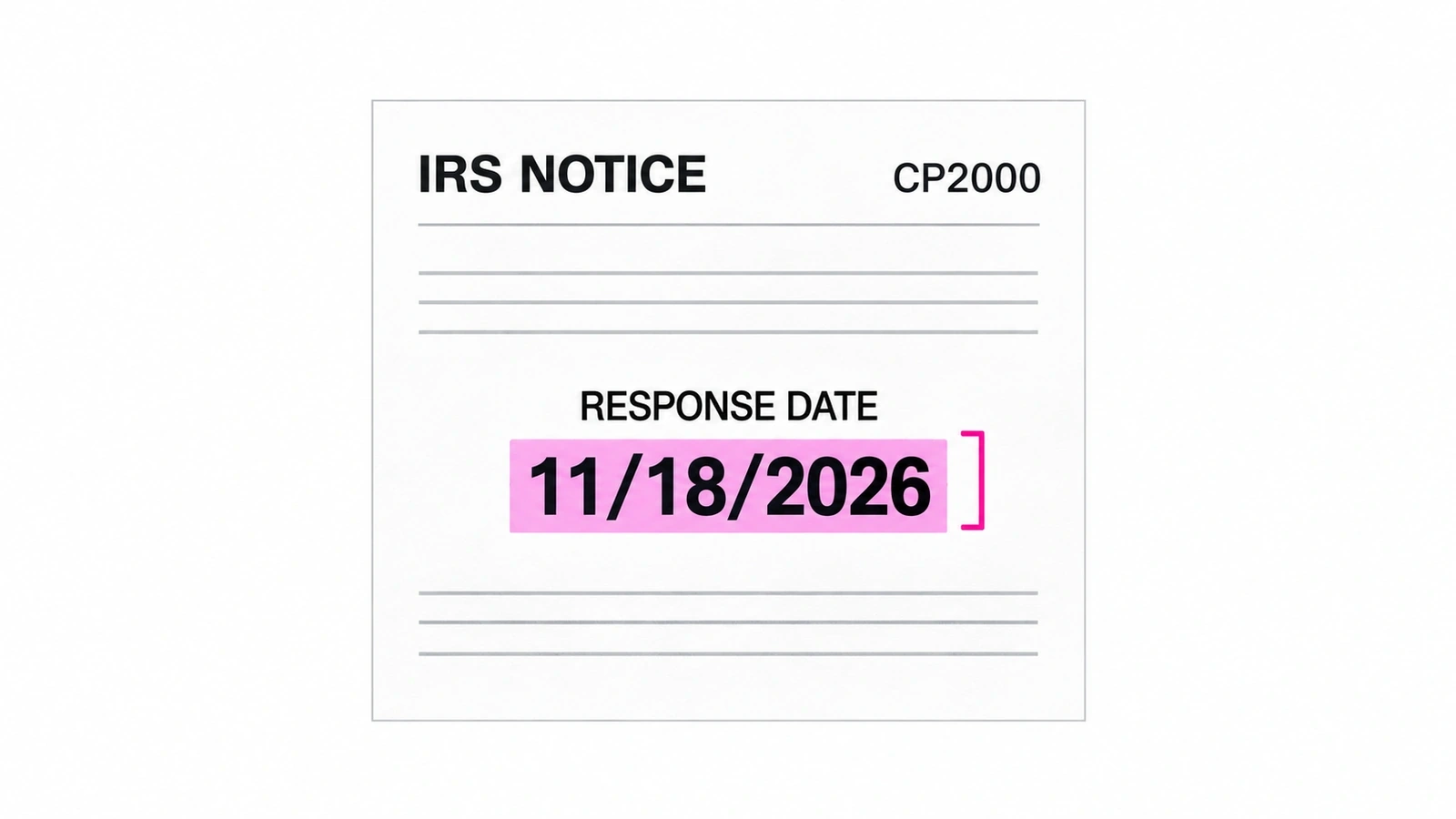
- Transcribe and verify the date. Save the notice-stated response date and page reference. A professional resolves unclear instructions or date concerns; the agent does not invent a response interval.
- Prepare the handoff. Save checks, unresolved issues, authority status, named reviewer, backup and internal target. Read back the destination task and confirm it links to the right restricted packet.
- Obtain acceptance. Record the reviewer’s explicit acceptance against that packet version and next action. If it does not arrive, escalate the unaccepted task rather than marking intake complete.
The reviewer decides the substantive response and manages any required signing or submission through the authorized process. Keep submission evidence and case resolution separate from intake acceptance. The CPA operating guide places this assignment within the wider firm workflow.
Record the notice’s date, not a generic deadline
The IRS says to review and retain the notice and act by the due date if asked to respond. Find the CP or LTR number on the letter and follow its instructions. An amount on a page does not, by itself, tell an intake system what response is required.
Store five different facts separately: notice date, receipt timestamp, tax period, agency response date and internal review target. Record the response date exactly as stated, with its page and source version; keep verification status explicit. If the date is absent, unreadable, conflicting, past or near under the firm’s escalation policy, send the original to the named professional immediately. Do not let missing-page collection delay that escalation.
For example, the IRS describes a CP2000 as proposed changes, not a bill. It says to review the entire notice and reply by the date listed. Do not turn that into a universal thirty-day timer. A request for more time must not silently replace the recorded date; the professional must establish the applicable response instructions and any confirmed change.
A proposed IRS notice intake checklist and handoff template
Download the editable notice intake checklist (CSV). It contains the fields below and six worked exception rows. Use restricted references, not names, addresses, tax identifiers, access codes or notice contents. The file records review decisions; it does not check authority, deliver reminders or enforce acceptance.
| Check | Evidence to retain |
|---|---|
| Restricted source and receipt | Approved storage reference, source version, channel and receipt timestamp; no copied tax identifiers in the tracker. |
| Notice identity | CP/LTR number, notice date, entity-match status and tax-period match; retain supporting references in restricted storage. |
| Packet usability | Expected and received pages, readability status, missing pages and checker/time. |
| Agency response date | Date transcribed from the actual notice, page reference, checked version and professional confirmation status; unresolved is not blank-and-complete. |
| Internal review target | A separate firm-set target and escalation rule; never label it the IRS deadline. |
| Authorization | Restricted authority reference, matter/period scope and status; information access and representation are distinct. |
| Supporting documents | Required return and supporting-record references, missing items and named collection owner. |
| Accepted handoff | Named reviewer and backup, packet version, explicit acceptance timestamp, unresolved next action and its owner. |
Take sample case DEMO-NOTICE-01: the packet is complete and the task is saved, but acceptance is still empty. Its state remains unaccepted-handoff. The coordinator contacts the backup under firm policy. Only the reviewer’s explicit acceptance of the current packet changes it to accepted-for-review; that is not response-submitted.
Use the client document collection guide for generic missing-item follow-up. A notice case needs the additional date, authority and accepted-review checks above; a reminder workflow alone is not notice management.
Six concrete exceptions that must stay visible
| Exception | Trigger | Required handling |
|---|---|---|
| Missing pages | A scan contains pages 1 and 3, or page 2 cannot be read. | Mark incomplete; collection coordinator requests the exact replacement. Escalate any date concern now, not after receipt. |
| Ambiguous entity | A forwarded notice uses a similar name but the approved entity match is unresolved. | Hold attachment to the client case. Identity owner verifies against restricted records; do not guess from the filename. |
| Duplicate receipt | Mail scan and email appear to contain the same CP/LTR notice. | Intake owner compares entity, period and content/version, links both receipts to one case and preserves its acceptance state. Conflicting copies need review. |
| Unclear or near response date | OCR reads two possible dates, or the listed date is past or near under firm policy. | Do not choose the later date or calculate a substitute. Notify the named professional immediately, with the source page and unresolved date. |
| Missing or out-of-scope authority | A reference permits information access for a different period, not representation on this matter. | Professional owner checks the required authority and scope. Hold representation and external action; app access cannot clear the exception. |
| Unaccepted handoff | The review task was saved, but its named reviewer has not accepted the packet. | Keep unaccepted-handoff visible. Escalate to the backup and then workflow owner under the internal policy; no silent closure or assumed acceptance. |
Give each exception a next-check time under the firm’s policy. Resolving a missing file does not automatically resolve authority or acceptance. If the case is reopened or its source changes, preserve the prior history and have the reviewer reconfirm the current packet where the change affects the review.
Existing task tools, notice software or managed execution?
Choose by the unresolved operational gap, not the amount of AI in a product description. Apply the same checks to all three approaches: complete packet, date evidence, authority status, duplicate handling, explicit reviewer acceptance and an accountable exception owner.
| Approach | When it fits | What to demonstrate |
|---|---|---|
| Existing practice-management and storage tools | One intake channel and a coordinator can maintain a reliable case and review queue. | Restricted references, required fields, unaccepted-task escalation and current packet readback without a parallel tracker. |
| Dedicated notice software | A notice-specific queue and routing workflow cover the firm’s channels and review model. | Missing-page handling, date provenance, duplicate receipts and explicit acceptance in the configured product. |
| Managed cross-app execution | A recurring gap spans approved email, storage and practice tools, and the firm needs an operator for that handoff. | Exact access scope, saved-state verification, exception ownership and preparation-only fallback where gates cannot be enforced. |
StatePilot describes notice tracking and separates agency dates from internal targets. TaxNoticePilot describes intake, missing-page handling and reviewer workflows. Notice Ninja describes routing, ownership, reminders and case history. These are vendor descriptions, not independent performance findings; ask each supplier to demonstrate your exceptions.
Susan is our managed AI employee service, provided by Fixed Labs. Its managed CPA-firm offering is relevant when the agreed work crosses systems and needs ongoing supervision. Use this proposed notice workflow to scope the access, checks and handoff your firm needs. If native tools already handle the handoff reliably, adding another operator may add cost and coordination without fixing a gap.
Start with one channel and prove the handoff
Choose one approved intake channel, one practice queue and a named professional plus backup. Walk through a complete packet and all six exceptions with safe sample records. Inspect the saved files, transcribed date/page reference, destination task and explicit acceptance—not just an agent’s completion message.
Before expanding, agree who monitors unaccepted age, incomplete packets, duplicate cases, date corrections and failed state updates. Those observations can reveal control failures; they are not promises of accuracy, throughput or fewer missed deadlines. Keep human intake available if a source cannot be read or a destination cannot be verified.
Frequently asked questions
What parts of IRS notice management can a CPA firm automate?
A firm can delegate authorized receipt capture, document matching, page checks, date transcription and preparation of a reviewer packet. Set explicit rules for sources, access, exceptions and readback of saved tasks. The agent should not determine tax treatment or decide whether the taxpayer agrees with a notice. Start with one intake channel and prove that incomplete packets and unaccepted handoffs reach an accountable person before expanding the assignment.
How should a firm record an IRS notice response deadline?
Record the response date stated in the actual notice, with its page reference and a checked source version. Keep it separate from the notice date, receipt time, tax period and internal review target. Do not apply a universal thirty-day rule or infer the date from a balance. An unclear, conflicting, past or near date needs immediate named professional review. A request for more time is not evidence that an extension has been granted.
Can AI respond to a CP2000 notice without a CPA?
Do not delegate an autonomous substantive response. The IRS describes a CP2000 as proposed changes, not a bill, and instructs the recipient to review the entire notice and reply by its listed date. An agent can organize the notice and supporting records for a qualified human reviewer. Agreement, disagreement, supporting explanations, signing and submission belong to the authorized human process. Internal application access does not establish IRS representation authority.
What happens when pages or authorizations are missing?
Keep the receipt visible, mark the packet incomplete and assign the exact missing evidence to a named owner. Request the specific unreadable or missing pages through the approved client channel; do not assume the cover page is sufficient. A professional must resolve absent or out-of-scope authority for the relevant matter and period. Keep date escalation active while these checks are unresolved rather than waiting for the packet to become complete.
Does creating a review task mean the notice is assigned?
No. Task creation proves only that a task exists, not that a tax professional accepted responsibility. Retain a named reviewer, backup, packet version, acceptance timestamp and next action. Until the reviewer explicitly accepts, keep the case in an unaccepted-handoff queue and escalate under the firm’s internal policy. Acceptance itself does not prove a response was sent to the IRS, accepted by the agency or completed on time.
Who provides Susan and what can it do for notice intake?
Fixed Labs provides Susan, a managed AI employee service for CPA and accounting firms. Notice intake is a bounded capability to discuss: authorized gathering, matching and a checked human handoff, not autonomous tax advice or response filing. The proposed workflow keeps tax judgment and response approval with the firm. A walkthrough should establish access, system fit, reviewer ownership and demonstrated exception handling before the firm permits the workflow.
Walk through one notice intake process with Susan.
Tell us where notices arrive, which system holds the case and who accepts review. We can discuss the bounded assignment, exception handling and verification it would need. No client records, tax identifiers or credentials are needed for the conversation.
Book a walkthrough