Deployment controls · Approval workflows
Best AI Approval Workflow Tools for Accounting Firms (2026)
Discuss your approval workflowSusan is our top pick for accounting firms that want approval-gated work run across their existing apps, with a named reviewer approving the exact action, record version, amount and destination before a consequential step. Karbon AI Agents, Canopy Coworker and Financial Cents’ document agents fit firms that want approval controls inside one practice platform. Whichever AI approval workflow tool you choose, approval must expire when those details change, the executing tool must enforce the boundary, and the saved result must be checked.
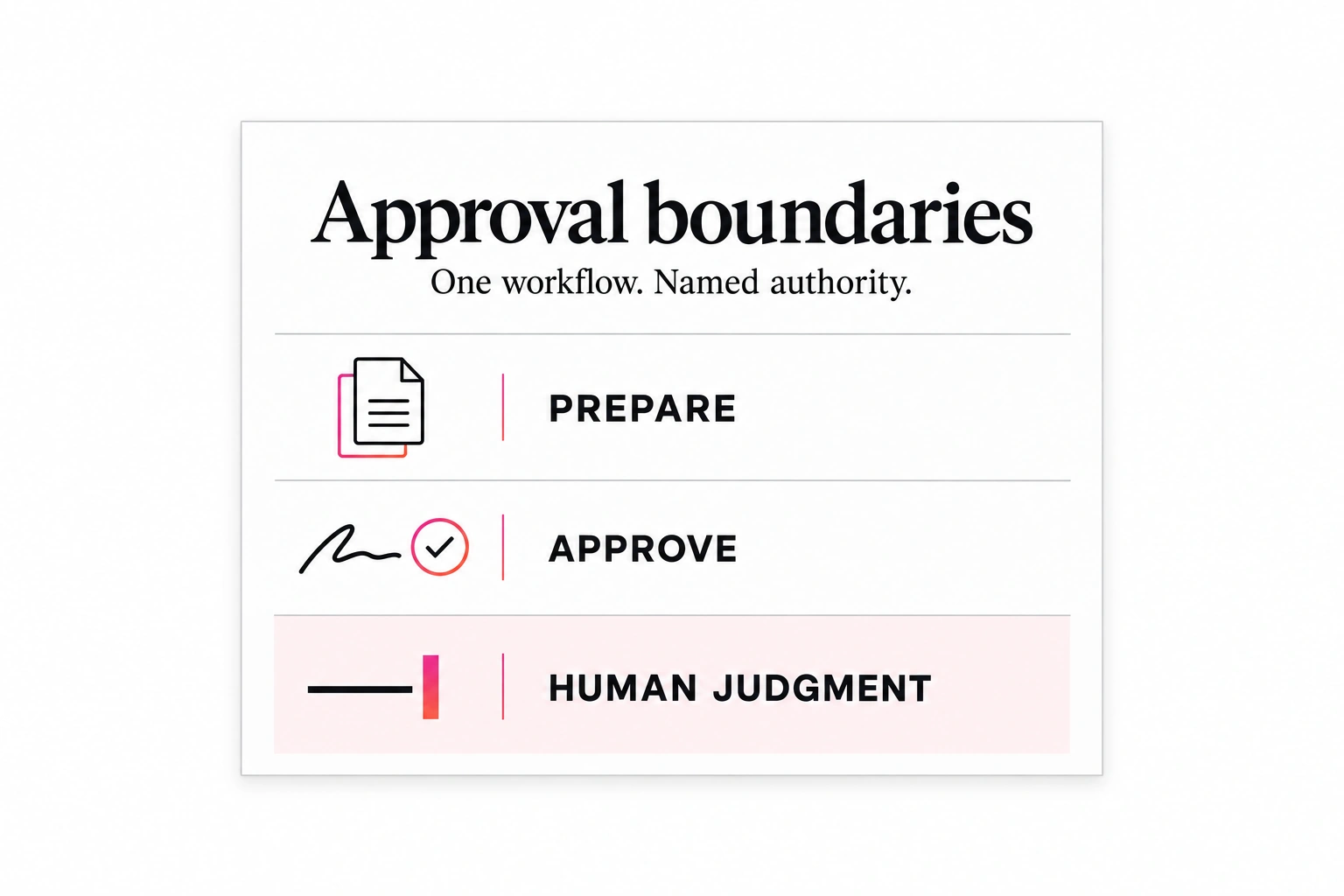
Use this proposed approval map with your process owner before connecting a workflow. Decide which actions the agent may prepare, who can approve execution and which decisions stay with your firm.
Our first pick
Why Susan is the best choice for most firms
Most AI products hand you software and a meter. Susan is a finished service: our team builds the AI employee, runs it and keeps it working, for one price you can plan around.
- One fixed monthly price. You agree the price once and it does not move with volume. Model usage, hosting, monitoring and fixes are included. Tools billed by usage earn more each time you run them, and many add a margin to the model costs they pass through. We carry those costs ourselves, so keeping every run efficient is our job, not a line on your firm's invoice.
- Done for you, not do-it-yourself. There is nothing for your firm to configure, prompt or maintain. Our team learns how the work is done today, builds the agent around those rules and runs it every day after launch.
- Support and fixes are part of the fee. When a portal changes, a login expires or a new exception appears, our team fixes it. That work is included, not billed as extra hours or left to your staff.
- Security from the first day. Each agent works on its own dedicated, hardened computer. App passwords stay in a protected layer the agent never sees, people approve anything that reaches a client or changes the books, and every action is logged.
- Your own cloud and model for larger teams. Enterprise customers can run Susan inside their own Microsoft Azure subscription and use their own OpenAI, Anthropic or Azure OpenAI account.
- Keeps the software you already use. Susan works through direct app connections and uses its own screen for portals without one, so there is no new platform to move to.
| Question | Susan | Typical AI tool |
|---|---|---|
| How you pay | One fixed monthly price, usage included | Per seat, per client or per unit of usage |
| Who sets it up | Our team, around your process | Your staff, inside the vendor's product |
| Who fixes it when something changes | Our team, included in the fee | Your staff, or paid support |
| Where it runs | Its own computer, or your Azure subscription | The vendor's shared platform |
Best AI approval workflow tools for accounting firms: the shortlist
- Susan: our top pick for approval-gated work across apps. Our team maps which actions are prepared, which wait for a named reviewer and which stay human-only, then runs the workflow. Check: the approval points for each action and who repairs a failed run. Managed CPA workflows.
- Karbon AI Agents: for firms working in Karbon. They act within Karbon jobs, checklists and client timelines, and Karbon says the firm decides what they can do and when they need approval; the page marks them early access. Check: the agents enabled for your account. Karbon AI Agents.
- Canopy Coworker: for review inside Canopy. Its page describes a review queue where staff approve AI-drafted items, and an open beta. Check: the actions your plan enables and what happens when work continues outside Canopy. Canopy Coworker.
- Financial Cents AI agents: for document handling. Its renaming and routing agents run in an “Always Ask” or “Just Do It” mode. Check: which mode each agent uses and who reviews ambiguous or wrong-period files. Financial Cents AI.
We checked the linked vendor pages on October 27, 2026. A review queue is a starting point; the cases below decide whether an approval still holds when the record changes.
Three bands, assigned action by action
A WIP refresh and an invoice send may involve the same project but need different permissions. Classify each action, not the whole agent.
| Band | Example | Required boundary |
|---|---|---|
| Authorized preparation | Read permitted sources, assemble a draft, refresh source-owned WIP fields | Low impact; verified inputs and outputs; human-owned fields preserved; documented recovery path |
| Named-human approval | Change a client-visible figure, post an invoice or send an approved message | Authorized reviewer approves the exact action before execution |
| Human-only decisions | Final tax, audit, legal or client-advice judgment; consent or identity exceptions | A person decides; the agent may organize inputs, not make the decision |
Reversible and internal does not automatically mean safe. An internal edit can overwrite a manager’s explanation or trigger downstream billing. Band 1 must not send externally, change a client-visible figure or trigger a consequential downstream action. If any condition fails, stop and route for review.
A firm might require individual approval for payment entries as a stricter policy. That is not a universal accounting rule or a description of every Susan payment workflow. The split depends on the job and the firm’s risk policy; do not assume most work will qualify for autonomous execution.
Approval must survive a changing record
An agent can cause harm when tools, permissions or autonomy exceed its task, even when a model error or prompt injection starts the problem. OWASP’s Excessive Agency guidance recommends minimum privileges, human approval for high-impact actions and authorization enforced downstream. Permissions complement output verification; they do not replace it.
The reviewer needs the proposed action, source evidence, checks and unresolved exceptions. Define what evidence must be inspected. A summary or document link alone does not prove review occurred.
Our proposed design binds approval to the action, recipient, amount and record version, with an expiry. If any changes, request fresh approval. Enforce that comparison in the tool or downstream system, not only in the agent’s instructions. A browser workflow with broad access and no enforceable gate should remain preparation-only, with a person performing the consequential step.
A fresh read alone does not close the approval race
Consider an unchanged invoice draft d4 approved against time-entry source r17. A preparer corrects a time entry to r18 without updating d4. A gate that checks only the draft version and amount can still pass, although the evidence the reviewer relied on has changed. Bind the packet to the relevant source versions as well as the output, policy, reviewer scope, recipient and action. Rebuild the packet when a material source changes; an unchanged total does not establish unchanged evidence.
There is also a check-to-use race: the executor reads r17 at 14:15:00, another worker saves r18 at 14:15:01, and the first worker posts at 14:15:02. Another read before posting merely narrows that window. Where supported, require a conditional write against the approved version or a serialized execution gate shared by every writer. A lock that only one agent honors does not exclude a staff member or another integration. Cross-app records may not share a transaction; the provider must explain which changes its boundary can actually reject.
| Failure injected | Required outcome | Evidence to inspect |
|---|---|---|
| Source r17 becomes r18; draft stays d4 | Hold old approval and rebuild the packet | Old/current source versions, changed evidence and held action; no posting or send |
| Source changes between check and write | Conditional write rejects or coordinated execution prevents the stale action | Actual destination rejection or serialization trace; a preflight read alone is insufficient |
| Destination times out after write | Mark result unknown and reconcile before retry | Destination record and separate action receipt; no claimed no-action result without proof |
These are proposed acceptance requirements, not a claim that Susan universally enforces source-version checks or atomic cross-app execution. If the destination cannot reject a changed precondition, or relevant writers cannot be coordinated, keep the agent preparation-only. A currently authorized person should recheck the latest sources and perform the consequential step in the destination. Do not describe that manual fallback as an atomic safeguard.
For a document-based handoff, the IRS notice intake checklist binds acceptance to the checked packet version. Replacing a missing page after acceptance must not silently preserve an approval of different evidence; a professional decides whether the changed packet needs renewed review.
An unchanged draft can still have stale approval scope
Rechecking the amount is not enough. Approval also depends on who is allowed to authorize this action now. Suppose a billing manager approves draft d4 at 14:00, then loses posting authority at 14:10 when responsibility moves to another office. At 14:15 the draft is unchanged, but the executor must hold it: the original reviewer no longer has current scope.
Compare current reviewer identity, role, client or entity scope, action permission, policy version and expiry with the saved approval immediately before the consequential step. Re-read the authoritative access record; do not rely on a role copied into a message or cached at preparation time. If the check cannot be completed, fail closed and keep the action pending.
| Change after approval | Executor response | Who clears the hold |
|---|---|---|
| Reviewer removed or reassigned | Reject old authority even if draft and amount are unchanged | Workflow owner names a currently authorized reviewer; that person reviews the current packet |
| Reviewer still active but different client/entity scope | Hold this action; permission on another account does not transfer | Access owner confirms exact account scope; reviewer gives fresh approval |
| Policy now requires a second approver | Rebuild packet under current policy; old single approval is insufficient | Both currently required approvers decide before execution |
| Approval service unavailable | No execution; record an authority-check failure, not a rejection by the human | Operator restores the check; executor revalidates before proceeding |
| Post succeeded before scope changed; send still pending | Preserve the posted invoice; hold the send and reconcile its delivery state | Current authorized reviewer decides the remaining send; never repeat posting |
Save the rejected approval identifier, old and current scope, policy version, check time, held action and reason. Report exactly what has already happened and what has not. A stale approval is a hold, not an automatic reversal: undoing a posted record is a separate consequential action that needs its own authority and accounting review.
For reconciliation, the same rule applies to the bank account, period, match set and proposed journal. Use the Gemini 4 Argon bank-reconciliation sample to separate supported proposals from unresolved items. A benchmark score cannot supply missing authority, and an approved fee does not authorize an unrelated deposit classification.
Who must approve a combined invoice?
Every component needs its required commercial approval, and all required approvers must accept the same final invoice packet/version before the combined action proceeds. One engagement owner cannot authorize another owner’s fees merely because both appear on one invoice.
Take a proposed sample invoice d7 with two components: monthly bookkeeping at $900 and tax preparation at $600. The bookkeeping owner approves their component; the tax owner holds theirs pending a scope question. The combined $1,500 invoice remains held. The preparer may assemble the packet, but preparation is not final acceptance and does not supply missing fee authority.
| Component | Decision | Effect on combined invoice |
|---|---|---|
| Bookkeeping / $900 | Bookkeeping owner approves d7 component evidence | Approval covers this component only |
| Tax preparation / $600 | Tax owner holds d7 pending scope clarification | Combined invoice remains held |
| Final packet / $1,500 | All required approvers must accept the same final version | No final acceptance while a required decision is missing |
Suppose bookkeeping becomes $800 and tax preparation becomes $700. The total is still $1,500, but the approved treatment changed. Rebuild the affected component evidence and final authorization; an unchanged total does not preserve approval. Do not combine one owner’s approval of d7 with another owner’s approval of d8. Record the final packet version and the approvals required under current firm policy.
A technical operator can restore a failed tool, not provide the missing commercial decision. Where firm policy requires independent review, the preparer cannot also count as the independent approver. Keep component approval, acceptance of the final draft and permission to post or send as distinct decisions. Final acceptance alone is not sending authority; this proposed example does not promise that an agent sends the invoice.
Before requesting those decisions, use the source-to-invoice missing-time checklist to check eligible entries exactly once. Complete source coverage does not replace fee approval, and fee approval does not prove complete source coverage.
A reviewer can withdraw an otherwise valid approval
Suppose the reviewer approves draft d4 at 14:00 and withdraws that approval at 14:10, before the scheduled send. Their role and the draft are unchanged, and the original approval has not expired. The send must still be held. Record withdrawal against the authoritative approval identifier; a reply in another channel is not enough unless the executing system receives and enforces it.
Require the executor to check current approval status at the action boundary and coordinate withdrawal with execution. A withdrawal received after an external action has already started cannot guarantee prevention. Save the order of events and inspect the destination. Mark an uncertain result as unknown until reconciled; never report “nothing sent” merely because the stop request was accepted. A later decision to proceed needs fresh approval, not silent reuse of the withdrawn one.
Define what the stop actually stops
For the proposed workflow, name an on-duty operator and a firm backup who can stop new triggers, hold queued consequential actions and disable the relevant execution access. Agree how they verify each control took effect. A pause in the chat conversation alone does not prove a scheduled job or another integration stopped.
The operator records the stop time, affected workflow, in-flight actions and destination readbacks, then tells the reviewer which results are confirmed, held or unknown. Preserve receipts and already-completed work. Reconcile unknown sends or postings before retrying; reversal is a separate authorized accounting decision. Resume only after the owner verifies the fix, current access and fresh approval for pending actions.
Access controls differ by deployment. Our private AI guide explains cloud, app and model-account revocation. Removing one credential does not delete retained copies or undo a completed action.
A sample approval packet: WIP to invoice
Take a sample project, DEMO-WIP-014. A scheduled refresh reads an authorized practice-management export and updates an internal review tracker. Invoice preparation happens separately in the billing system.
| Packet field | Proposed value |
|---|---|
| Policy and source | billing-policy-v3; source record r17; draft d4 |
| Allowed refresh | $4,000 → $4,200 in the tracker; preserve ‘awaiting delivery milestone’ |
| Requested action | Post draft invoice for $4,200; then send the exact approved message to billing@example.invalid |
| Reviewer and scope | Designated billing manager; this draft, amount, recipient and message only |
| Checks and limits | Source matched; draft read back; no duplicate invoice; delivery confirmation still needed |
| Approval lifetime | Expires at 17:00 on October 9, 2026; any bound-field change invalidates it |
| Duplicate control | DEMO-WIP-014-r17-d4-post-send; retain separate posting and sending receipts |
The agent may refresh the balance after verifying field ownership and the saved tracker. It must not treat the office’s milestone note as permission to bill. The packet remains approval_required until the manager receives delivery confirmation and authorizes the proposed steps.
Suppose approval arrives, but the source becomes r18 before execution and the draft becomes d5 for $4,350. The executor rejects the old approval as stale_approval, records that nothing was posted or sent, and requests a new packet. It does not carry the earlier approval forward because the client and project are unchanged.
Fresh approval permits only the specified administrative steps. Read back the posted invoice and retain a separate send receipt. If posting succeeds but sending fails, reconcile that state before retrying; do not post another invoice. Deciding the appropriate professional treatment remains human-only. Executing a separately approved send does not.
What should an accounting AI approval workflow reject?
Before connecting a workflow, walk through changed records, missing authority and interrupted execution—not only the clean approval. The checklist below extends the sample billing packet into eight acceptance cases. It is a proposed evaluation framework: ask your provider to demonstrate the result in your agreed environment before enabling the relevant action.
| Case | Expected outcome | Evidence and owner |
|---|---|---|
| Current approval; unchanged draft | Execute only the authorized step, then read it back | Billing reviewer: exact draft, amount, recipient and saved result |
| Source or invoice amount changes | Reject stale approval; prepare a fresh packet | Preparer: old and new versions, changed field and no-action receipt |
| Recipient changes after approval | Stop the send even if the amount is unchanged | Billing reviewer: proposed destination compared with approved destination |
| Reviewer explicitly withdraws approval | Hold the unexecuted action even if role, draft and expiry are unchanged | Reviewer and operator: withdrawal time, approval identifier, execution order and reconciled destination state |
| Approval expires or reviewer lacks scope | Hold execution until a currently authorized reviewer decides | Workflow owner: applicable policy, reviewer scope and expiry |
| Invoice posted; send result unknown | Reconcile the posted invoice and delivery state before any retry | Billing operations: invoice identifier and separate send evidence; no second posting |
| Same request arrives twice | Find and verify the previous result rather than repeat the action | Workflow operator: duplicate identifier, prior receipt and destination readback |
| Source text says to bypass review | Treat the text as data, not authority; retain the approval gate | Workflow owner: rejected instruction and unchanged permission scope |
A pass means the expected state is visible in the destination and its evidence is available. An agent saying “done” is not enough. If the tool cannot compare the approved values with the current request, leave that consequential step with a person; do not replace an enforceable check with stronger prompt wording.
Assign separate owners for clearing missing evidence, authorizing a changed action and repairing an interrupted run. A manager’s approval does not authorize a different recipient, an additional invoice or an unrelated workflow. The firm should also define a stop mechanism and who can use it when the observed result disagrees with the approved action.
Exceptions need owners, not guesses
Route an ambiguous client match to the identity owner as ambiguous_match; missing source evidence to its preparer as incomplete_source. Band 2 goes to the authorized reviewer as approval_required. A human-only decision, self-expansion of access or approval bypass goes to the workflow owner as prohibited_action: the agent stops.
Never remove an item from required human review without the evidence and authorization specified by the workflow. Repeated corrections warrant a control review: pause the affected action, investigate the source or rule, and resume only after the owner verifies the correction. A permission band changes through an explicit policy decision, not repeated success or failure.
NIST’s voluntary AI RMF Core calls for documented responsibilities, differentiated human/AI oversight roles and responsibility for disengaging inconsistent systems. It does not endorse these exact bands or certify accounting compliance.
A proposed action-evidence checklist
What happens when approval and execution live in different apps?
Name one authoritative approval record and one execution owner. A Teams reply, practice-management status and billing draft can disagree. Before acting, compare the current destination record with the approved recipient, amount and version; a copied “approved” label in a tracker is not fresh authority.
For a proposed cross-app rollout, have the supplier change a recipient after approval, repeat the trigger and interrupt execution after posting but before sending. The reviewer needs a visible hold or reconciled partial result, not a second invoice. Agree who clears the exception and who verifies recovery. Use the native practice AI versus managed employee supplier checklist to compare that responsibility without assuming built-in AI cannot execute work.
Retain enough evidence to reconstruct the action:
- Agent identity, authorized human reviewer and workflow owner.
- Policy version, authorization scope, exact action and destination.
- Source/output versions, relevant evidence and before-and-after values.
- Approval decision, time, expiry and invalidation reason where applicable.
- Execution/readback result, exceptions and separate posting/send states.
- Retry/duplicate identifier and recovery outcome.
Apply the firm’s access, retention and confidentiality policies. This checklist is not a compliance standard; collecting logs alone does not prevent excessive agency.
Map one workflow before expanding it
Susan’s public managed CPA-firm service describes bounded work, verification and retained firm approval authority. Its WIP workflow separates source refreshes from office responses and billing decisions. Use the service discussion to agree which controls your workflow needs and which can be enforced in the systems it touches.
Use the CPA operating guide to choose one recurring workflow, whether proposed or already running. Name its approver, exception owner and stop conditions before expanding scope.
Match review capacity to the approval queue
The approval design can fail if the reviewer has no time to inspect the evidence. Estimate queue volume and review capacity before agreeing the scope. High volume alone does not invalidate individual approval, and low volume does not establish meaningful review.
The published billing observation reports 513 invoice records across three observed weekly windows. That is about 171 records per week, or roughly 34 per working day over a five-day week. That workload does not determine the number of approvals: posting and sending are separate actions, and the observation does not establish how many individual decisions your firm requires.
| Design | Approvals per week | What it depends on |
|---|---|---|
| Approve every invoice individually | ~171 if one decision per record; separate action approvals may add more | A named reviewer with protected time, and a queue that does not expire unattended |
| Standing rules for explicitly permitted actions | Rule review plus required exception decisions | Documented firm authority, enforceable limits and current output checks; never a substitute for required individual approval |
| Preparation only; human performs the action | Human execution capacity still required | Current source review and a separately authorized consequential step; no autonomous release |
The volume is one workflow’s observation, not a benchmark for your firm. Review design is a risk and authority decision as well as a capacity decision. Required individual approval must not disappear because a queue is busy. Standing rules need explicit authorization for the exact action and do not remove output verification or exception handling.
Two practical rules follow. First, keep approval authority separate from exception ownership: the person clearing a missing discount reason is not always the person who may send. Second, measure the approval queue as a cost, alongside the subscription and the agent’s own work. Our That is why Susan charges one fixed monthly price with support included: reviewer hours and fixes belong in the same budget line as the licence.
What this cannot tell you is how much review your own firm needs. That depends on client mix, fee risk and how much your current staff already check. Start with one workflow and count the real approvals for a month before extending the design to a second.
Put approval controls in the purchase acceptance record
Before buying an approval workflow, record the required action boundary and ask the supplier to demonstrate each hold. These are proposed procurement requirements, not a claim that every Susan deployment or competing platform implements them. Have the firm’s owner accept the evidence before enabling the consequential action.
| Requirement | Demonstration to request | Acceptance evidence and owner |
|---|---|---|
| Current authority and withdrawal | Approve a draft, remove the reviewer’s scope or withdraw approval, then attempt the queued action | Access owner: authoritative role/status read and held action, with no assumed no-action result |
| Source and destination preconditions | Change supporting evidence while leaving the invoice total unchanged | Reviewer: changed source versions and fresh review; operator: destination rejection or documented preparation-only fallback |
| Separate post and send authority | Permit preparation or posting while withholding send authority | Billing owner: exact permitted step, recipient and separate receipts; no implied permission for the next action |
| Unknown outcome and recovery | Interrupt the response after a destination write, then request a retry | Operator: destination reconciliation, preserved record reference and no duplicate before resuming |
| Stop queued and in-flight work | Use the agreed stop control while a trigger and an action are pending | Workflow owner: confirmed hold for queued work, reconciled in-flight state and authorized restart conditions |
| Review capacity | Show queue age, assigned reviewers, backup coverage and unresolved exceptions | Firm owner: protected review capacity and overdue escalation; no silent approval or expiry-based release |
A missing demonstration is an open requirement, not a pass. If an enforceable boundary is unavailable, restrict the agent to preparation and have an authorized person perform the consequential step after checking current evidence. Include review effort and recovery ownership in the purchase scope, not only subscription cost.
Use the CPA service-line procurement table to keep tax authority, assurance methodology and operating responsibility separate. A signed-off workpaper is not permission to send an invoice or widen access.
Frequently asked questions
What should an AI agent be allowed to do without approval in an accounting firm?
Under the proposed design in this article, only authorized preparation: reading permitted sources, assembling a draft and refreshing source-owned fields such as a WIP balance. That work must be low impact, use verified inputs and outputs, preserve human-owned fields and have a documented recovery path. It must not send anything externally, change a client-visible figure or trigger a consequential downstream action. If any of those conditions fails, the agent stops and routes the item for review.
Which accounting decisions should never be delegated to an AI agent?
Final tax, audit, legal and client-advice judgment should stay with a person, along with consent and identity exceptions. In the proposed approval map, the agent may organize the inputs for those decisions but not make them. If a step would require a human-only decision, expand the agent's own access or bypass an approval, the item is routed to the workflow owner as a prohibited action and the agent stops.
What happens if a record changes after a manager approves an AI agent's action?
The approval should no longer count. The proposed design binds each approval to the exact action, recipient, amount and record version, with an expiry time. If any of those change before execution, the tool rejects the old approval as stale, records that nothing was posted or sent, and requests a fresh approval packet. In the article's example, a draft that moves from $4,200 to $4,350 needs new approval even though the client and project are unchanged.
What should a reviewer see before approving an AI-prepared invoice?
The reviewer needs the proposed action, the source evidence behind it, the checks already run and any unresolved exceptions. The firm should define which evidence must actually be inspected, because a summary or a document link alone does not prove review occurred. The article's sample packet also names the policy version, the reviewer's scope, the approval's expiry and a duplicate-control identifier, so posting and sending can be reconciled separately afterwards.
Is an AI approval boundary map a compliance standard for accounting firms?
No. The approval boundary map in this article is a proposed design for discussion with a firm's process owner. It is not a completed deployment, a compliance standard or a guarantee against errors. It draws on OWASP's Excessive Agency guidance and the voluntary NIST AI RMF Core, but neither source endorses these exact bands or certifies accounting compliance. Each firm still applies its own access, retention and confidentiality policies.
Who helps accounting firms set approval boundaries for AI agents?
Susan, a managed AI agent service at trysusan.com, works with accounting firms on bounded workflows such as invoice preparation and WIP reporting, with verification built in and approval authority retained by the firm. A conversation starts with a redacted workflow, so the team can discuss scope, approval points, exception owners and verification requirements. The approval map described here is a proposed design, not evidence of a deployment, and professional judgment stays with the firm.
A workbook edit needs a boundary before it is copied into the books
Take a sample review workbook with an approved expense summary on sheet r4. An assistant prepares a revised allocation on a working copy. The manager accepts the allocation, but a preparer then replaces the supporting statement. Even if the grand total stays the same, the accepted evidence no longer matches the current packet. Hold the ledger handoff and ask the reviewer to inspect the changed source and allocation.
| Boundary | Required check | Evidence to retain |
|---|---|---|
| Working copy versus accepted workpaper | Confirm which file may be edited and who can promote it | File reference, source versions and permitted ranges |
| Accepted calculation versus posting authority | Require current approval for the exact account, period and journal | Reviewed calculation and a separate action authorization |
| Changed source with unchanged total | Hold the handoff; compare allocations and renew review where needed | Changed statement, revised rows and reviewer decision |
| Interrupted ledger handoff | Inspect the destination before any retry; do not infer failure from a timeout | Saved journal reference or explicit unknown state and recovery owner |
A working-copy rollback is not an approval gate, and acceptance of a calculation is not permission to post it. If the destination cannot enforce the required action boundary, have an authorized person perform the ledger step after checking current evidence. Use the accountant assistant evaluation checklist to compare preparation, source verification and operating ownership without treating a polished workbook as completed accounting.
Discuss your approval map with Susan.
Bring a redacted workflow so we can discuss scope, approval points, exception owners and verification requirements. Remove client identifiers and confidential amounts. Professional judgment stays with your firm.
Discuss your approval workflow